Categories
- Knowledge and help (92)
- Blog (219)
- Oberon (12)
- bioplasm nls (14)
- Diacom nls (20)
- Metatron Hunter 4025 NLS review (41)
- Metatron Hunter Manual (7)

MAIKONG Metatron Hunter 4025 NLS Software interface highlighting the user profile section
Our technical specialists can guide you through the entire profile setup process to ensure optimal performance of your Metatron Hunter 4025 NLS Software.
Before setting up user profiles, ensure your computer meets the minimum requirements for running the Metatron Hunter 4025 NLS Software effectively. MAIKONG’s software is designed to work optimally with specific system configurations.

| Component | Minimum Requirement | Recommended Specification |
| Operating System | Windows XP/7/Vista | Windows 10/11 (64-bit) |
| Processor | 1 GHz Pentium III | Intel i5 or higher |
| RAM | 512 MB | 8 GB or higher |
| Hard Drive Space | 1 GB free | 10 GB or more |
| Video Card | SVGA High Color 1024×768 (8 MB) | Dedicated graphics card |
| USB Ports | 2 USB ports | 2 USB 3.0 ports |
| Additional Hardware | CD-ROM drive | Color printer |
| Power Supply | Standard | Uninterruptible power supply |
Important: The Metatron Hunter 4025 NLS Software is compatible with Windows operating systems only. It does not support Apple macOS, Linux, or Unix systems. For optimal performance, we recommend using a dedicated computer for your bioresonance diagnostics.
Before setting up user profiles, ensure you have properly installed the Metatron Hunter 4025 NLS Software. The installation process is straightforward but requires attention to detail for optimal functionality.

Always ensure you have administrative privileges on your computer before installing the Metatron Hunter 4025 NLS Software. Some antivirus programs may interfere with the installation process. If you encounter issues, temporarily disable your antivirus and firewall during installation.
Creating accurate user profiles is the foundation of effective bioresonance analysis. The Metatron Hunter 4025 NLS Software allows for detailed client information to be stored and organized for easy access and comprehensive analysis.

Launch the Metatron Hunter 4025 NLS Software and click on the “Patient” or “Client” tab in the main menu. Select “New Patient” or the equivalent option in your software version.
Fill in the required fields including full name, date of birth, gender, contact information, and any identification numbers used in your practice.
Enter relevant medical history, known conditions, medications, allergies, and other health information that may influence the analysis results.

| Field Category | Required Information | Purpose |
| Personal Details | Full name, date of birth, gender | Basic identification and demographic analysis |
| Contact Information | Phone, email, address | Client communication and record management |
| Physical Parameters | Height, weight, blood type | Baseline health metrics for analysis calibration |
| Medical History | Existing conditions, surgeries, treatments | Context for analysis and interpretation |
| Medications | Current medications, supplements | Potential interference factors in analysis |
| Lifestyle Factors | Diet, exercise, occupation, stress levels | Holistic assessment factors |
Our technical team can provide personalized guidance for optimal profile configuration in your Metatron Hunter 4025 NLS Software.
The Metatron Hunter 4025 NLS Software offers sophisticated profile customization options that allow practitioners to tailor the system to specific diagnostic needs and clinical practices.

Fine-tune your diagnostic approach by adjusting these advanced profile settings:

Organize your client database efficiently with these advanced categorization features:
Create custom categories based on condition types, treatment protocols, or any other classification system relevant to your practice. This allows for quick filtering and group analysis.
Set up profile parameters to track treatment progress over time, with customizable metrics and milestone indicators to monitor client improvement.
Configure profiles for research purposes with anonymized data collection and specialized analysis parameters for clinical studies or efficacy tracking.
“The advanced profile settings in the Metatron Hunter 4025 NLS Software allow me to customize each client’s analysis parameters based on their specific health concerns. This level of personalization has significantly improved the accuracy of my assessments.”
Even with the user-friendly interface of the Metatron Hunter 4025 NLS Software, you may encounter occasional challenges when setting up or managing user profiles. Here are solutions to the most common issues.

If profile information isn’t being saved properly:
When experiencing difficulties with profile data transfer:
If you’re unable to locate existing profiles:
Important: Always back up your client database regularly to prevent data loss. The Metatron Hunter 4025 NLS Software includes an automatic backup feature that can be configured in the system settings menu.
Our technical support team is available to help resolve any issues with your Metatron Hunter 4025 NLS Software.
The Metatron Hunter 4025 NLS Software by MAIKONG offers advanced diagnostic capabilities through its sophisticated bioresonance technology. Understanding these specifications helps optimize your profile setup for maximum effectiveness.
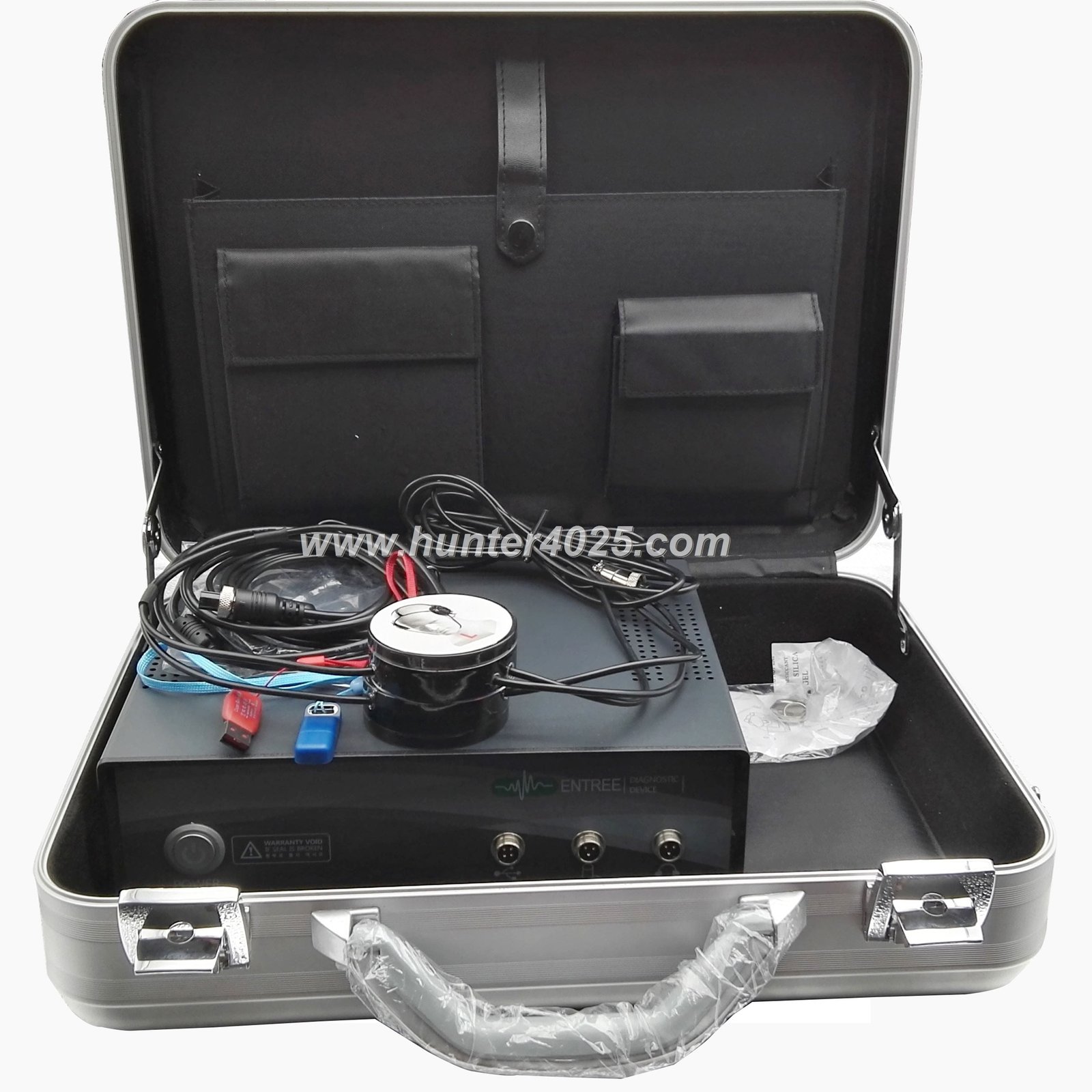


| Feature | Specification | Benefit |
| Internal Generator Frequency | 4.9 GHz | Enhanced sensitivity for detailed tissue analysis |
| Average Scanning Time | 2 seconds | Rapid assessment for efficient client sessions |
| Anatomical Structure Accuracy | 85-98% | Reliable diagnostic information |
| Histological Models Accuracy | 85-90% | Detailed tissue-level analysis |
| Genetic/Chromosomal Model Accuracy | 80-90% | Deep cellular-level assessment |
| Computer Graphic Models | 1432 organs and tissues | Comprehensive body system analysis |
| Digitized Spectral Etalons | 4025 preparations and processes | Extensive reference database for comparison |
| Power Supply | USB port (5V) | Convenient connection without external power |
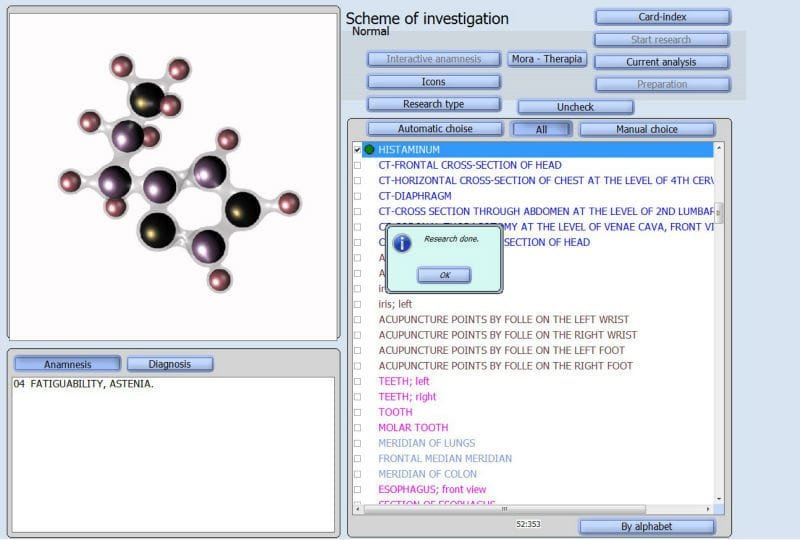
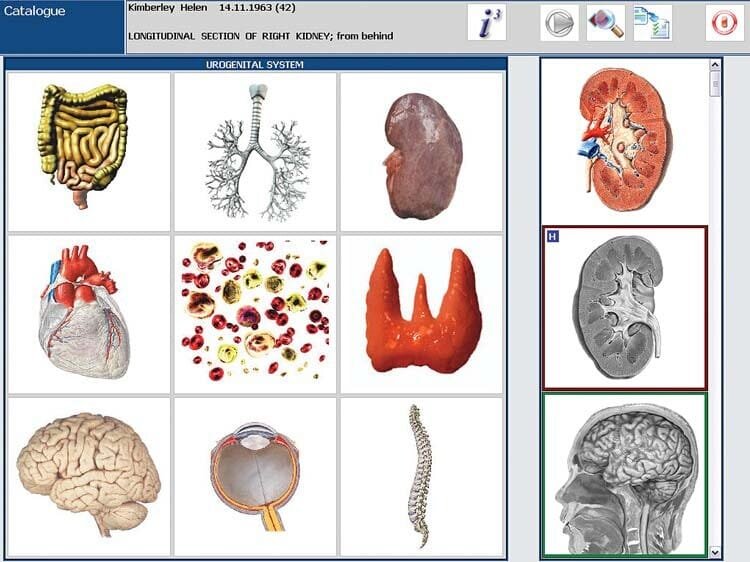


Did you know? The Metatron Hunter 4025 NLS Software can analyze and provide information on over 1432 organs and tissues throughout the body, making it one of the most comprehensive bioresonance systems available.
MAIKONG provides comprehensive support and warranty coverage for the Metatron Hunter 4025 NLS Software and hardware components, ensuring you receive maximum value from your investment.

Our technical team can connect to your system remotely to diagnose and resolve software issues, configure profiles, and optimize settings for your specific needs.
Response Time: Within 24 hours
Personalized training on profile setup and management, advanced features, and best practices for maximizing the capabilities of your Metatron Hunter 4025 NLS Software.
Duration: 1-2 hours per session
Access to comprehensive user manuals, video tutorials, and knowledge base articles covering all aspects of profile setup and software operation.
Available: 24/7 online access

Contact our support team for personalized assistance with profile setup, technical questions, or to schedule a training session.
Proper user profile setup is the foundation for accurate diagnostics and effective treatment with your MAIKONG Metatron Hunter 4025 NLS Software. By following the guidelines in this comprehensive guide, you’ll be able to configure profiles that capture all necessary client information while optimizing the system for your specific practice needs.

Remember that MAIKONG’s technical support team is always available to assist with any questions or challenges you may encounter during profile setup or system operation. Our commitment to your success extends beyond the initial purchase, with ongoing support, training resources, and software updates to ensure you get the most from your investment.
For additional information about the Metatron Hunter 4025 NLS Software or other MAIKONG products, including the Vector NLS, Oberon NLS, 3D NLS, 8D NLS, and Non-linear diagnostic systems, please visit our website or contact our customer service team.
Discover our complete range of advanced bioresonance diagnostic systems.