
Categories
- Knowledge and help (92)
- Blog (260)
- Oberon (12)
- bioplasm nls (14)
- Diacom nls (20)
- Metatron Hunter 4025 NLS review (41)
- Metatron Hunter Manual (7)
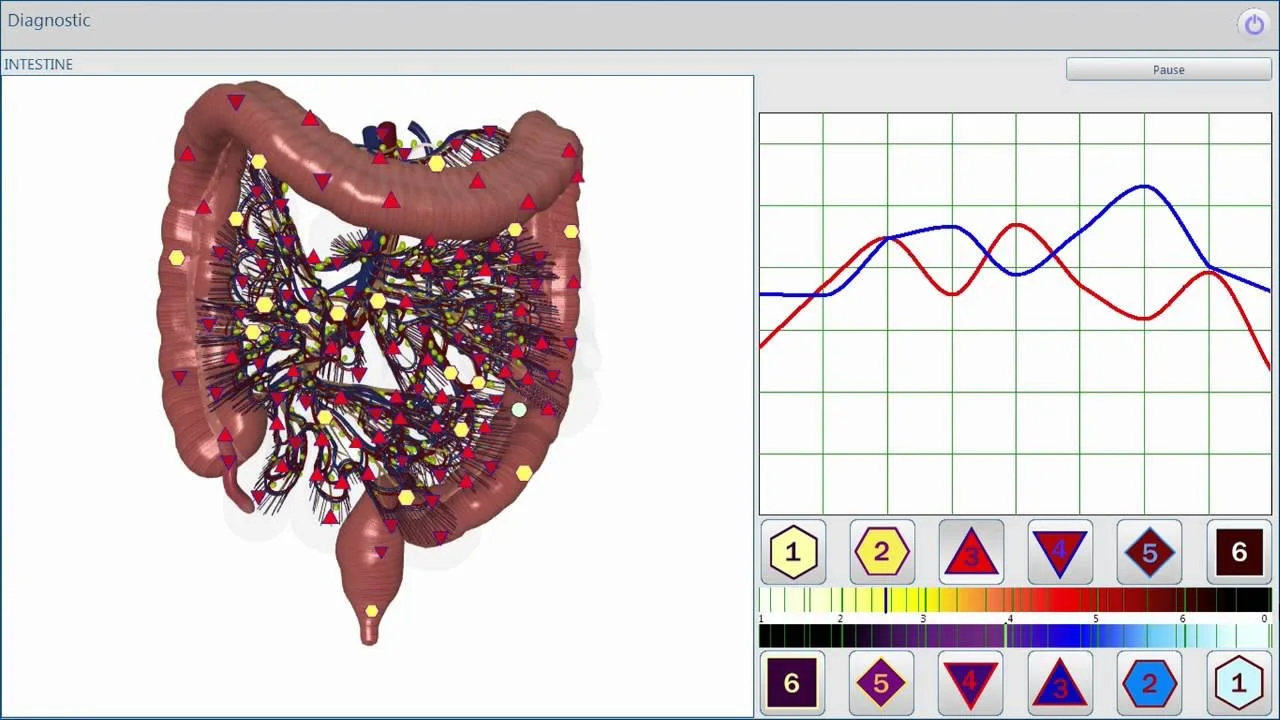
Short practical takeaway: An “Oberon” scanner—commonly used as shorthand for a family of non‑linear system (NLS) or bio‑resonance scanners—can serve as a consultation tool in a U.S. wellness center for client education, health‑status profiling, and tracking subjective changes over time, provided you treat its outputs as informational, not diagnostic. Before buying, demand a live software demo, sample clinic reports, a clear statement of declared certifications (CE/ISO where applicable), the exact software and OS versions supported, and written warranty/service terms. Also confirm U.S. electrical compatibility and whether the vendor positions the device as a medical device requiring regulatory clearance; if they do, obtain supporting regulatory documentation. We can provide Metatron Hunter series options and help you request a tailored configuration or explore U.S. dealership opportunities—contact Lucy@ihunter4025.com or WhatsApp +86 13510907401 to start.
People searching for “Oberon scanner” are usually referring to a category of devices that vendors describe as non‑linear analysis systems (NLS), bio‑resonance scanners, or quantum/energetic analyzers. These systems often share a similar workflow: a software suite, a hardware interface (antenna, electrodes, or probe), and a report that maps scan outputs to organs, systems, or energetic markers. The term “Oberon” itself is a vendor label that does not correspond to one single, universally standardized product family.
We manufacture and distribute devices in the same market segment under established model names such as the Metatron Hunter series (for example, Metatron Hunter 4025). Our experience supplying Metatron-class systems helps us explain what to expect from Oberon‑style devices and what to verify before you commit to a purchase.
Use these scanners as adjunctive tools for client education, intake enrichment, and monitoring subjective changes over time. Typical, realistic uses in a single‑room wellness workflow include:
Be explicit with clients that outputs are suggestive indicators supplied by the device software, not medical diagnoses. The scanner can open a productive conversation, but it should not replace clinical tests or clinician assessment when medical issues are suspected.
In a U.S. clinical context, you must avoid using these devices as definitive diagnostic tools, as a substitute for FDA‑cleared instruments, or for directing prescription medications and medical procedures. Key limits to observe:
Those boundaries protect your practice legally and clinically. Keep a written client consent/acknowledgement that explains the device’s informational role in your services.
Ask for the exact software version and a list of supported operating systems (including 32‑ vs 64‑bit, and specific Windows versions). Some vendors reference broad OS support historically; you need a confirmed compatibility statement for the exact release you will receive and whether legacy OS support (XP, Vista) is included or discontinued.
Confirm user‑interface language options and whether reports are available in English (U.S.) and editable templates for clinic branding. Request sample client reports to check readability and what raw data is included vs. interpreted scores.
Ask whether the software can export reports as PDF, CSV, or connect to your clinic management system. Confirm data retention rules and whether the device stores scans locally or in vendor cloud services.
Get a list of included hardware (antenna/probe, electrodes, cables) and what parts are consumable or likely to require periodic replacement. Ask for spare‑part pricing and availability in the U.S.
Request the scope of initial training, user manuals, and whether ongoing education is paid or included. Verify whether training is delivered live, via recorded videos, or both.
Obtain the vendor’s declaration of certifications (for example, ISO 9001 or CE) and get warranty terms in writing: coverage, duration, and what is excluded (software updates, shipping, accidental damage).
When evaluating a supplier, ask for these items up front. They are the minimum to validate claims and to compare offers objectively.
Do not accept verbal assurances on these points—insist on documents or recorded demonstrations you can keep with your procurement records.
Below is a real‑world checklist you can follow to add an Oberon‑style scanner to a single consultation room and make it part of your client workflow.
Before you sign, get clear answers to these operational questions and include them in the purchase document or a separate service addendum:
Get service‑level expectations in writing. If a supplier cannot provide clear answers, that increases operational risk for your center.
These categories overlap in market positioning. Use the table below to frame practical differences you should verify with any supplier. The rows identify dimensions that materially affect clinic use; the right column lists what to verify before deciding.
| Category | Oberon‑style (generic) | Metatron Hunter (example product family) | What to verify |
|---|---|---|---|
| Typical labeling | Vendor label “Oberon” or similar; multiple suppliers use the name | Product names such as Metatron Hunter, Metatron Hunter 4025 | Exact model identifier, software release, and vendor legal entity |
| Software & reports | Varied UIs and report templates across vendors | Bundled software that the manufacturer provides and supports | Ask for a sample report and software demo to compare readability |
| Support & spares | Support depends on the local reseller; spares may be limited | Manufacturers often provide dedicated spares and training options | Confirm spare parts availability and U.S. service channels |
Note: the table uses general patterns. Specific product differences depend on the exact model and supplier; always verify the model-level data the vendor provides.
Supplier selection matters more than small differences in features. From a practical standpoint, prioritize suppliers who can show the following:
We advise building a shortlist of two or three suppliers and running the same demonstration checklist with each to compare responses to the items above. That will reveal whether an offer is operationally realistic or merely promotional marketing.
What vendors commonly provide: promotional materials, declared certifications (for example CE or ISO statements), technical descriptions of the software, and marketing examples of reports.
Common gaps we see: lack of a U.S. electrical/installation statement, no explicit U.S. regulatory positioning, limited spare‑parts detail for U.S. delivery, and software compatibility statements that omit the exact supported OS releases. Vendors sometimes omit a full training syllabus or do not clearly define warranty exclusions.
Key risks to manage: receiving a system that requires legacy OS support you no longer use; not being able to maintain or replace critical parts promptly in the U.S.; and unclear regulatory claims that could expose your practice if the device is marketed as a diagnostic medical device without required clearances. Where a vendor cannot provide documentation addressing these gaps, treat the offer with caution.
If you want a tailored configuration quote or are interested in U.S. dealership opportunities, supply the following information in your initial inquiry to help us respond with a practical proposal:
Send those details to Lucy@ihunter4025.com or message our U.S. dealer contact via WhatsApp at +86 13510907401 (https://wa.me/861351090701). We will arrange a live software demo, provide sample reports, and prepare a written quote that lists configuration, warranty terms, and spare‑parts options for U.S. delivery. You can also review our Oberon/NLS overview at our product page for further reading: OBERON NLS.
Use this short checklist during vendor demos to compare offers quickly:
Score each vendor and compare. Prefer the supplier who provides clear documentation and local support options rather than the lowest initial price alone.
No. Use scanner outputs as informational aids that may suggest where to prioritize validated clinical testing. Do not use scanner results as a stand‑alone medical diagnosis.
Power requirements vary. Insist on a vendor statement showing the device’s voltage and plug requirements for U.S. shipments and whether any adapter or transformer is required. If the vendor cannot provide this, treat it as a material gap.
Reseller permissions and territorial terms are vendor‑specific. If you intend to resell, request written reseller terms including pricing tiers, minimum order quantities (if any), and after‑sales responsibilities.
If you want a realistic demonstration and a quote tailored to a U.S. wellness practice, email Lucy@ihunter4025.com or message WhatsApp +86 13510907401 (https://wa.me/861351090701) with the information listed above. We will schedule a live demo of our Metatron Hunter software, provide sample reports in English, and prepare a configuration quote that lists warranty, training scope, and parts availability for U.S. delivery.
What you must confirm before placing an order:
We do not recommend ordering without these confirmations. Lack of clear documentation creates both technical and compliance risk for a U.S. wellness center.
We are MAIKONG Industry Co., Ltd. We supply Metatron Hunter series devices and provide demonstrations, sample reports, training, and spare‑parts support for clients worldwide. Our declared certifications include ISO 9001 and CE as vendor declarations. For U.S. buyers, we will provide the documentation needed to evaluate a device for clinic use and discuss reseller opportunities where appropriate.
This article is for general information only and does not replace professional medical advice, diagnosis, or treatment. It is not intended as a medical or regulatory opinion; verify clinical and regulatory questions with qualified professionals and the device manufacturer.
To request a live software demo, sample English reports, a written configuration quote, or to discuss U.S. dealership terms, contact:
This content is provided for learning, information sharing and professional communication only. It is not medical advice and is not a basis for treatment or diagnosis. Confirm suitability, operation and purchasing requirements against the product manual, local regulations and qualified professional guidance.
Before you request a quote, confirm these concrete items. They determine whether the product can be used reliably in your workflow and whether the supplier will support you operationally.
When you contact us, include clinic location, intended use, preferred software/OS environment, and whether you want a dealer discussion or a single‑unit quote. We will prepare a demonstration and the written documents outlined in this guide.
