Meta Hunter 4025 NLS: What U.S. Functional Wellness Practitioners Should Know Before a Demo or Purchase · body
Quick answer
Yes — the Meta Hunter 4025 NLS (Metatron Hunter 4025 family) is offered for professional use and can be integrated into U.S. functional-wellness clinics as an adjunctive assessment tool. Supplier‑reported outputs are rapid multi‑parameter scans, visual “images with epicrisis” reports and database matches across organs, pathomorphologies, microorganisms, nutraceuticals, homeopathy and pharmaceuticals. These outputs can inform intake, prioritise further testing, or support lifestyle and supplement conversations — but they are supplier‑reported device outputs, not a substitute for medical diagnosis or regulated laboratory tests. Before you commit, confirm software licensing, the exact model/version you will receive, export formats for your records, and how the vendor supports HIPAA‑compliant workflows in your clinic.
Contents
Quick evidence snapshot — supplier‑confirmed specs to plan from
Below are the manufacturer’s reported technical points you should treat as procurement inputs, not independent verification. We reference the factory product facts for traceability.
Item
Supplier value (Metatron Hunter 4025, MK-018 / MK-030)
Images of the unit and accessories are available from the supplier’s media library (factory assets). When you evaluate a demo unit, match the model label (MK-018 or MK-030) to the software and etalon lists supplied.
What the Meta Hunter 4025 NLS actually produces in a session — practical outputs and clinical use
The device produces a structured set of software outputs rather than single diagnostic numbers. Expect the following supplier‑reported deliverables on a typical scan:
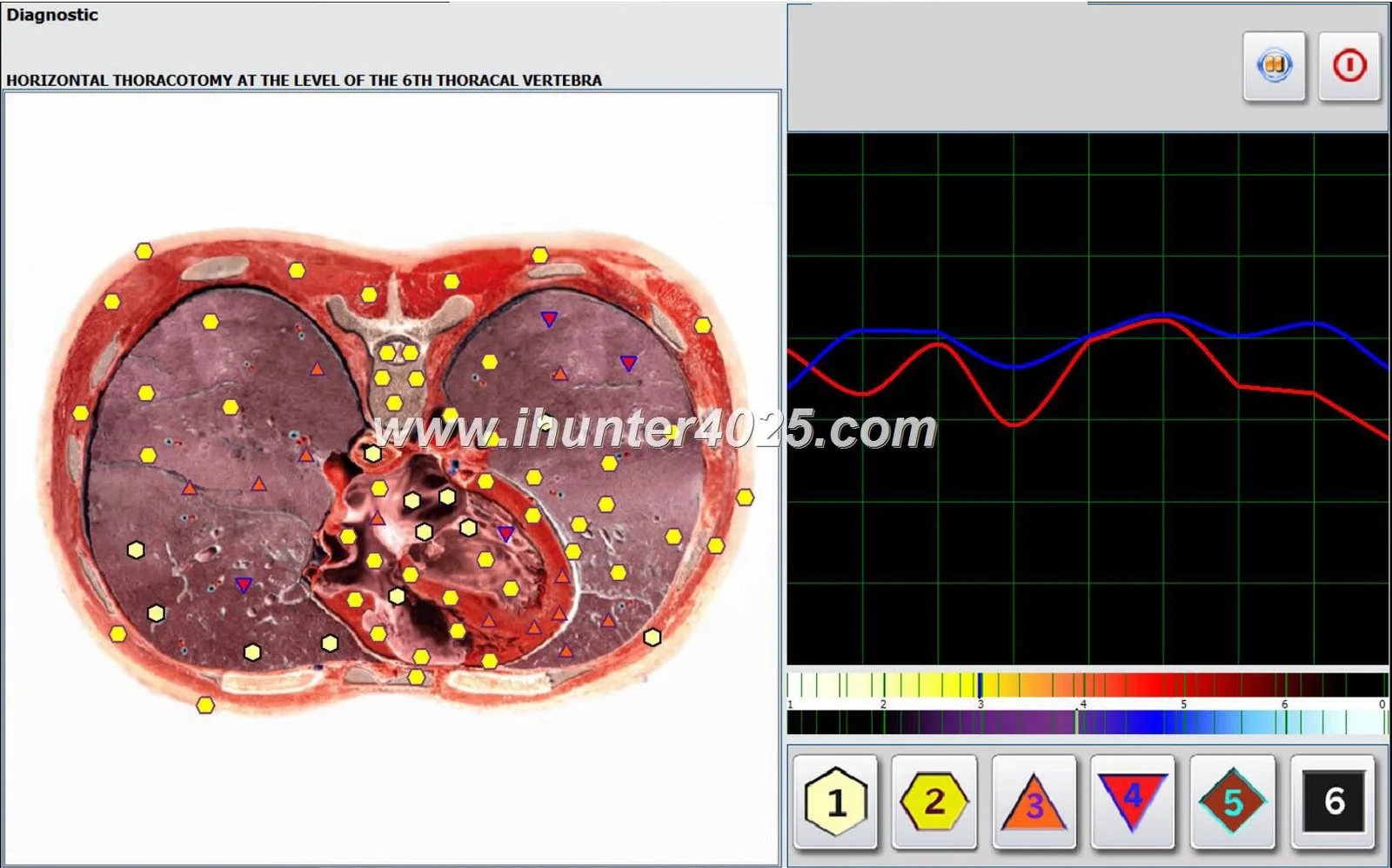
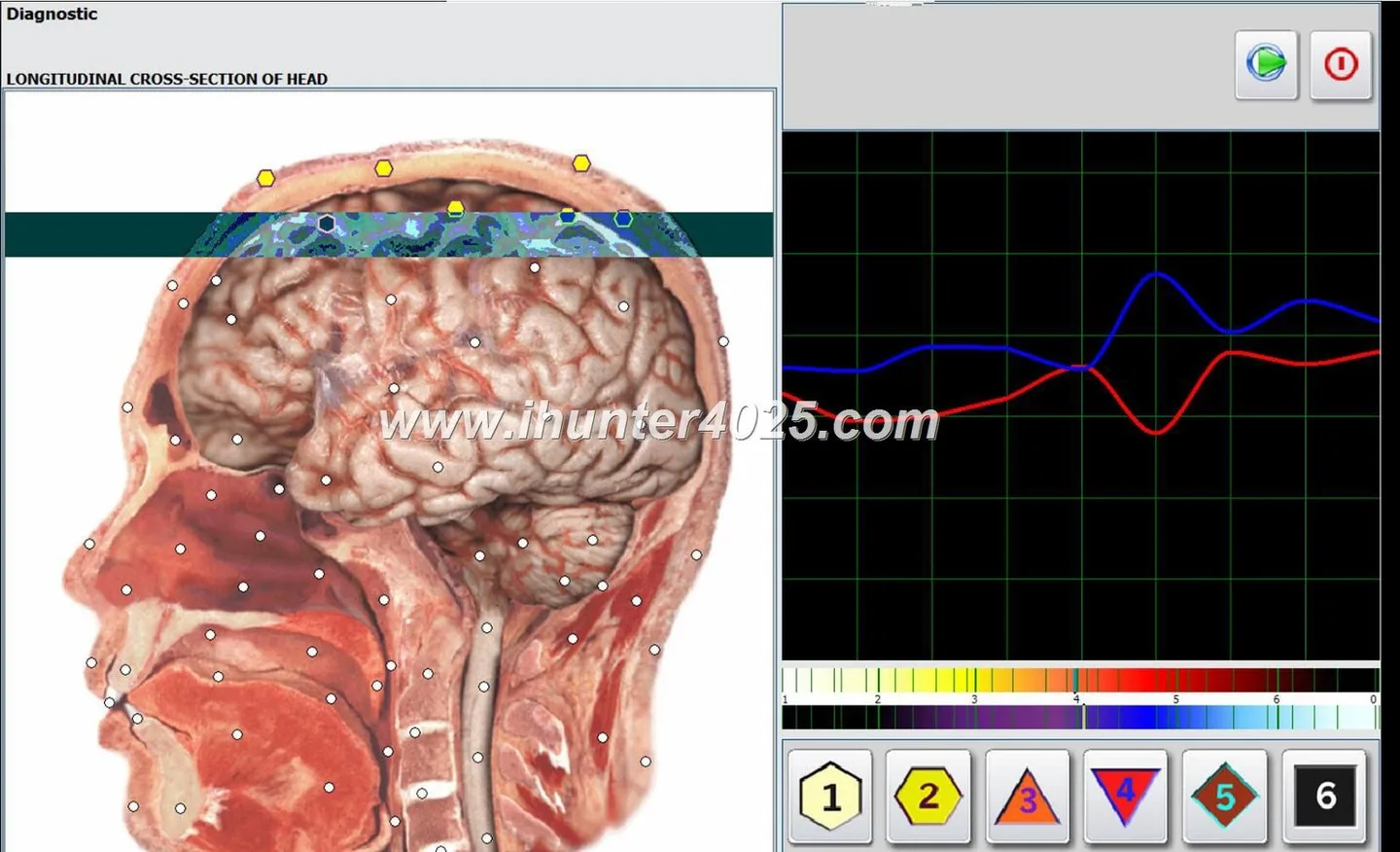
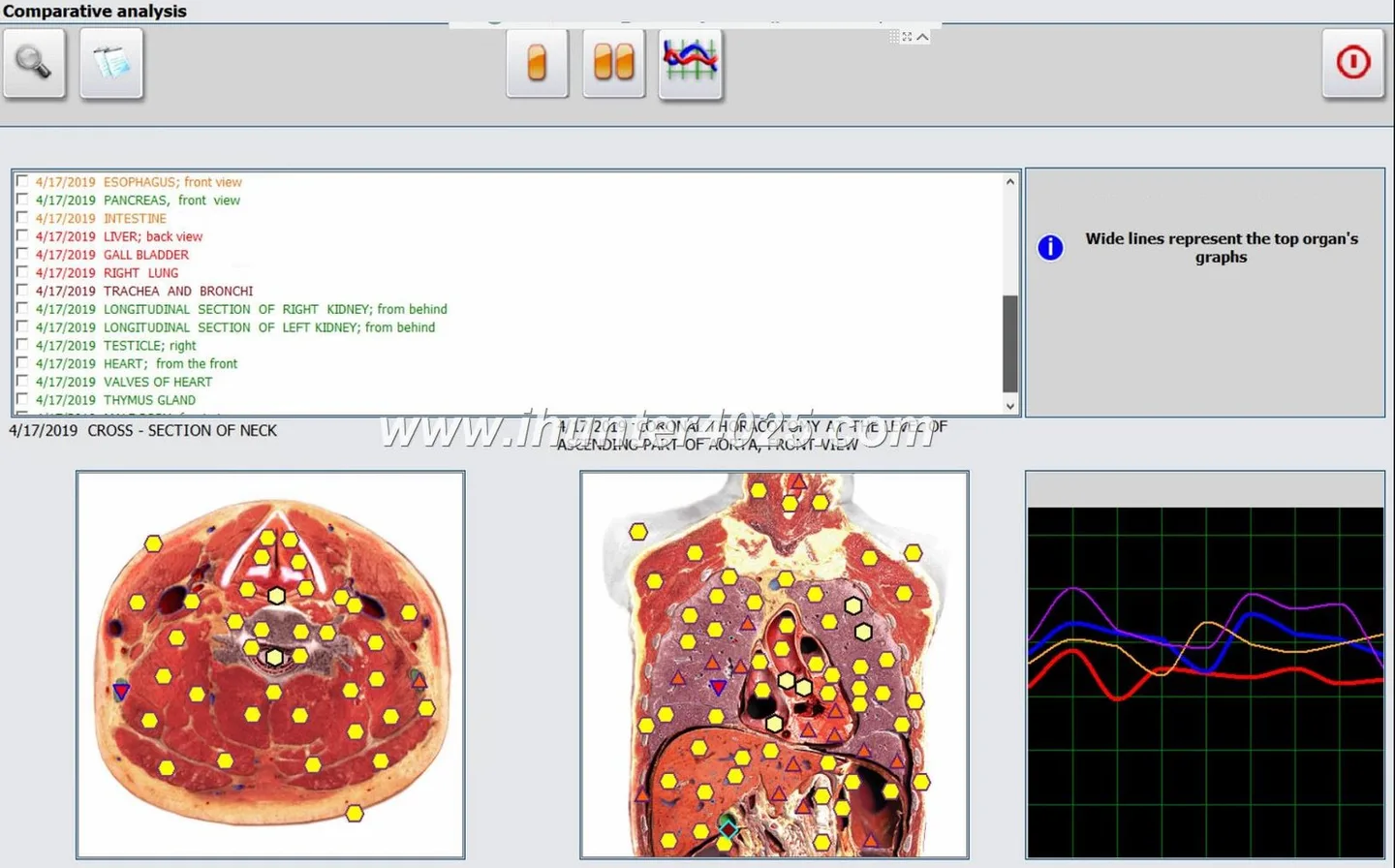
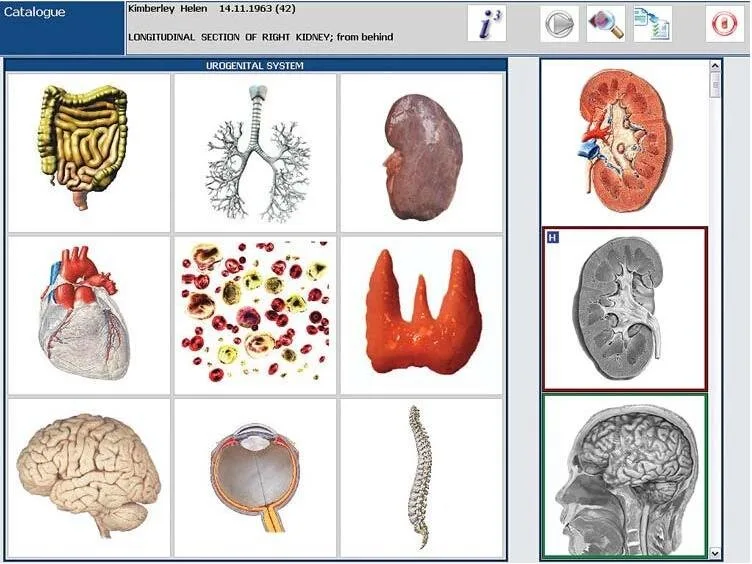
Visual organ and systems maps linked to database entries (supplier reports 886 organ entries) that highlight areas the software identifies as out of baseline. These are images intended for visual review in the Hunter software and in the exported report (images with epicrisis).
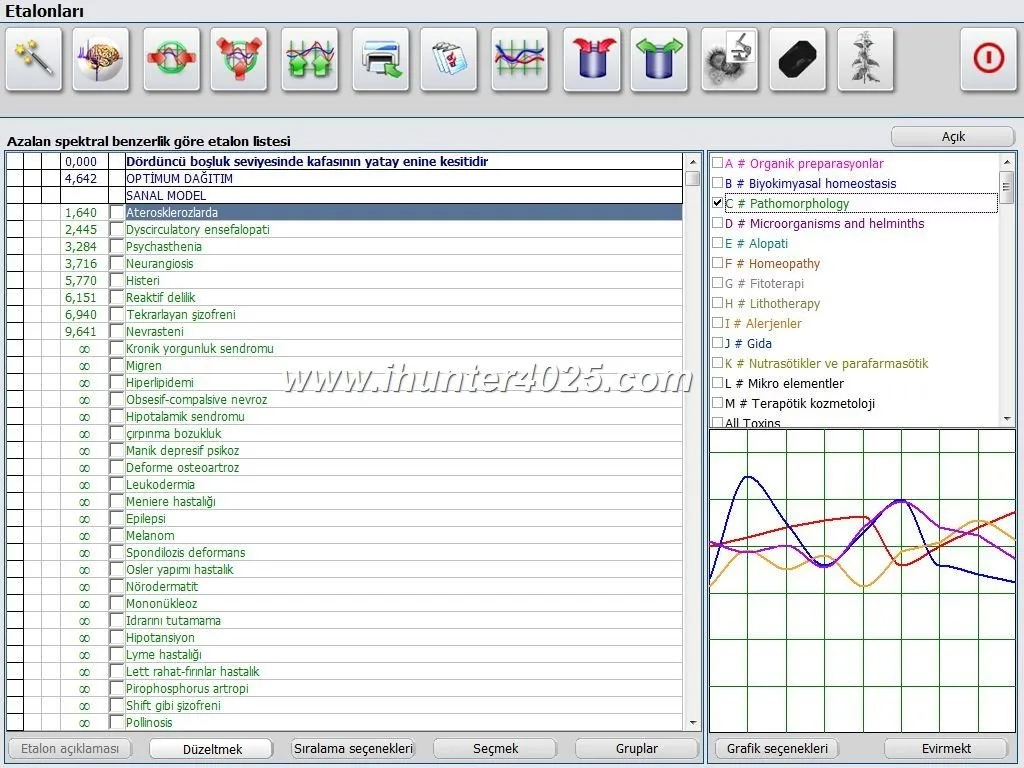
Pathomorphology matches (688 registered pathomorphologies) and a ranked list of micro‑organisms or helminths where relevant (171 entries in the database).
Suggested match lists for nutraceuticals, pharmaceuticals and homeopathic remedies drawn from the device’s internal etalon lists (1159 nutraceutical/parapharmaceuticals, 967 allopathy entries, 1498 homeopathy entries) — these are database cross‑references, not prescriptions.
Meridian analysis and food/emotional analysis modules (company confirms meridians YES; chakras NO), which the software presents as additional layers or suggestion panels.
An epicrisis — a concise narrative summary that the software composes to accompany the images. The format the supplier lists is “Images with Epicrisis.”
How you can use those outputs in practice:
As a triage or intake adjunct: prioritise which organ systems or lab tests to consider next, based on the scan highlights.
To support lifestyle and supplement conversations: the nutraceutical and food‑analysis panels can structure targeted dietary or supplement discussions, subject to your clinical judgement and verification from labs where appropriate.
As a documentation aid for baseline and follow‑up: the image reports can be kept in patient records to document changes over time, provided your clinic’s recordkeeping and security meet HIPAA obligations.
Important boundaries: the outputs are software matches to internal etalon lists and spectral comparisons that the supplier reports as 95%–98% “accuracy” (supplier value). Treat them as informational, not definitive medical testing. Any clinical decision that carries medical risk should rely on independent, regulated diagnostic tests and qualified clinical judgement.
One‑page decision checklist for practitioners
Below are three realistic clinic set‑ups where the Meta Hunter 4025 NLS typically adds administrative or clinical value, and three common situations where it does not.
Three clinic configurations where it can add value
Small integrative or functional‑medicine clinic that wants a rapid visual intake tool.
Value driver: faster intake mapping and visual reports for patient education and monitoring.
What to confirm: software export format (images + epicrisis), Windows compatibility, and whether the supplied etalon lists cover your common clinical questions (see parameter counts above).
Wellness or performance centre that provides recurring follow‑ups (supplement programs, nutrition plans).
Value driver: repeat scans for subjective tracking and structured conversations about supplements, foods and lifestyle adjustments.
What to confirm: how the vendor supports follow‑up reporting and whether reports integrate with your EHR or file storage.
Multi‑practitioner clinics that use screening to prioritize conventional diagnostic testing.
Value driver: triage tool to narrow the focus of lab work or practitioner referrals.
What to confirm: staff training availability and model/version consistency (MK-018 vs MK-030) so every practitioner sees the same outputs.
Three situations where this device is not appropriate
Clinics that require only regulated, lab‑reportable diagnostics (e.g., blood chemistry panels for medication dosing).
Why: supplier outputs are informational database matches, not accredited laboratory results.
Practices that cannot or will not ensure data privacy and records security to meet U.S. HIPAA requirements.
Why: the device produces identifiable session data (images and epicrisis) that must be protected.
Environments expecting formal medical device regulatory clearance in the U.S. for diagnostic or therapeutic claims.
Why: supplier documentation does not substitute for FDA clearance; confirm your permitted uses with compliance counsel.
Technical selection points that change practitioner choices
Meta Hunter 4025 NLS: What U.S. Functional Wellness Practitioners Should Know Before a Demo or Purchase · body
A few technical items commonly shift the procurement decision. We list them plainly and say how each changes your selection.
Software and operating system compatibility
Scanning method and practitioner interaction
Report format and recordkeeping
Database scope (what entries are in the etalon lists)
Operational checklist before you buy or demo
Meta Hunter 4025 NLS: What U.S. Functional Wellness Practitioners Should Know Before a Demo or Purchase · body
Use this short operational checklist to prepare for an in‑clinic demo or to validate a quotation.
Workstation and space: a stable desk, a monitor large enough for image review, and modest floor space for any peripheral sensors or patient seating.
Power and electrical requirements: supplier materials do not specify U.S. electrical wiring or power adapters; ask the vendor for the unit’s rated input voltage and any power adapter supplied.
Data & privacy workflow: determine where session images and epicrisis reports will be stored, who can access them, and whether you will archive them in your EHR.
Intake forms: patient consent language that clearly describes the scan as an informational, non‑diagnostic assessment; ask your compliance counsel to review.
Staff training: plan a training session for operators and practitioners; confirm whether training is included or sold separately.
Practical session flow for a 30–60 minute client visit (suitability scenario)
Meta Hunter 4025 NLS: What U.S. Functional Wellness Practitioners Should Know Before a Demo or Purchase · body
Below is a practical clinic flow that many functional‑wellness practitioners use when integrating an adjunctive biofeedback scan into a single visit. Treat this as a workflow example, not an operating manual.
Pre‑visit intake (5–10 minutes): collect medical history, current medications and supplements, and signed consent acknowledging the scan is informational.
Preparation (5 minutes): seat the client, attach any required sensors, confirm patient identifiers in the software.
Scan execution (5–15 minutes): run the Auto 3‑D Spiral scan via the Hunter software. The supplier describes the method as “fast”; actual time depends on selected modules.
Immediate review (10–20 minutes): review the images and epicrisis with the client; highlight prioritized organ/system flags and discuss follow‑up steps (lab tests, referral, lifestyle changes).
Documentation (5–10 minutes): save the report to the patient file, record any recommendations and schedule follow‑up if needed.
If you bill for the visit, align the service label and documentation with payer rules and your state scope of practice. The device outputs can structure conversations and monitoring but are not a replacement for regulated clinical testing.
How the supplier‑reported parameter lists change clinical workflows
Meta Hunter 4025 NLS: What U.S. Functional Wellness Practitioners Should Know Before a Demo or Purchase · body
The device’s internal libraries — organs, pathomorphology, microorganisms, homeopathy, allergens, nutraceuticals and pharmaceuticals — determine what suggestions the software will deliver. Practically:
Large organ and pathomorphology lists (886 organs, 688 pathomorphologies) create broad screening coverage; clinicians need time to filter false positives and contextualise findings with history and other tests.
Microorganism lists (171 entries) can prompt confirmatory lab testing when the clinical picture supports infectious concerns.
Extensive nutraceutical and homeopathy databases (1159 and 1498 entries) make the device useful as a reference for supplement conversations, but you must verify label composition, interactions and contraindications independently.
What to verify during an evaluation or demo:
Sample etalon entries for conditions you commonly manage.
Exportability of etalon or match lists for audit and cross‑checking with labs.
How the software ranks matches and how easy it is to suppress or annotate items before saving to the record.
Limitations and claims to avoid when you explain results to clients
Be explicit and conservative with language when you share scan results. Supplier outputs are algorithmic matches against a database; they are informational patterns, not diagnostic test results. Avoid statements implying:
That the device alone confirms a disease or infection without laboratory confirmation.
That the device is FDA‑cleared for a diagnostic or treatment purpose in the U.S. unless you have independent documentation proving such clearance.
That suggested homeopathic or pharmaceutical matches are prescriptions or recommended treatments without your clinical assessment and, where appropriate, collaboration with prescribing clinicians.
Instead, communicate results as “software findings” or “reported matches” and recommend confirmatory steps (labs, imaging or specialist referral) when indicated by clinical context.
Questions to ask the vendor before purchase or demo
Use these precise questions to avoid follow‑up surprises:
Which exact model will be supplied (MK‑018 or MK‑030)? Ask for the model sticker and software build number. (Refer to model IDs in supplier materials.)
What Hunter software version will be installed, and how is software licensing handled (perpetual, subscription, seat count)?
Does the unit include installation and operator training? If so, is it remote, onsite, or self‑paced materials?
What report export formats are available (images only, PDF, CSV, XML)? Can we export de‑identified datasets for analysis?
How does the vendor support HIPAA‑compliant storage, or do they provide guidance for integration with our practice’s secure storage?
What is included in the 1‑year warranty, and what service options are available after warranty?
Are sample etalon lists available for inspection before purchase?
Language support: does the software interface and reports support English (U.S.) and will future updates be provided in our preferred language?
Are consumables, electrodes or peripheral replacements included or sold separately and what are their costs and part numbers?
What to include in an RFQ or configuration request
To get comparable quotes quickly, ask for the following in your RFQ:
Application and intended use in your clinic (screening, follow‑up, supplement planning).
Exact model/configuration requested (MK‑018 or MK‑030) and whether you need additional etalon module packs.
Quantity required.
Destination: U.S. clinic address and any import or commercial agent information.
Preferred OS and language support (for example, Windows 11 x64, English UI and reports).
Request sample report exports and a temporary demo license if available.
Short FAQ for common practitioner concerns
How accurate is the Meta Hunter 4025 NLS?
Is training available and is it included?
Training arrangements vary by vendor and package. Ask the vendor whether training is included in the quoted price or offered as a paid add‑on. Confirm topics covered (operator steps, report interpretation, basic troubleshooting).
Can I export patient reports into my EHR?
Supplier reports are “images with epicrisis.” If you require specific data exports (CSV, HL7), request a demonstration of export options and ask for sample files to test import into your record system.
Are demos available?
Vendors commonly provide remote demos or recorded walkthroughs. Request a live demo with a practitioner‑led walkthrough of a sample case and sample etalon lists you care about.
Compact model comparison (key fields)
One useful next step
If you want a configuration quote or to arrange a demo, email lucy@ihunter4025.com with: (1) your intended application in clinic, (2) desired model/configuration (MK‑018 or MK‑030), (3) quantity, and (4) destination address in the U.S. Request sample report exports and a demonstration of the Hunter software (softwareVersion 2026) on your preferred Windows platform.
We offer the Metatron Hunter 4025 family with a standard Hunter software stack and a broad etalon library. For U.S. practitioners, the two operational priorities are: (1) how you will integrate the exported image reports into your privacy‑protected records, and (2) how the software’s match lists fit your clinic’s decision pathways. Ask for sample reports in advance and a short live demo using case types you see often — that single check saves time during evaluation and helps staff understand how to present findings responsibly to patients.
Pricing is available on request; include the configuration and destination details listed above in your RFQ. The supplier lists MOQ 1 pc, lead time 2–5 days and a 1‑year warranty; confirm these items in the formal quote.
Localized compliance reminder
This document provides general information for clinicians and practice managers. It is not a substitute for medical advice, laboratory testing or legal compliance review. If you rely on the device outputs for clinical decisions, verify them with standard diagnostic tests and consult your compliance counsel on HIPAA and state practice regulation.
Short localized disclaimer: This article is for general informational purposes only; it does not replace medical diagnosis or treatment, nor should it be used as clinical diagnostic evidence.
This content is provided for learning, information sharing and professional communication only. It is not medical advice and is not a basis for treatment or diagnosis. Confirm suitability, operation and purchasing requirements against the product manual, local regulations and qualified professional guidance.
Related resources
Metatron hunter 4025 nls analyzer MK-018: specifications for professional buyers
If you are ready to request a quote, email lucy@ihunter4025.com with the items above. The supplier lists MOQ 1 pc, lead time 2–5 days and a 1‑year warranty in their product facts; confirm those terms in the quote you receive.