Categories
- Knowledge and help (92)
- Blog (313)
- Oberon (12)
- bioplasm nls (14)
- Diacom nls (20)
- Metatron Hunter 4025 NLS review (41)
- Metatron Hunter Manual (7)
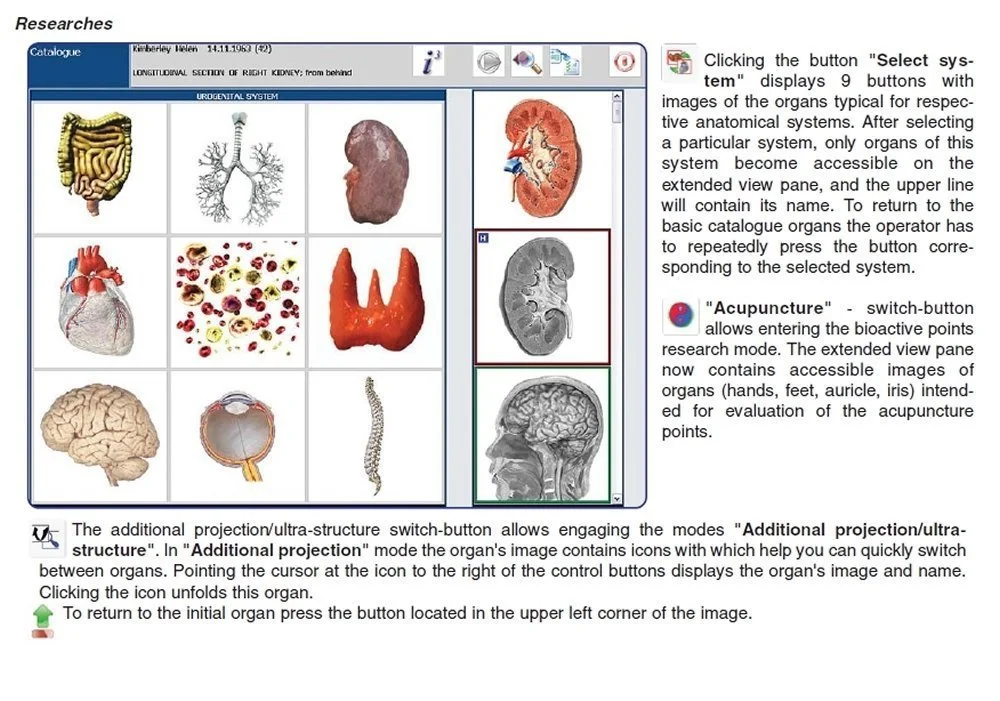
Yes — a Metatron nonlinear diagnostic system such as the Metatron Hunter 4025 can be used as a biofeedback/bioresonance tool in a US practice, provided you treat it as a clinic-level screening and supportive information system rather than a standalone diagnostic or regulatory substitute. The Metatron Hunter 4025, per the manufacturer, offers Auto 3-D Spiral and biological resonance scanning, a library of registered etalons for organs, pathomorphology, microbes, remedies and supplements, image-based reports with an epicrisis summary, and Windows-compatible Hunter software. Those supplier-declared capabilities (software, scan method, reported parameter counts and formats) will change how you schedule, obtain consent, handle data and integrate results. Before purchasing, confirm vendor declarations that matter to your clinic: clinical claims and accuracy context; electrical and installation requirements for the US site; data export formats; and the exact software and license bundle you will receive. For a configuration or quotation, tell us your intended application, desired model or configuration, quantity and delivery destination so we can prepare a tailored RFQ.
When practitioners ask “what is Metatron?” they are usually asking what the device actually does and how its outputs should be used in clinical practice. The Metatron family is a class of non-linear (NLS) bioresonance/analyzer devices that combine software libraries of reference patterns (sometimes called etalons) with a hardware scanning process. The manufacturer supplies software that performs automated scans, matches signal patterns to entries in a reference database, and prints composite reports (images with condensed descriptions, or “epicrisis”) for many categories such as organs, pathomorphology, microorganisms, remedies and supplements. These outputs are intended to inform practitioner judgment and prioritization of follow-up assessment or monitoring, not to replace conventional diagnostic tests.
We present the Metatron Hunter 4025 and its immediate relevance to routine clinic workflows in the United States rather than restating marketing claims. Where the manufacturer provides explicit parameters and labels, we reproduce them so you can map those items to your intake, coding and documentation needs.
The following manufacturer-declared features are the items most likely to affect whether the system fits your practice:
We use those declared capabilities below to explain how you will operate, document and integrate a Hunter 4025 unit in a typical US clinic workflow.
The Metatron outputs are structured around a reference (etalons) library. The vendor-provided etalon list includes categories you will see in reports and on-screen menus. Representative categories drawn from the supplied etalon listing include organ preparations, biochemical homeostasis, pathomorphology, microorganisms and helminths, allergen tables, homeopathy, nutraceuticals, microelements, meridian and acupuncture tables, toxic loads, spectrograms of healthy organs and various treatment/solution tables. We reproduce the vendor’s etalon categories so you can match them to your clinic’s charting and follow-up pathways (data-shared-knowledge-id=”550″).
Report style: the system produces image-based reports with a short epicrisis summarizing flagged items. The “image + epicrisis” format means outputs are often used as a visual decision aid that highlights prioritized items from the etalon match lists rather than as a single numeric test value. Confirm with your vendor whether the software export includes structured data (CSV, XML) or only images/PDFs — structured export affects EMR integration and audit trails.

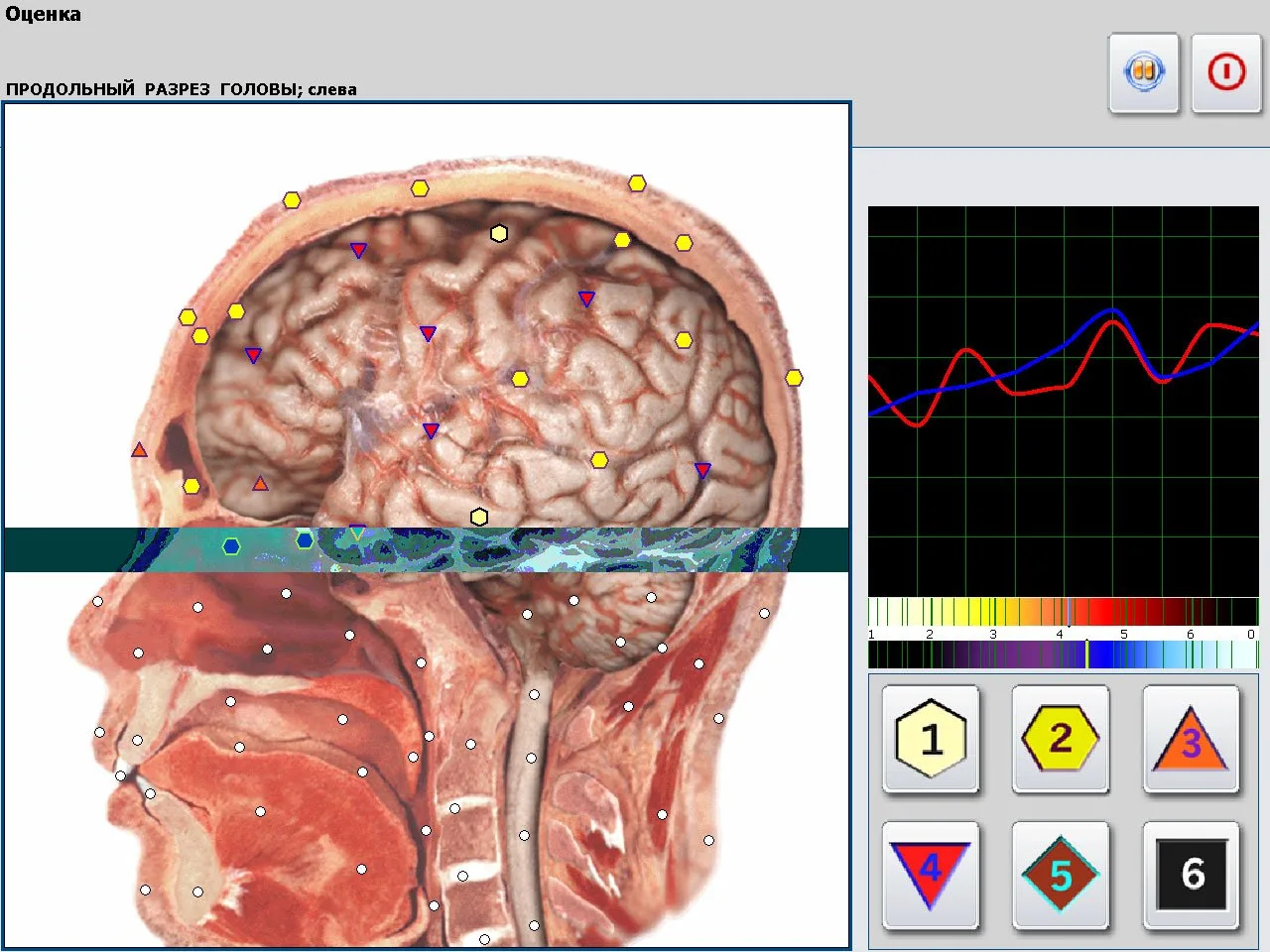
The Hunter software controls the Auto 3‑D Spiral and biological resonance scanning process and performs the etalon matching. Practical implications:
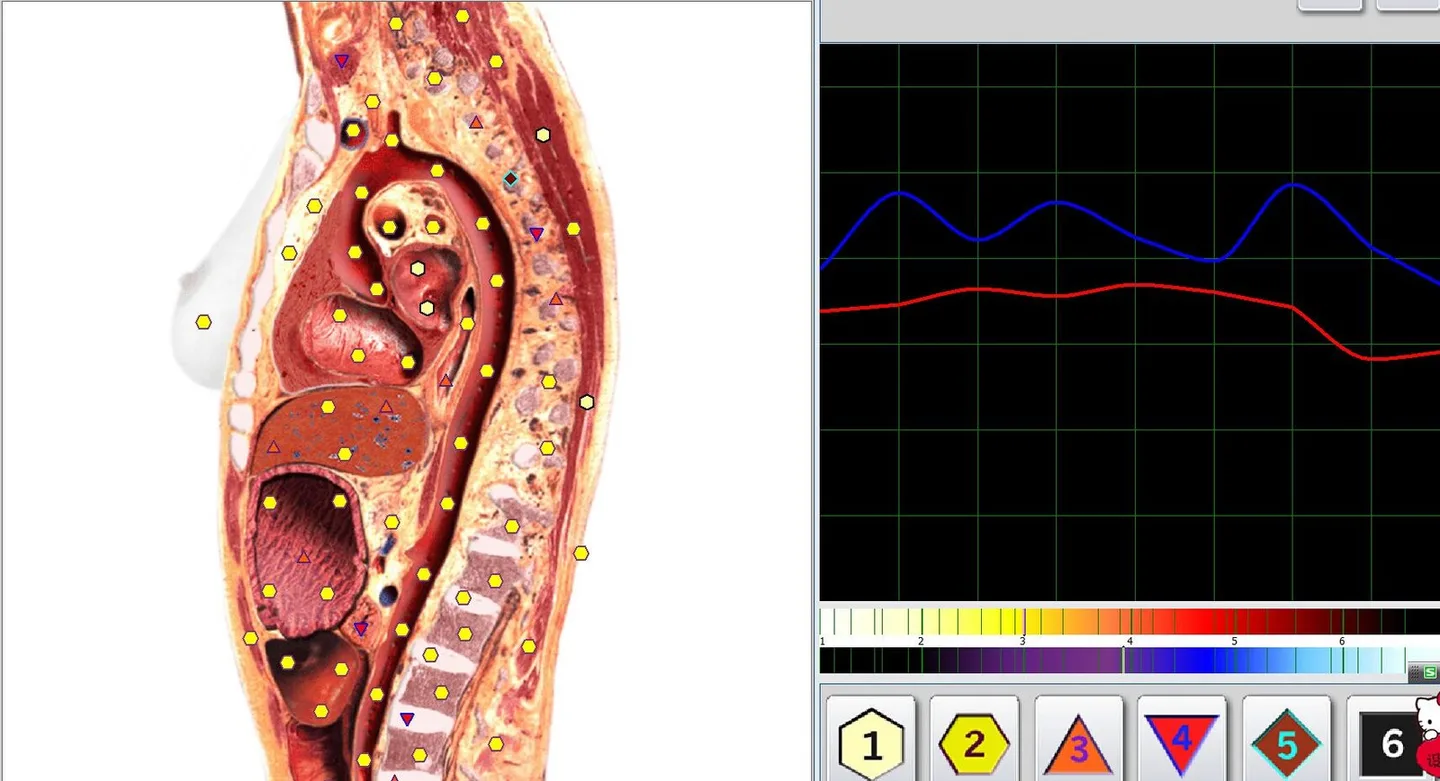
We recommend three practical workflows that match how US biofeedback/bioresonance practitioners commonly work, and that respect the device’s supplier-declared scope.
Use Metatron scans during initial intake as a non-invasive screening aid to help you prioritize conventional tests or referrals. The system flags etalon matches across organs, pathomorphology and microbial suspects; those flags can inform focused history-taking and targeted diagnostics. Important: document that the scan is a screening tool and record whether structured output was captured in the chart.
For patients on a supportive biofeedback plan, repeat scans can provide trend visuals (image-based epicrises) useful for practitioner-patient discussions. Because the vendor supplies a large etalon library, you can track changes in flagged categories over time, but keep version control on software and etalon databases so changes are attributable to physiology rather than software updates.
Many practitioners use Metatron outputs to generate lists of candidate supplements, nutraceuticals or homeopathic remedies for consideration. The system comes with a declared library of nutraceuticals and remedy etalons; use these suggested match-lists as one input among clinical history, labs and practitioner expertise rather than as prescriptive therapy instructions.
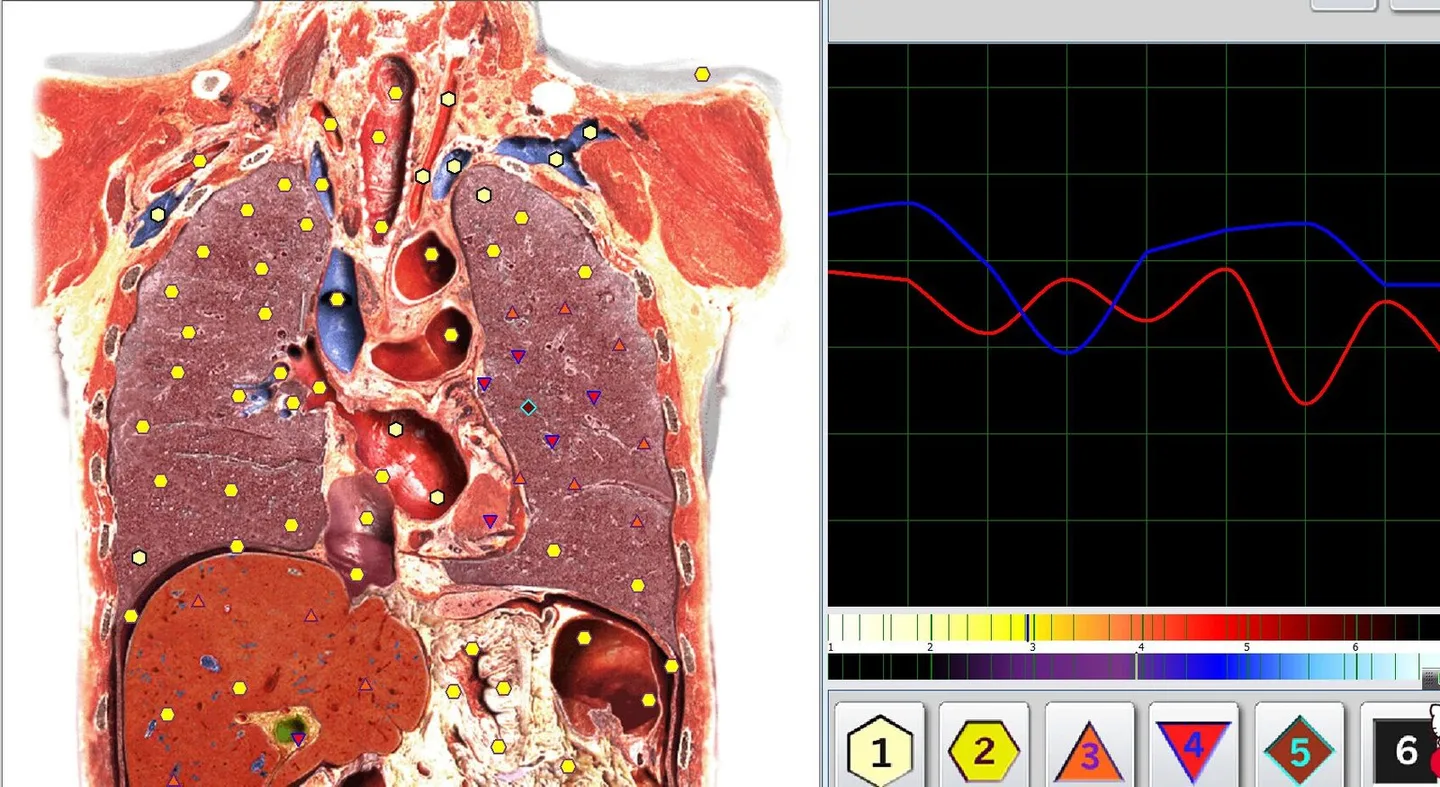
Before you finalize a purchase or request a shipping quote, confirm the following items with the vendor and your clinic IT team. These are practical, not legal, checks:
Because Metatron reports are patient data in clinical settings, handle them the same way you handle any clinical record: obtain informed consent that explains the device’s purpose and limits, store copies in a secure part of the chart, and maintain access logs when required by your practice policies.
HIPAA considerations:
Clinical record keeping: store the raw report and a short interpretive note in the chart describing how the scan influenced clinical decisions. Do not allow the report to stand alone as clinical justification for a diagnosis without supporting evidence from standard tests.
The following are supplier-declared facts and practical constraints you must account for when deciding whether to add a Metatron Hunter 4025 to your practice.
Use this checklist to focus vendor discussions on the items that change procurement and clinical integration decisions. Treat checked items as questions to confirm rather than claims the vendor has already fulfilled.
Consistent scans depend on consistent front-end processes. We do not prescribe fixed session lengths here; instead use process templates that you can adapt to your clinic flow:
Below are practical reading strategies we recommend. These are workflow guidelines for synthesizing Metatron outputs with standard clinical evidence.
Start with the prioritized etalon list the Hunter software shows: organ flags, pathomorphology, and suspected microorganisms. Treat those flags as hypotheses for targeted confirmatory testing or focused history-taking.
If a report flags a digestive-organ etalon and lists candidate supplements or nutraceuticals, consider these as options to evaluate against the patient’s history, allergies and existing medications. Record why you accept or reject a suggested remedy and whether you order confirmatory labs.
Reports are visually effective for explaining monitoring plans and progress. When used this way, keep a copy in the chart and annotate it with objective measures you used to validate changes (lab results, symptom scales, physical exam findings).
For any clinical decision influenced by the Metatron output, include a short note: “Metatron Hunter 4025 report (Hunter v.2026) suggested X; corroborated by [history/lab] for clinical decision Y.” This documents the tool’s supportive role and preserves auditability.
| Field | Metatron Hunter 4025 | Metatron 4021 |
|---|
What the supplied facts do not prove:
If you are a US biofeedback or bioresonance practitioner ready to evaluate a Metatron unit for your clinic, request a configuration/quotation from us. Provide the following in your inquiry so we can prepare an appropriate response:
For US biofeedback and bioresonance practitioners who need a visual, library-driven screening and monitoring tool, the Metatron Hunter 4025 supplies a software-controlled scan method, a large etalon library and image-based reporting that can be integrated into clinic workflows. The decision to buy should rest on four confirmation items we cannot infer for you: (1) the exact software and etalon library version you will receive, (2) how the vendor defines and documents their declared accuracy figure, (3) electrical/installation compatibility with your US clinic site, and (4) data-export/EMR integration capabilities and contractual data protections (BAA if needed). Once those items are confirmed, prepare an internal validation step so you and your liability/risk advisors can document how you will use the device within accepted clinical practice.
We can prepare a tailored RFQ and configuration sheet after you supply application details, model choice, quantity and destination. Email us at lucy@ihunter4025.com or message on WhatsApp at +8613510907401.
This article is for general information only, does not replace medical diagnosis or treatment, and should not be used as a sole basis for clinical decisions.
This content is provided for learning, information sharing and professional communication only. It is not medical advice and is not a basis for treatment or diagnosis. Confirm suitability, operation and purchasing requirements against the product manual, local regulations and qualified professional guidance.
Contact for a quote: lucy@ihunter4025.com. You may also call or message via WhatsApp at +8613510907401. If you prefer, use our contact page: Contact us. We will need the four pieces of information above to prepare a configuration and quotation.