Oberon‑style NLS demo: what alternative wellness practitioners in the U.S. should expect and verify · body
Quick answer
Yes — an Oberon‑style non‑linear system (NLS) demo can give immediately viewable clinic materials: real‑time scans, organ/parameter lists, and an image‑style report with an “epicrisis” summary. Those outputs are useful as a conversation and intake tool, but they do not by themselves prove diagnostic accuracy, treatment effectiveness, or regulatory compliance for medical use. During a demo you should confirm the exact software version and operating systems, the scanning method shown, which parameter libraries are installed (organs, pathogens, remedies, nutraceuticals), and whether the supplier’s stated accuracy and report formats match what you need for clinical decisions. We highlight what a good demo will show, which Metatron/Hunter facts change your expectations, and a short script you can ask the presenter to run so the session answers your real clinic questions.
Contents
What we mean by an Oberon‑style NLS demo — realistic scope and outcomes for practitioners
Practitioners use “Oberon‑style” or NLS demos to evaluate whether the software and hardware give usable outputs in a clinic setting: visualised scans, a parameterized list of organs/conditions, response curves and a generated report you can share with a client. A demonstration is primarily a software/UX proof: it shows the interface, the scan visuals, how reports are generated, and the libraries the system searches. Expect to see identifiable outputs — not a guaranteed clinical diagnosis. Treat the demo as an inspection of the tool’s workflow and data exports, not as clinical validation.
Which devices and software are relevant for this demo (what we supply and model names to reference)
In our product set the two Metatron‑family models most relevant to comparisons and demos are the Metatron 4021 and the Metatron Hunter 4025. When the presenter refers to features, ask them to name the model and software version on screen so you can compare claims against the facts we list below.
We link these model names to their product pages so you can follow up on specifications and sample images: Metatron Hunter 4025 and Metatron 4021 NLS system. Use the model identifier the vendor shows during the demo — that lets you verify whether the software on screen matches the product facts we reference.
What a live demo session typically shows you — visible outputs and report format
A practical demo should let you watch the system complete the following sequence in front of you:
Start screen showing the software name and version; model name visible on the hardware or login screen.
Client intake screen (you can test with a volunteer or sample profile) — demographic fields, consent statement and basic clinical notes.
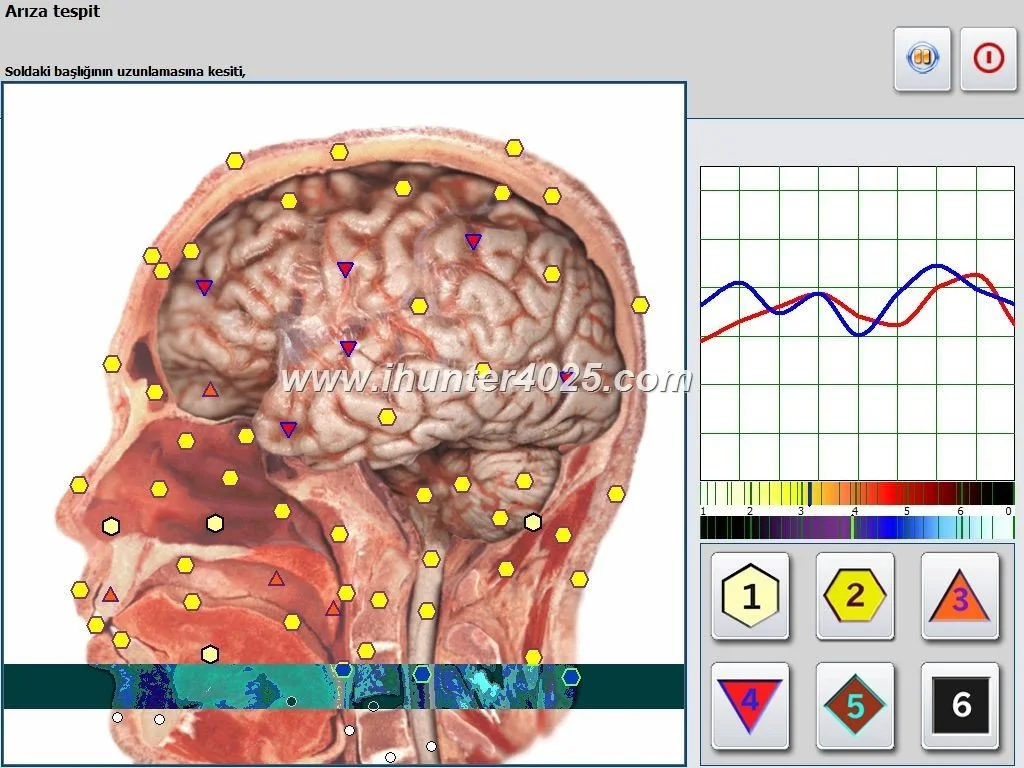
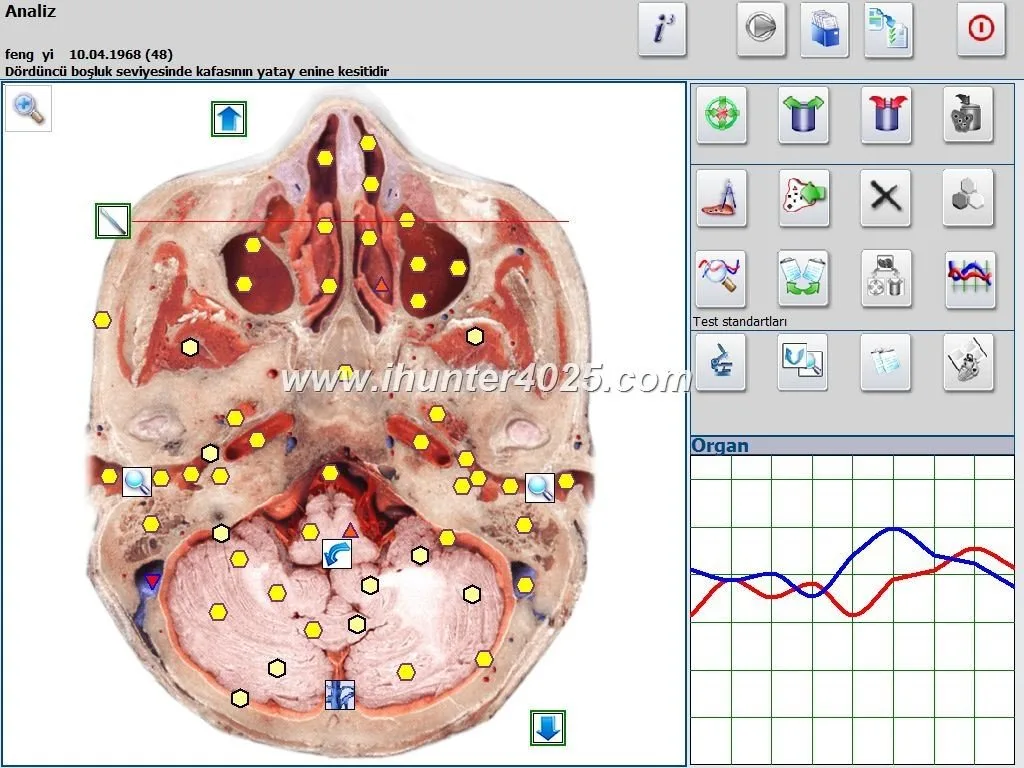
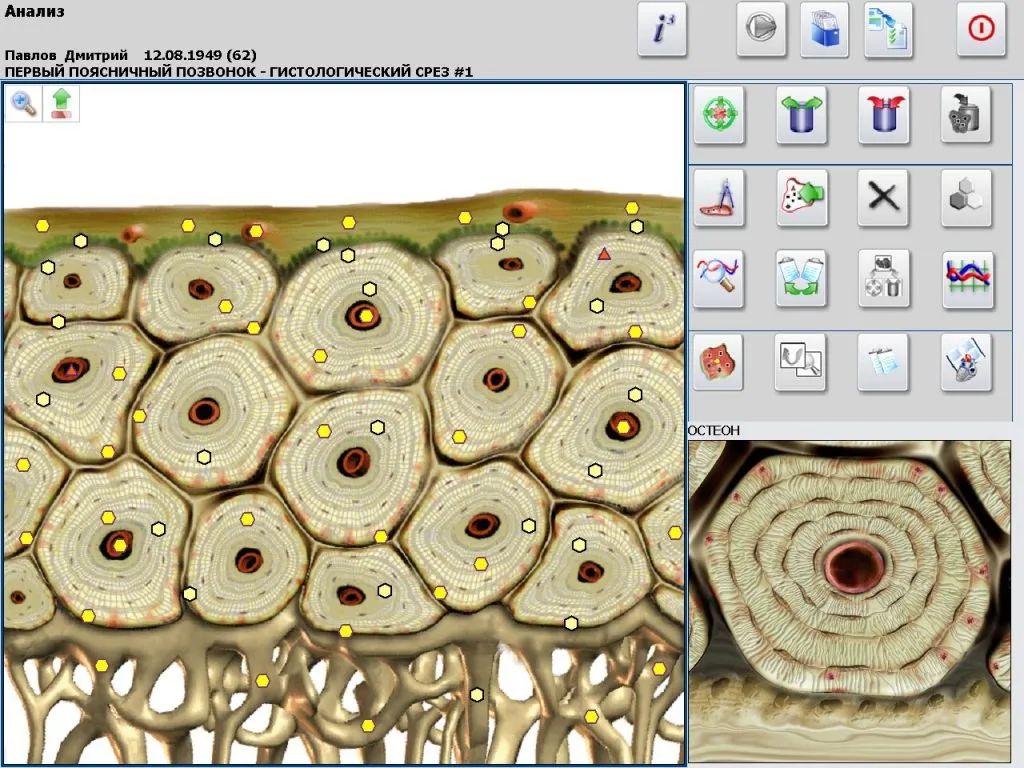
Real‑time scanning animation — many NLS demos include a graphical scan (for some vendors called “3‑D spiral scanning” or similar) and progress feedback. The scan animation itself is primarily visual; note whether raw data or parameter values are shown concurrently.
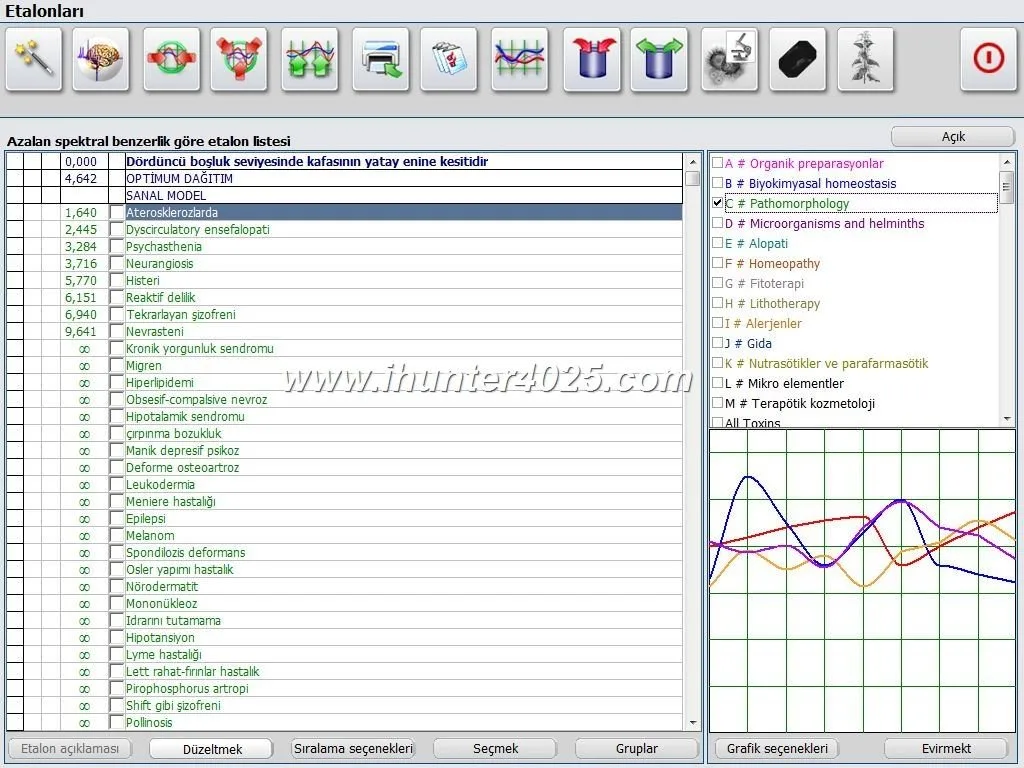
Parameter listing — the software translates the scan to a ranked list of organs, pathomorphologies, microorganisms and remedy matches. Note which libraries are active and whether nutraceuticals, homeopathy and allopathy items appear in the output.
Report generation — an image set plus a written “epicrisis” or summary. Inspect the report format: is it an editable PDF, images only, or an HTML/CSV export you can keep in a chart?
Export/print/new‑patient workflows — check whether the demo shows exporting patient files, printing reports or saving session data to your local folder or networked drive.
Ask to see the exact report file produced in the demo so you can judge whether it fits your intake, client education and record‑keeping needs.
How the Metatron/Hunter product facts change what a demo can prove
Oberon‑style NLS demo: what alternative wellness practitioners in the U.S. should expect and verify · body
Below are the Metatron Hunter 4025 facts that materially influence what you should expect from any demo. We cite the supplier facts directly so you can confirm them with the presenter:
How these facts change your expectations
If the vendor presents the Hunter 4025, you should expect a relatively broad library set (see counts above) and image‑style reports. Because the supplier lists an accuracy range (95%~98%), ask what the basis of that percentage is. If a presenter uses different wording — for example claiming hospital‑grade diagnostic equivalence — treat that as a stronger claim and request evidence or documentation. The demo can show outputs and workflow; it cannot substitute for independent clinical validation.
Practical checklist to prepare for a demo
Oberon‑style NLS demo: what alternative wellness practitioners in the U.S. should expect and verify · body
Use this short checklist to make the session give you usable answers rather than a sales script:
Environment: quiet room, table for laptop, and a volunteer or test patient for live scanning.
Hardware/OS check: ask the vendor which OS and hardware they will run during the demo. For Hunter 4025 confirm the presenter will run on a compatible Windows build (Windows 7/8/10/11 listed in product fact 122). If you want to try the software on your clinic PC, request remote access or a trial installer in advance.
Consent and intake form: have a blank client intake and consent template ready so you can see how the software handles client data and printing. Check data export options and privacy settings.
Parameter priorities: prepare a short list of the parameter groups most relevant to your practice (e.g., allergen list, nutraceutical matches, meridian analysis). Ask the presenter to demonstrate each group during the demo.
Report retention needs: do you need EMR integration, editable PDFs, or simple printed handouts? Ask to see a raw report file and the export options.
Verification questions: bring the six evaluation points below so you can score the session objectively.
How to evaluate demo usefulness for your practice: 6 decision points to score a session
Oberon‑style NLS demo: what alternative wellness practitioners in the U.S. should expect and verify · body
Score each demo element on a simple 1–5 scale (1 = poor, 5 = excellent). A useful demo should score at least three 4s and no 1s for you to consider a trial.
Reproducibility of the scan visuals and report: Can the presenter reproduce the same report using the same volunteer or sample? Does the workflow produce consistent outputs on repeat runs?
Report format fit: Is the report usable for your client education, intake, or billing? If you need editable notes or EMR exports, confirm these are available.
Transparency of claims: Are supplier accuracy claims shown with source details (what “95%–98%” refers to)? Did the presenter provide versioned documentation? If claims are vague, that’s a red flag.
Limitations and buyer verification items to confirm during the demo (what the demo can’t prove)
The demo cannot prove clinical validity, legal acceptance in U.S. regulated practice, or long‑term reliability. Use the demo to verify capabilities and then confirm the following before purchase:
Confirm export formats and whether patient files are stored locally or in a supplier cloud; check data portability to satisfy your record‑keeping standards.
Request a sample raw report file from the demo session (PDF or native file) so you can load it into your records and confirm layout, image resolution and the epicrisis text content.
Verify license terms: single machine vs multi‑seat, OEM vs branded software, and whether language localization or custom library uploads are supported.
Insist on the exact software version shown during the demo and ask whether updates are included in warranty or support agreements.
Request clarification about electrical, installation and technical prerequisites for your U.S. clinic location; our evidence pack notes missing current‑country electrical/installation documentation, so you must confirm this directly with the supplier.
Evidence: which claims are supplier‑reported and where to verify
We use MAIKONG’s self‑reported product facts for Metatron 4021 and Metatron Hunter 4025 in this article. When the demo features these models, check the on‑screen software labels and ask the presenter to point you to their product page or PDF that documents the same values you see in the session. The key product facts we referenced: Metatron 4021 supported systems and software name (data‑fact‑id=”119″); Metatron Hunter 4025 scanning method, reported accuracy, library counts and report format (data‑fact‑id=”122″).
Demo comparison: Oberon‑style features vs. Metatron Hunter 4025 facts you can rely on
Below is a concise side‑by‑side table to help you score the practical differences you are likely to encounter in a demo. Use it during the session to tick which column matches what you actually see.
Sample demo script to request — make the session answer your real clinic questions
Ask the presenter to follow this short script so you see concrete items that determine clinic readiness:
Show the device and software login with model name and version visible on screen.
Open a blank intake form, enter a volunteer’s basic details and show the consent field you would sign in the clinic.
Run a complete live scan while the presenter narrates which library groups are being queried (organs, pathomorphology, microorganisms, homeopathy, nutraceuticals).
Pause the scan output and request the presenter to open three parameter entries from different libraries (for example: one organ, one microorganism, one nutraceutical) and show the raw parameter data behind each entry.
Generate the report and request the native file to be saved to disk. Ask for a sample export (PDF or native format) to be emailed to you after the demo.
Request the presenter simulate exporting the session to a patient folder or an EMR‑style location and demonstrate printing.
Close by asking for a written statement of the reported accuracy figure and any documentation that explains how that number was calculated.
Running this script will convert vague vendor marketing into verifiable artifacts you can examine later.
Common follow‑up requests after a demo
If the demo looks promising, these are the most useful follow‑ups to request immediately:
One or two sample raw report files from the demo saved in the native format and as PDF for your records.
A short trial licence or remote access to a demo installation so you can run repeat scans on your own volunteer cases (confirm any data deletion policy for trial data).
Detailed documentation of the supplier’s accuracy claim and a changelog for the software version shown in the demo.
Training scope and pricing: what is included in standard training, what costs extra, and whether you can train more staff on‑site or remotely.
Installation prerequisites for U.S. clinics: power, USB/serial ports, dedicated Windows workstation recommendations and network/storage needs.
Risks and limitations the demo cannot remove
Even a thorough demo cannot establish:
Regulatory acceptance in U.S. clinical practice — NLS outputs are not a substitute for licensed diagnostic tests and local legal/regulatory checks are your responsibility.
Independent clinical validation — supplier‑reported accuracy numbers should be treated as claims until you obtain primary data or peer‑reviewed evidence.
Long‑term reliability and product updates — a demo shows a single version on one day; confirm update policy and support capacity for your geography.
Electrical/installation conformity for U.S. clinics — our evidence pack does not include specific U.S. electrical installation guidance; verify this with the supplier and your local electrician or biomedical technician.
One‑page summary for clinic owners: how to decide after a demo
Use this quick decision flow after a demo:
Did the demo show the exact model and software version you will buy? If no, ask for a repeat demo showing the model you will receive.
Are the report files and exports usable in your record system? If not, ask for sample files and a trial installation.
Does your clinic have the required Windows workstation and IT setup? If not, obtain an installation quote that includes a compatible PC or hosted option.
Confirm training and warranty terms in writing and request sample post‑sale support scenarios (remote update, phone support, spare parts if relevant).
If you plan to use the device for client education and intake (rather than as a medical diagnostic), confirm the report style and client‑facing language are appropriate for your practice style.
Optional FAQ (short)
Will a demo prove that the system gives accurate medical diagnoses?
What operating system do I need to run Hunter 4025?
Can I get a sample report from the demo?
Yes — request one during the session. Ask the presenter to save and email the native report file plus a PDF so you can assess report layout, image quality and epicrisis content.
Next step — request a demo or a configuration quote
If you want a demonstration that follows the sample script above or a formal RFQ, tell us the practice application, preferred model (Metatron 4021 / Metatron Hunter 4025), approximate quantity and the destination (U.S. clinic address). Send those details by email and we will arrange a targeted demo or a configuration quote.
Contact for demos, trial files and RFQs: lucy@ihunter4025.com — or call / WhatsApp +8613510907401.
If you want to read more about training and practical buyer considerations for Oberon‑style systems, see our brief on oberon nls analyzer training and the product page for Metatron Hunter 4025.
We invite qualified U.S. distributors and agency partners to discuss dealership terms and local support arrangements; include your company profile and target regions in any RFQ or introduction email.
Note: the product facts cited in this article are supplier‑reported values for Metatron 4021 (data‑fact‑id=”119″) and Metatron Hunter 4025 (data‑fact‑id=”122″). Treat accuracy and library counts as vendor statements you should verify in writing as part of procurement checks.
This article is for general information only. It is not a substitute for medical diagnosis or treatment and should not be used as a medical diagnostic reference.
This content is provided for learning, information sharing and professional communication only. It is not medical advice and is not a basis for treatment or diagnosis. Confirm suitability, operation and purchasing requirements against the product manual, local regulations and qualified professional guidance.