Scheduling Templates: How Long to Book Metatron Hunter 4025 Sessions for a U.S. Wellness Center · body
Quick answer
For practical clinic scheduling, build three clear booking templates tied to the depth of the visit: a short screening (for retail/upsell), a standard diagnostic scan with brief consult, and a comprehensive intake with in-depth program review. Each template should explicitly reserve time for pre-check-in, patient setup, the Metatron Hunter 4025 scan, an immediate results review, and documentation/cleanup. Use the device’s “Fast” scanning capability (Metatron Hunter 4025, software Hunter) as a productivity advantage, but allow room in each slot for intake and follow-up recommendations; start with conservative durations for your staff until you measure real throughput. These templates let you manage throughput without overpromising on clinical outcomes.
Contents
Direct answer: Recommended appointment lengths and the simple rule to schedule Metatron sessions
We recommend you set appointment lengths according to purpose rather than a fixed device time. The simple rule is: schedule around the full patient workflow, not only the scan. That means counting intake paperwork, device setup, the Metatron Hunter 4025 scanning sequence, an immediate on-screen review with the client, and a short administrative wrap-up. Because the Metatron Hunter 4025 uses Auto 3‑D SpiralScanning and is described as having “Fast” scanning speed, the raw scan can be a time-saver; however, the client-facing portions (explanation, consent, program discussion) are the usual sources of overrun. Start with three templates (screen, standard, comprehensive) and refine them after a two-week throughput audit.
What Metatron (Metatron Hunter 4025) actually produces and why that matters for time planning
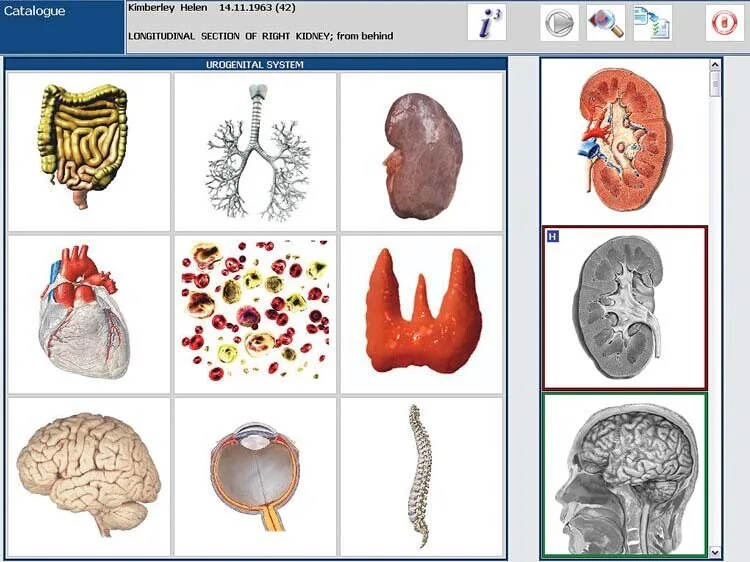
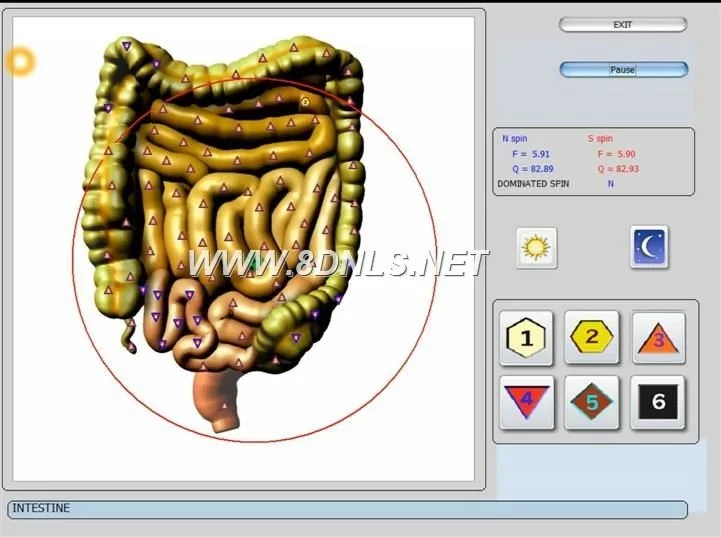
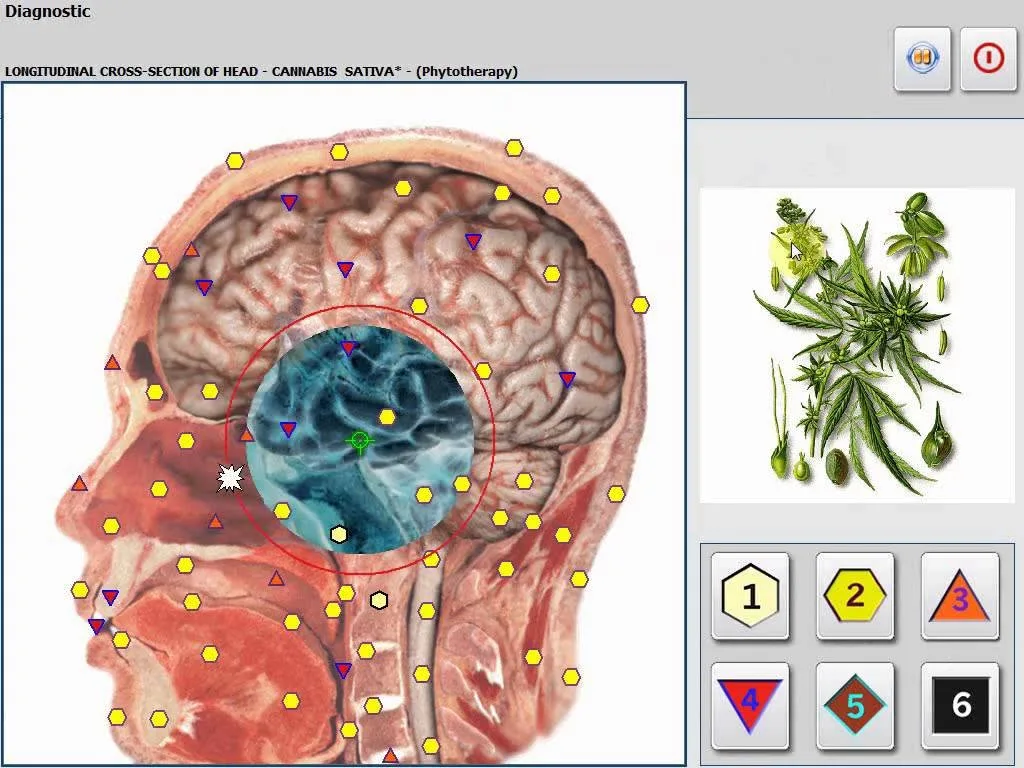
The Metatron Hunter 4025 is an NLS (non-linear scanning) analysis system that runs the Hunter software. Relevant device facts that affect appointment planning include scanning methodology (Auto 3‑D SpiralScanning and Biological resonance scanning) and a declared scanning speed described as “Fast.” Reports are delivered as images with an epicrisis summary, and the system includes analyses such as meridians, food and emotional analysis while omitting features like chakra or iris analysis. These technical characteristics mean the device produces visually-oriented reports you will review on-screen with the client, so schedule adequate client-facing review time rather than assuming the scan itself is the bottleneck.
Two scheduling models to choose from: high-throughput screening vs. deep intake
When integrating Metatron sessions into your wellness center you will usually pick one of two operating models—or a hybrid:
High-throughput screening: Short, lower-touch slots (useful for walk-ins, retail testing, or spa upsells). The goal is client conversion and triage rather than a full diagnostic program. The center relies on quick in-room reviews and digital report delivery to keep flow moving.
Deep intake diagnostics: Longer, consult-level visits intended for clients who expect program design, supplement or therapy planning, or medical referral. These sessions include a thorough intake, detailed review of the Metatron imagery/epicrisis, and a documented plan.
Which to choose depends on your business model: a day spa that wants add-on revenue will prioritize screening; a clinic or integrative practice will prioritize deep intake. A hybrid schedule—alternating screening blocks and diagnostic blocks—lets you convert screened clients into in-depth consultations without disrupting flow.
Template A — Short screening appointment (walk-in / retail / spa upsell)
Scheduling Templates: How Long to Book Metatron Hunter 4025 Sessions for a U.S. Wellness Center · body
Purpose: quick triage, upsell to more detailed consult, or add-on for spa clients. Use this template when you want to introduce the Metatron service with low friction.
Pre-appointment text/email: ask client to complete a short intake form online and confirm arrival time.
On arrival: staff checks ID/consent and confirms any contraindications (brief verbal screen).
Scan: run the Metatron Hunter 4025 automated scan using the Hunter software and save the image-based epicrisis.
On-screen review: show key images and one or two actionable highlights; offer upgrade to a Standard or Comprehensive consult.
Wrap-up: deliver digital report, schedule next steps if interested, and take payment.
Operational notes: Short-screen appointments should be standardized with a one-page script for staff to maintain consistent messaging and to control time. Use pre-visit intake to reduce arrival paperwork. Reserve a single room as a “screening bay” near the front desk to minimize client transit time.
Template B — Standard diagnostic scan + brief consult (typical wellness center use)
Scheduling Templates: How Long to Book Metatron Hunter 4025 Sessions for a U.S. Wellness Center · body
Purpose: this is the format most wellness centers will use for regular clients—sufficient detail to make recommendations without a full medical intake.
Pre-visit: intake form collected electronically (medical history bullet points, current meds/supplements, main concerns).
Arrival: quick vitals or focused measurements as your protocol requires.
Client setup and software profile selection (Hunter).
Metatron Hunter 4025 scan using the automated protocol; produce image-based epicrisis report.
Clinician review: interpret key images, align findings with intake complaints, and recommend a short-term plan or targeted follow-up.
Documentation: upload and store images and the epicrisis; provide the client with a printed or emailed summary and next-step options.
Operational notes: For consistency, create a one-page “Interpretation Checklist” so clinicians cover the same elements in the consult. Use the Hunter software export routine to deliver the epicrisis report by email while the client is still on-site to increase perceived value.
Template C — Comprehensive intake, scan, and in-depth program review (initial patient consultation)
Scheduling Templates: How Long to Book Metatron Hunter 4025 Sessions for a U.S. Wellness Center · body
Purpose: first-time consult for high-acuity or high-value clients where you deliver a comprehensive plan and documentation.
Pre-visit: extended intake form, consent for non-invasive scanning, and instructions on what to avoid before the visit (as your clinical protocol dictates).
Arrival and clinician interview: detailed health history, lifestyle, and goals recorded in your EHR or intake system.
Baseline measurements (optional) and technician-assisted setup of the Metatron Hunter 4025.
Full automated scan (Hunter) producing images and epicrisis; clinician performs an expanded on-screen review with annotated screenshots or printed copies.
Program design: create a documented plan (supplements, referrals, lifestyle actions, follow-ups). Provide the client with a printed plan and an emailed copy of the image-based report and your program notes.
Billing and scheduling: set follow-up appointments and confirm patient education materials.
Operational notes: Because comprehensive clients typically convert to programs, make this a revenue-generating slot and ensure a clinician with decision authority is available. Flag these appointments on your booking system to avoid being double-booked with screening slots.
How to slot follow-ups and monitoring scans (recommended intervals and short booking templates)
Scheduling Templates: How Long to Book Metatron Hunter 4025 Sessions for a U.S. Wellness Center · body
Follow-up cadence should reflect your care model and client goals. Reasonable operational approaches include:
Monitoring for program progress: a short follow-up scan every 4–8 weeks while a program is in its active phase. Use a brief in-and-out slot focused on the scan and a short review.
Maintenance checks: schedule periodic check-ins (3–6 months) to reassess and catch any drift in biomarkers or client-reported outcomes.
Triggered follow-ups: offer on-demand scans when a client reports a new symptom or concern.
When you create follow-up slots on your schedule, differentiate them from initial consults so staff know whether the client requires a full clinician review or a technician-led scan with a fast report delivery.
Staff roles and room setup checklist to keep appointments on time (what to prepare before the client arrives)
Scheduling Templates: How Long to Book Metatron Hunter 4025 Sessions for a U.S. Wellness Center · body
Clear role definitions prevent overruns. We recommend the following minimal team roles for a Metatron session:
Front-desk coordinator — confirms appointments, sends pre-visit intake links, collects any co-payments, and releases client to the scan room on arrival.
Technician/assistant — prepares the device, positions headset/sensors, logs into Hunter software, and runs the automated scan. This person should handle the hardware and file exports but not perform extended clinical interpretation.
Clinician/consultant — reviews the epicrisis with the client and provides recommendations. For screening models this person may rotate between rooms or operate remotely if your center supports it.
Admin/records — uploads images, emails the report, and books follow-ups.
Room checklist before the client arrives:
Hunter software logged into the correct profile and patient template ready.
Headset and any accessories cleaned and in working order.
Printer and PDF export pathway tested for same-visit report delivery.
Consent form (digital or paper) ready and brief intake summary visible for the clinician.
These steps reduce per-appointment friction and make actual scanning time the minor element in your throughput equation.
Practical tips to reduce no-shows and overruns (pre-appointment intake, digital report delivery, time buffers)
To protect throughput and revenue, we advise you to adopt several practical policies:
Require online intake at booking. A short set of focused questions prevents a drawn-out check-in and gives the clinician context before the scan.
Send automated reminders with a link to cancel or reschedule. Include directions to the scan room and parking tips to minimize late arrivals.
Deliver the scan’s image-based epicrisis digitally while the client is still on-site whenever possible; clients perceive higher value when they leave with a report in hand.
Build 10–15 minute buffers into blocks of four back-to-back bookings to absorb small overruns without cascading delays.
Train technicians to standardize the hardware setup sequence; use a checklist to speed the scan start.
When to combine Metatron scans with other services and how to block your schedule
Combining a Metatron scan with other services can increase client value-per-visit and improve conversion to program packages, but it requires deliberate blocking:
For short services (massage add-ons, brief aesthetics consults), place the scan either immediately before or after the service in the same room to avoid client movement.
If combining with longer therapies (IV therapy, extended manual therapy), reserve a separate comprehensive slot so the clinician has time to review results and create a plan without hurried multitasking.
Block “conversion windows”—periods in the day when clinicians are available to convert screened clients to comprehensive consultations. Avoid scheduling all deep consultations in the same afternoon to maintain flexibility.
Blocking approach: pair screening blocks (high throughput) in mid-morning or early afternoon when walk-in traffic is higher, and reserve late-morning/late-afternoon slots for comprehensive consultations when clinicians tend to be available for longer discussions.
Quick comparison table (one-line) of appointment types by time, revenue opportunity, and client experience
The Metatron Hunter 4025’s principal scheduling-relevant facts are: it runs the Hunter software, uses Auto 3‑D SpiralScanning and Biological resonance scanning, and is described as “Fast” for scanning speed; its report format is images with an epicrisis. Because reports are image-heavy, expect clinicians to spend time reviewing visuals with patients rather than reading a short text summary. These device attributes support higher throughput in a screening model but do not obviate the need for clinician time for interpretation and program design. (Product facts referenced from Metatron Hunter 4025 product material; data-fact-id=”122″.)
Limitations of available device information: the supplied product facts do not include manufacturer-recommended appointment durations, nor do they define a validated clinical workflow for staffing or intake. Those remain practice-level decisions. If your center requires a specific approved operating protocol or clinical claims about diagnostic accuracy in specific conditions, seek a qualified clinical advisor and review the model manual before changing patient care workflows.
Operational metrics and what to measure in your first 30 days
To optimize scheduling, monitor three KPIs closely in your first month:
Average appointment occupancy — percent of scheduled time actually used (helps find overruns).
Conversion rate — percent of screening clients who upgrade to a standard or comprehensive consult.
Time per workflow component — split average time into intake, scan, review, and wrap-up; this reveals bottlenecks to improve.
Run a simple audit: time 20 appointments across each template and record per-component times. Use that data to tighten your templates and staffing assignments.
Sample one-day schedule (pattern for a hybrid clinic)
To help you visualize a staffing-friendly layout, consider structuring a day with alternating blocks:
08:30–11:30 — Morning screening block (walk-ins/retail). Technician-led with onsite clinician available for quick conversions.
13:30–16:30 — Afternoon screening and standard diagnostic mix; reserve two clinician slots for follow-ups.
16:30–18:00 — Final comprehensive consults and administrative wrap-up.
Reserve buffer windows (e.g., 15–30 minutes) between blocks to handle overruns and documentation catch-up. After two weeks, adjust block lengths according to real throughput and client demand.
Implementation checklist (first 10 items to run a Metatron service efficiently)
Create three appointment types in your booking software labeled clearly (Screening, Standard, Comprehensive).
Develop short online intake forms for each appointment type and require them at booking.
Train a technician on hardware setup, the Hunter software profile loading, and consistent file export.
Write a one-page interpretation checklist for clinicians to use during the on-screen review.
Set up a report delivery workflow (PDF/email) and a template email that explains the epicrisis at a high level.
Reserve a screening bay near reception with a Metatron-ready station for walk-ins.
Define clinician availability windows for conversions and complex consults.
Implement a 10–15 minute buffer after every 3–4 bookings.
Establish a simple KPI dashboard (occupancy, conversion rate, average time per component).
Plan a 14-day review meeting to refine templates and staffing after initial data collection.
FAQ (operational questions not covered above)
Do I need a clinician physically present for every Metatron scan?
No—technician-led scans are reasonable for screening models, provided a clinician is available for interpretation when needed. Define clear internal rules for when a clinician must see a client (first-time consults, red-flag findings, program enrollment).
Will the Hunter software produce instantly interpretable reports?
The system provides image-based reports with an epicrisis that you review with the client. The visual nature of the output makes immediate on-screen explanation valuable; plan clinician time accordingly.
What should I tell clients before their visit?
Provide a brief pre-visit message: complete the online intake, arrive a few minutes early, avoid metal hair clips or accessories that complicate headset placement, and bring a list of current medications. Avoid specific clinical prep instructions unless your clinical protocol requires them.
One useful next step
If you want a tailored scheduling layout for your floorplan and staffing mix (we can model throughput for screening-heavy vs. consult-heavy practices), request a customized plan or quote. Contact Lucy at Lucy@ihunter4025.com or WhatsApp +8613510907401 to discuss configurations, dealer opportunities, or a site-specific scheduling proposal. Visit our product page for the Metatron Hunter 4025 at https://ihunter4025.com/metatron-4025 for device details.
Final notes and limits
The scheduling guidance here is an operational framework based on the Metatron Hunter 4025’s described scanning method and “Fast” scanning speed. The product facts used are from MAIKONG‘s supplied Metatron Hunter 4025 materials (Comparison Software: Hunter; Scanning Method: Auto 3‑D SpiralScanning and Biological resonance scanning; Scanning Speed: Fast; Report format: Images with Epicrisis) and are cited in the article where used. We did not invent device operating times or authoritative clinical protocols; you should refine these templates by timing your own staff and following any clinical guidelines you use for patient care.
This page is meant to help you implement scheduling pragmatically; it does not provide medical advice or replace qualified clinical judgment.
This content is provided for learning, information sharing and professional communication only. It is not medical advice and is not a basis for treatment or diagnosis. Confirm suitability, operation and purchasing requirements against the product manual, local regulations and qualified professional guidance.