Planning a Clinic Layout for a Metatron Hunter 4025 Station — Practical Guide for U.S. Wellness Centers · body
Quick answer
Place a Metatron Hunter 4025 station in a compact, quiet private room adjacent to the intake desk or exam room so intake → scan → debrief are short walks with no cross-traffic. The room should support a reclinable patient couch, a small technician workstation, controlled lighting, and a mains outlet for a single PC workstation running Hunter on Windows (supported: Windows 11/10/8/7). Plan for 9–14 ft (3–4.5 m) of clear width along the primary workwall, a grounded outlet within 3 ft of the workstation, sightline control for privacy, and simple acoustic treatment to keep ambient noise below conversational level during scans. Use the checklist below to confirm space, power and workflow before you finalize cabinetry, doors and HVAC routing.
Contents
Direct answer: what U.S. wellness center owners need to know right away
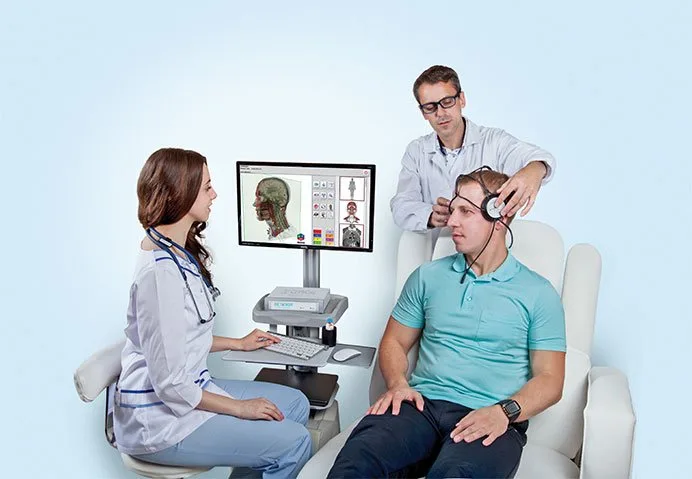
For a single Metatron Hunter 4025 station we recommend one dedicated 10’×12′ (approx. 3.0×3.6 m) private room as the baseline: enough room for a patient couch, a technician chair, the sensor arm and a PC/monitor stack with easy cable management. Locate the room near reception and a small private intake/consultation area so patient hand‑offs are short and private. Make the room quiet, dimmable and easy to clean. Confirm power and a Windows workstation for Hunter software before committing finishes. For multi‑station clinics, use semi‑private bays only if you can guarantee visual and acoustic partitions and separate intake/debrief adjacencies for each bay.
What the Metatron Hunter 4025 is and clinic‑relevant product facts you must plan around
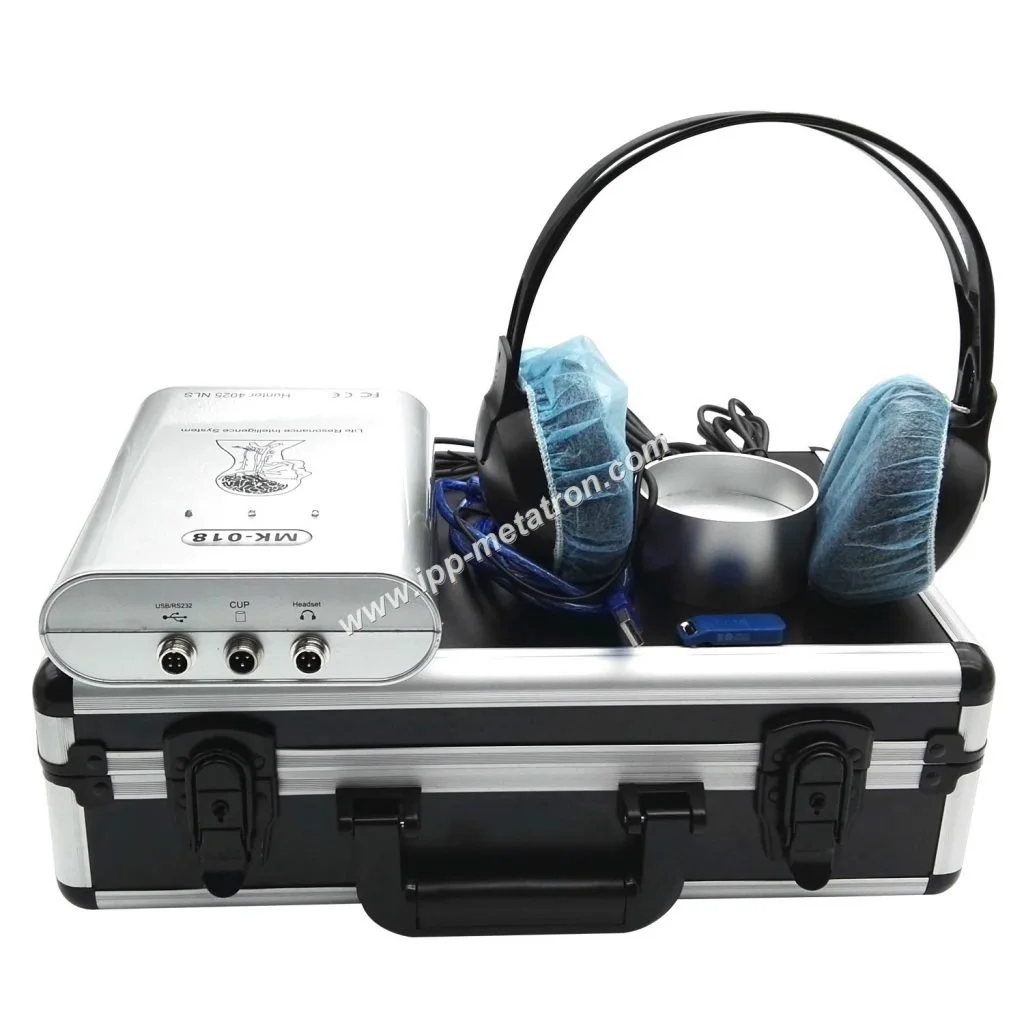
We supply the Metatron Hunter 4025 NLS analyzer for diagnostic-style sessions. Key product facts that affect room planning are its software platform, scanning method and the workstation environment the Hunter software requires:
Comparison Software: Hunter (software-driven workflow; a dedicated Windows workstation is required)
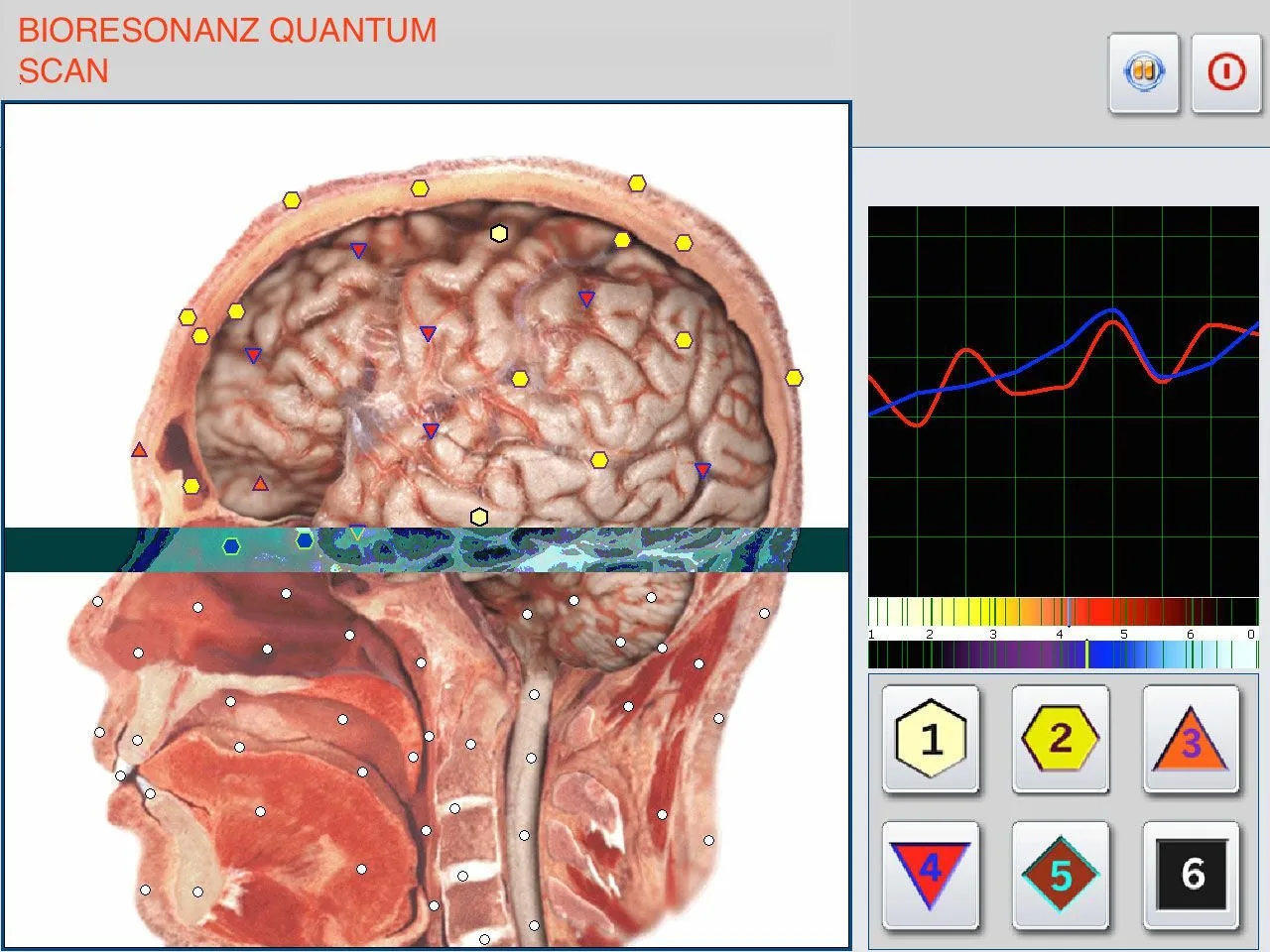
Scanning Method: Auto 3‑D Spiral Scanning and Biological resonance scanning (the session is driven by the workstation and sensor interface)
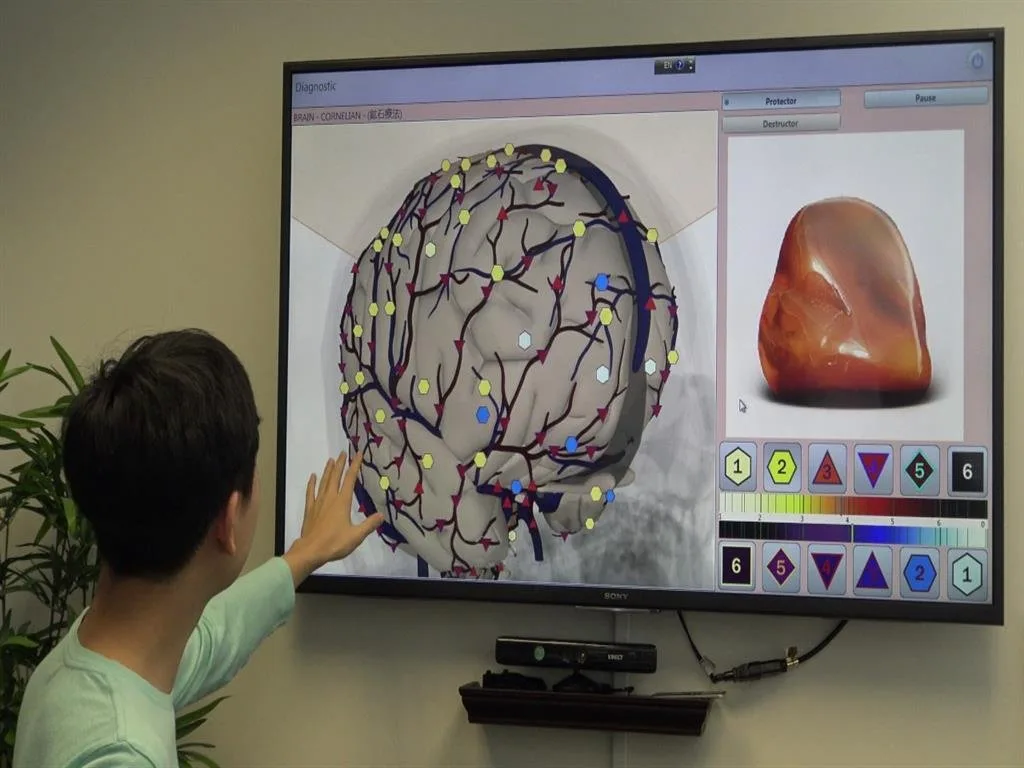
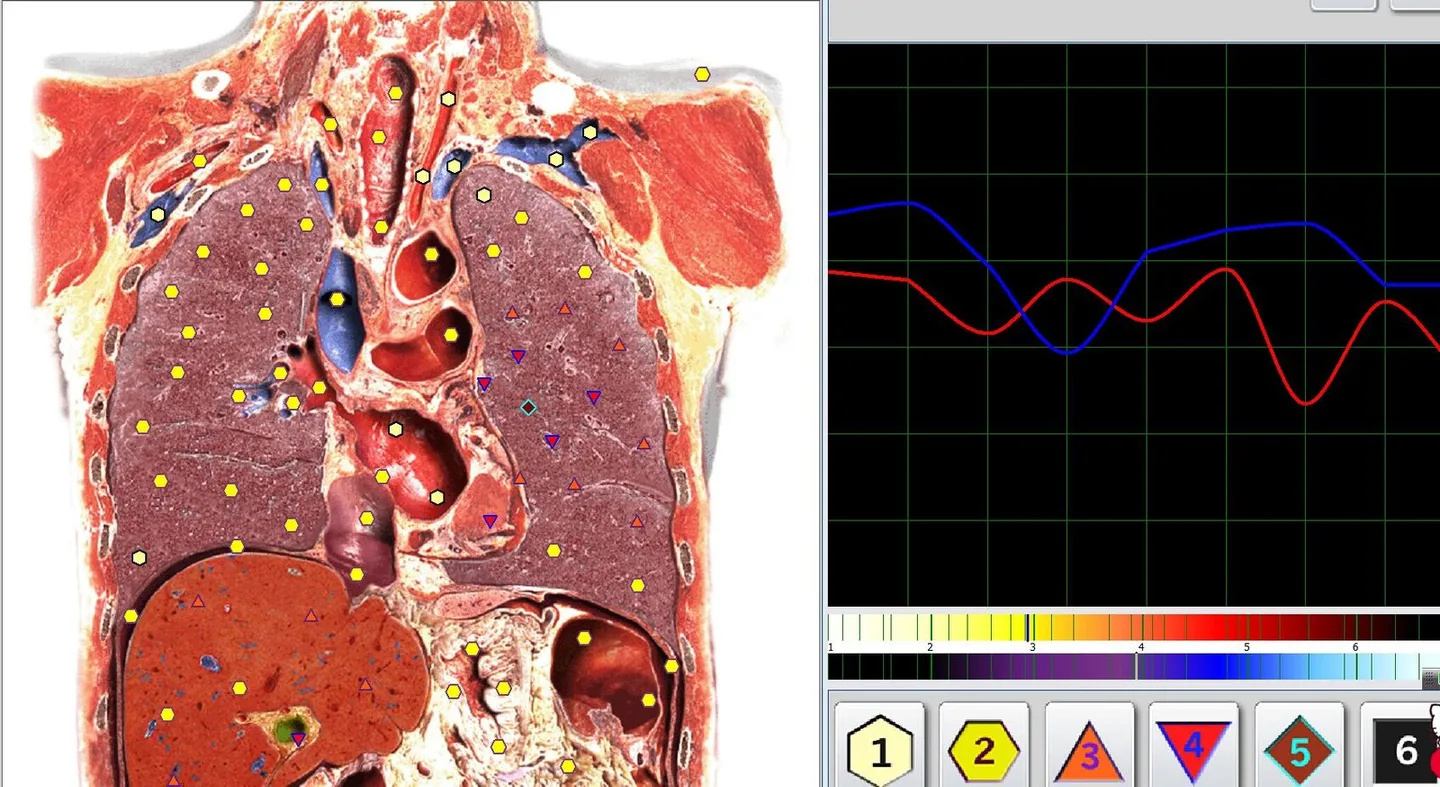
Report format: Images with Epicrisis (printed or PDF delivery is common in clinic workflows)
Supported OS: Windows 11, Windows 10, Windows 8, Windows 7 (the workstation must run one of these OS versions for the Hunter software)
These elements shape the clinic requirements: the product is software-driven, needs a stable Windows environment, and produces visual reports that patients expect to review immediately after a session.
Primary clinic goals the floorplan must solve
When we help wellness centers plan a Metatron Hunter 4025 station we focus on four operational goals that drive all layout decisions:
Patient comfort: a comfortable couch or recliner that allows relaxed positioning during scanning, with adjustable lighting and temperature controls.
Privacy: private conversations and report debriefs, unobstructed sightlines from adjacent public spaces, and secure handling of data output.
Throughput: the ability to move a single patient through intake → scan → debrief in 30–60 minutes for routine sessions without bottlenecks in corridors or waiting areas.
Equipment reliability and serviceability: access to the workstation for software updates, a safe cable route, and an unobstructed path for on-site maintenance.
Minimum space, power and workstation checklist you must confirm before layout
Planning a Clinic Layout for a Metatron Hunter 4025 Station — Practical Guide for U.S. Wellness Centers · body
Before you draw walls or order furniture, confirm the following practical items. These are minimal, clinic-ready requirements that prevent rework later.
Room footprint: plan for at least one dedicated room roughly 10’×12′ (3.0×3.6 m) as a baseline. Larger rooms (12’×14′) give extra flexibility for debrief seating, storage and wheelchair access. If you prefer metric planning, aim for 9–14 ft (3–4.5 m) of clear length along the primary workwall.
Workstation clearance: a 2.0–2.5 ft (60–75 cm) clearance behind the PC/monitor location and 3 ft (90 cm) on the operator side to move and access connectors easily.
Power: at least one grounded 120 VAC outlet within 3 ft (90 cm) of the workstation where the PC and monitor will sit; provide surge protection and a UPS sized for a single PC + monitor + small peripherals.
Network: reliable wired Ethernet (recommended) or strong Wi‑Fi; a wired drop to the workstation for secure, stable reporting and updates.
Furniture: a reclining patient couch or exam table, an adjustable technician chair with casters, a small locking cabinet for sensor accessories, and a desk or console for the PC and monitor.
Room access: door width of ≥32 inches (81 cm) to meet basic accessibility for wheelchairs and certain stretchers; clear turning radius inside the room should permit a powered wheelchair or mobility aid.
Lighting control: dimmable overhead lighting and a task lamp for the operator; avoid strong backlight at the monitor position.
Cleaning surfaces: non‑porous, wipeable finishes on the couch, flooring and high-touch surfaces to support infection control.
Three recommended room types and when to use each
Planning a Clinic Layout for a Metatron Hunter 4025 Station — Practical Guide for U.S. Wellness Centers · body
1) Private consultation room (preferred)
Best for one‑station clinics or clinics offering private debriefs. Use when privacy and noise control are high priorities (medical spas, integrative clinics). The room contains a couch, operator workstation, and a small seating area for report review. This is our recommendation for a standard Hunter 4025 installation.
2) Semi‑private open bay (conditional)
Appropriate for high‑throughput wellness centers with multiple stations where full private rooms are impractical. Only use semi‑private bays if you provide proper visual and acoustic partitions between stations, and if each bay has a clear adjacent intake and debrief space so conversations aren’t overheard. We do not recommend open bays when client confidentiality is essential.
3) Mobile / onsite station
For outreach or pop-up events, the Metatron Hunter 4025 can be operated in a mobile setup (truck, conference room, or temporary booth). In this scenario prioritize a stable flat surface for the scanner interface, reliable power (UPS if mains is unreliable), and an adjacent private area for debriefing results. Mobile use imposes extra constraints on transport, sensor protection and data security; consider a dedicated road case and an IT checklist before deployment.
Patient flow and privacy: arrival, intake, scanning, debrief — recommended adjacency and sightlines
Planning a Clinic Layout for a Metatron Hunter 4025 Station — Practical Guide for U.S. Wellness Centers · body
Design adjacencies to minimize walking and maximize privacy. Our preferred sequence and spatial relationships are:
Reception / scheduling desk: a central point where patients check in and fill forms or confirm digital consents.
Intake/triage seat or small room: immediately adjacent to the reception area; staff perform a brief intake, verify identity, and escort to the scan room. This reduces hallway dwell and limits corridor exposure.
Scan room (Metatron station): private room accessed directly from intake. The pathway should avoid public corridors and waiting areas. Door placement should allow staff to usher a patient in without crossing high-traffic zones.
Debrief area: either inside the same private room (if space permits) or an immediately adjacent consultation room. A separate debrief keeps return to reception private and prevents accidental data exposure.
Sightline controls: doors should not open directly into waiting-room sightlines. Use solid-core doors or full-height partitions for privacy. Windows, if present, should have frosted film or blinds that can be quickly closed for debriefs.
Equipment placement and ergonomics: table, chair, sensor arm, PC, and monitor positions
Planning a Clinic Layout for a Metatron Hunter 4025 Station — Practical Guide for U.S. Wellness Centers · body
Ergonomics are simple but critical: the patient must be comfortable and the technician must access the sensor interface and PC without twisting or awkward reach.
Patient couch: place parallel to the main workwall so the technician can sit or stand at the patient’s head or side as the system prescribes.
Sensor arm: allow 18–36 inches of clearance around the sensor arm travel area; keep walk paths free of cables.
PC and monitor: position the monitor to face the technician with the screen roughly at eye level when seated. Monitor glare from windows must be controlled.
Technician chair: height-adjustable, with casters for lateral movement along the couch. Foot space behind the chair is required for quick repositioning.
Cable routing: use a single dedicated conduit or cable raceway to the workstation. Keep power and network runs tidy and labeled for maintenance.
IT, software and network requirements for Hunter software
Planning a Clinic Layout for a Metatron Hunter 4025 Station — Practical Guide for U.S. Wellness Centers · body
Hunter is a Windows-hosted application. Confirm the workstation platform and data handling approach before you finalize a layout.
Supported operating systems: Windows 11, Windows 10, Windows 8, Windows 7. Ensure the chosen PC is compatible with one of these.
Workstation location: keep the workstation inside the scan room or in a small adjacent control area with a pass-through window for patient observation if desired. For security and software updates the workstation should be on a stable power and network connection.
Network: we recommend a wired Ethernet drop to the workstation for reliability and to simplify file transfers for reports. If the clinic uses a VLAN for medical devices, integrate the workstation per your IT policy.
Data handling and privacy: plan a process for secure report storage and patient data export. If you intend to print or email reports, confirm that the workstation can reach your clinic’s print server or secure email gateway.
Backups and updates: use a small UPS to avoid sudden shutdowns during a scan, and define a plan for Windows and Hunter software updates (preferably during off hours).
Acoustics, lighting and visual privacy: recommended treatments and layout choices for accurate sessions
Planning a Clinic Layout for a Metatron Hunter 4025 Station — Practical Guide for U.S. Wellness Centers · body
Acoustic control and lighting have outsized impact on patient comfort and perceived professionalism.
Acoustics: soft finishes, a carpet or acoustic vinyl, and absorptive panels on the wall behind the technician reduce reverberation. Aim to cut mid-frequency noise (voices, HVAC hum) with 2–3 panels of 1–2 inch thickness on adjacent walls if the room is small.
HVAC: keep the diffuser away from the patient head area to avoid low-frequency noise during scanning. Use quieter diffusers or variable speed fans in small rooms.
Lighting: overhead dimming is useful. Provide a glare-free task light for the operator and a low-level reading lamp for the patient during debriefs. Avoid LED flicker or color temperatures that make monitor reading difficult.
Visual privacy: opaque or frosted glazing, full-height partitions, and blinds keep passersby from seeing screens or patient position.
Infection control, cleaning zones and surface choices for treatment rooms
We recommend clear zones to guide cleaning and reduce cross-contamination.
High-touch zone: couch, sensor interface surfaces, chair armrests, and PC keyboard — disinfect between patients with an EPA-registered product compatible with electronics.
Clean storage: keep clean sensor leads and disposable covers in a locked cabinet or sealed bins.
Flooring: choose non-porous, slip-resistant flooring that can be mopped; maintain a floor finish that tolerates disinfectant use.
Consumables: use disposable couch covers or wipeable pads for patient comfort and rapid surface turnover.
Accessibility and ADA considerations for a Metatron station
Make the room usable for patients with mobility needs.
Door width: ≥32 inches clear opening; a 36-inch door is more comfortable.
Turning space: provide a minimum 60-inch (152 cm) turning circle clear of obstacles where possible.
Transfer space: allow 18–24 inches of clear space alongside the couch to aid lateral transfers from a wheelchair.
Height‑adjustable couch or step stool: provide aids for safe patient transfers.
Staffing and workflow steps for a single‑station clinic day (booking to report delivery)
This staffing sequence fits a single Metatron Hunter 4025 station operated by one technician and one front‑desk resource for a small clinic day.
Booking: front desk confirms appointment, collects intake forms and any pre-session notes.
Arrival and intake: patient checks in; front desk verifies identity, records consent and payment if applicable, and escorts to intake seat/room.
Pre-scan brief: technician reviews medical history, positions the patient, explains the session and the expected report delivery format.
Scanning: technician runs the Hunter software-driven scan and monitors the session from the workstation. The patient remains on the couch; the technician remains nearby to observe and adjust positioning.
Quality check: technician verifies the scan data and saves the report; if a re-scan is required, it is performed immediately.
Debrief: technician or clinician reviews images and the Epicrisis report with the patient in the private room or adjacent consultation area.
Report delivery: provide a printed or PDF copy; confirm storage in clinic records per your data policy.
Cleaning and reset: disinfect high-touch surfaces, replace covers, and prepare the room for the next patient.
Implementation checklist (one-page summary for architects and contractors)
Room size: reserve 10’×12′ minimum; 12’×14′ preferred if space allows.
Door: 32–36 inches clear; swing direction away from main corridor if possible.
Power: 1 grounded 120 VAC outlet within 3 ft of workstation plus UPS sizing for PC + monitor.
Network: wired Ethernet drop to workstation (1 Gbps recommended).
Workwall: 9–14 ft clear run with operator reach and cable routing.
Furniture: reclining couch, adjustable operator chair, small workstation desk, locking cabinet for consumables.
Lighting: overhead dimmer + task lighting.
Acoustics: absorptive panels on one or two walls; quiet HVAC diffuser location.
Accessibility: minimum clearances and transfer aids as listed above.
Data handling: plan secure storage, printing and backup of Hunter output.
Maintenance access: leave 2–3 ft behind workstation for service access and cable management.
Risks, limitations and things we cannot certify from the product record
We base layout and IT guidance on MAIKONG product information for the Metatron Hunter 4025 (software: Hunter; supported Windows systems; scanning method: Auto 3‑D Spiral and Biological resonance scanning; accuracy listed by the supplier at 95%–98%). These are product specifications not clinical guarantees. We do not provide regulatory or electrical-code certification for your U.S. facility; local building codes, electrical inspections and medical device regulations must be confirmed by your facilities team or local authorities. If you need site‑specific electrical ratings or HVAC adjustments tied to a medical classification, consult a licensed electrician and facility planner. Also, the Hunter software may have update or licensing requirements not covered here; confirm current licensing and system requirements with our technical team before procurement. (Product facts used: data-shared-knowledge-id=”551″, data-fact-id=”122″.)
Compact product snapshot (for architects & IT teams)
Item
Value
When to call in specialists
Engage these professionals when your site has any of the following:
Uncertain HVAC noise levels that could interfere with patient comfort.
Questions about electrical capacity, grounding or UPS sizing for clinics in older buildings.
Complex network segmentation or medical‑device compliance requirements.
Accessibility challenges where wheelchair or stretcher access is constrained.
Optional FAQ (short)
Can the Hunter workstation be located outside the scan room with a remote monitor inside?
It is possible to place the PC outside the patient room and run a monitor and keyboard through a short pass-through, but this reduces direct control and may complicate cable routing and privacy. We recommend the workstation either inside the scan room or in an immediately adjacent control alcove to preserve operator access and data security.
How much time should we allocate per patient?
Session duration depends on your clinical protocol. Our layout guidance is based on the practical desire to complete intake → scan → debrief efficiently; confirm your per-patient time standard with clinical staff and schedule accordingly. Do not assume a fixed session length from the product literature; planning should reflect your clinic’s workflow.
Next step: request a site‑specific floorplan and installation quote
If you want a tailored room layout and a checklist for electrical, IT and furniture procurement, request a site‑specific floorplan and quote. Our team will review your floor plan, expected daily throughput and local access conditions and produce a recommended room layout and a bill of materials for installation.
We also welcome qualified U.S. distribution and dealership inquiries—if you are interested in representing the Metatron Hunter 4025 in the United States, please contact Lucy@ihunter4025.com.
This article is for general information only. It does not replace medical advice, a clinical diagnosis, or official electrical and building‑code guidance for your facility.
This content is provided for learning, information sharing and professional communication only. It is not medical advice and is not a basis for treatment or diagnosis. Confirm suitability, operation and purchasing requirements against the product manual, local regulations and qualified professional guidance.
Contact us to request a quote or site review: Lucy@ihunter4025.com or WhatsApp/phone +86 13510907401.