NLS Device Reviews for Mobile Wellness Service Providers in the U.S.: Practical Guidance on Metatron‑style Systems · body
Quick answer
Yes — NLS (non‑linear scanning / bioresonance) devices such as the Metatron Hunter family can be used by mobile wellness providers in the U.S. as a client-facing screening and biofeedback aid, provided you treat their outputs as non‑diagnostic, confirm local practice rules, and plan for the practical limits shown in vendor materials. Key operational checks are: confirm supported Windows versions for your laptop, confirm power and plug compatibility for U.S. venues (manufacturer electrical details are not supplied), label reports as informational (not diagnostic), and verify the specific model report formats and databases you need. Use the published model facts (for example Metatron Hunter 4025’s scanning method, reported accuracy band and database counts) to match workflow expectations, and request a configuration quote that includes software language, warranty and local support options before purchase.
Contents
What NLS devices are in plain language and what mobile providers should expect
We describe NLS devices as tools that measure and process signals from a client and present those results as visual reports, comparative databases and suggested biofeedback options. Vendors call the outputs “analysis,” “images,” or “epicrisis.” For a mobile operator that means the device is primarily a screening and counseling aid: it can generate picture-based reports and match findings against large internal libraries so you can discuss areas of concern with a client. The supplier materials we use report software names, supported Windows versions and database sizes rather than clinical trial outcomes; treat those manufacturer statements as product capabilities rather than validated medical tests.
Operationally, expect the following from a Metatron‑style NLS unit: a Windows‑based software package, a scanning routine (some vendors describe “Auto 3‑D Spiral Scanning” or similar), a generated set of images and an interpretive summary that the software calls an “epicrisis.” The scanner output feeds into a report you can show a client and store in a local database for follow‑ups.
What a typical Metatron‑style report contains (practical outputs you will actually use)
Reports are software‑generated and typically include:
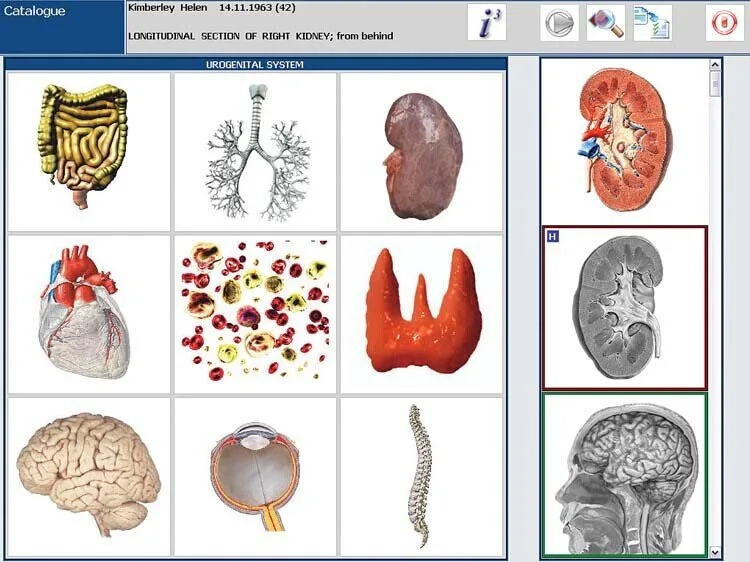
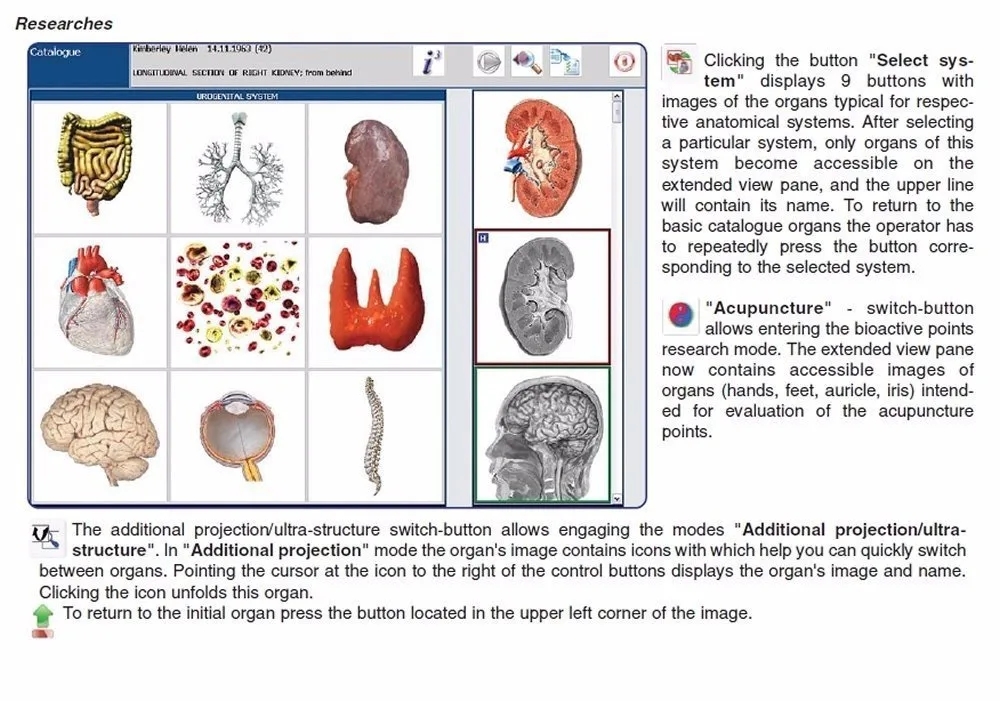
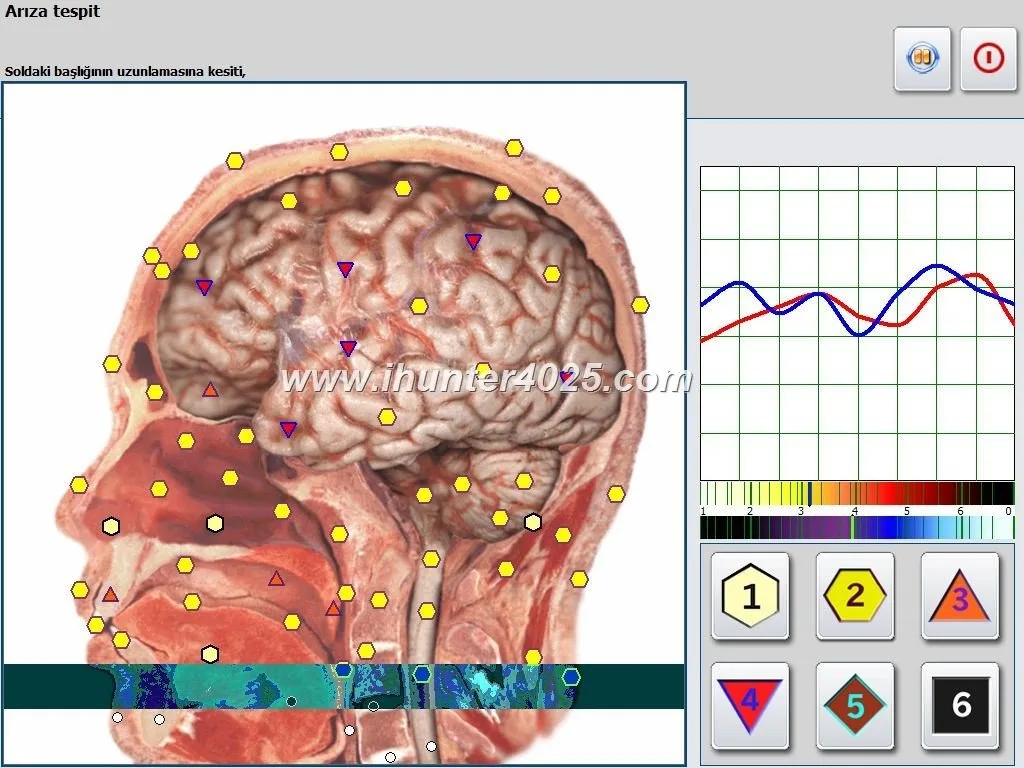
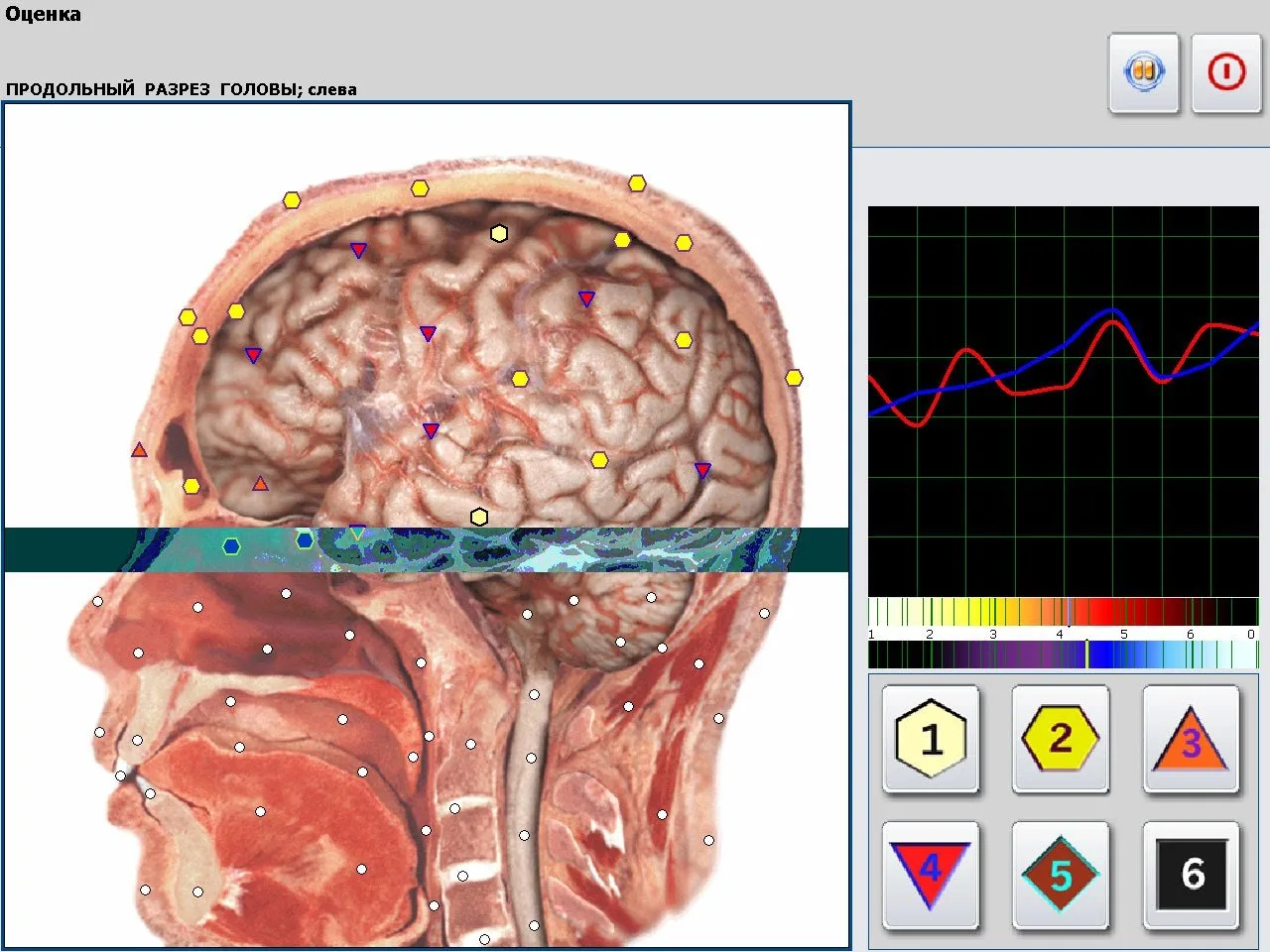
Graphical organ maps or color‑coded images that indicate areas the software flags for “imbalance” or attention;
Lists or tables from internal reference databases (organ indices, microorganism lists, allergens, homeopathic or allopathic matches);
An “epicrisis” — a short interpretive summary produced by the software along with suggested modalities or supplements as database matches;
Exportable image files and PDF pages you can supply to the client for their records.
For mobile use, the practical value is the visual, portable report you can review with a client in situ and a database that helps you structure follow‑up recommendations. Do not present these outputs as definitive medical diagnoses; instead use them as conversation starters and screening flags that may lead to conventional clinical follow‑up when appropriate.
Company‑recorded device facts you can rely on when evaluating models
We preserve and recommend you use vendor‑recorded specifications to match your operational needs. Below are two representative model summaries from the supplier record.
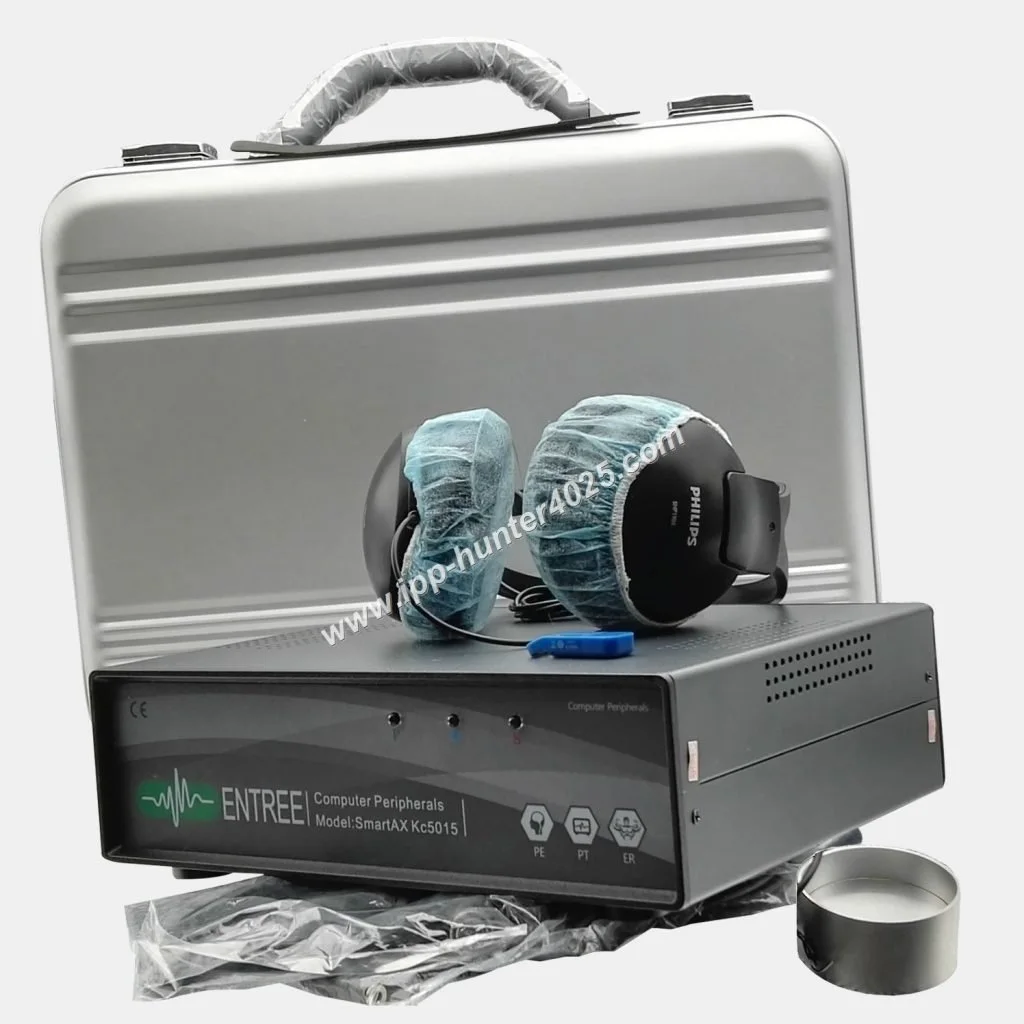
Metatron Hunter 4025 — system image from supplier materials
Metatron Hunter 4025 — supplier facts (summary)
Metatron 4021 — supplier facts (summary)
How to read vendor‑supplied accuracy and scan method claims — what these terms mean for mobile use
NLS Device Reviews for Mobile Wellness Service Providers in the U.S.: Practical Guidance on Metatron‑style Systems · body
Practical implications for mobile providers:
Accuracy bands reported by vendors are a comparative marketing metric. They may reflect internal calibration against the vendor’s reference databases rather than peer‑reviewed clinical performance.
Scan method affects session ergonomics. An “Auto 3‑D Spiral” routine suggests the device performs a full sweep and creates a 3‑D‑styled image, which yields an image‑based report convenient for client discussion. Confirm the actual software demo so you know how long a scan runs on your hardware.
Database breadth (organ counts, microorganism lists, supplement libraries) determines how many items the software can match. Larger databases increase report detail but also raise the need for cautious interpretation and client education.
For mobile work, “fast” scanning is useful only if your laptop and network setup keep pace; always test the specific laptop‑software pair in a trial run.
Realistic mobile service use cases: three workflows that fit a traveling wellness operator
NLS Device Reviews for Mobile Wellness Service Providers in the U.S.: Practical Guidance on Metatron‑style Systems · body
We describe three workable mobile workflows. These are suitability scenarios — possible ways to integrate NLS reporting into mobile business models rather than claims of clinical outcomes.
Use the device as a quick, visual screening station. Clients receive intake, a scan and a printed or emailed report to review with your practitioner at a later consultation. Prepare a short client consent form that clarifies the screening is informational and not a medical diagnosis.
2) In‑home follow‑up and biofeedback consultations
Bring the unit to a client’s home for a more detailed assessment. Use the report to structure a personalized wellness plan and schedule further sessions. Because scan environments vary, perform an equipment check on arrival and allow time for software to stabilize before scanning.
3) Salon / spa partnership model
Install the unit for scheduled client appointments in partner salons or spas. The visual reports can support customized cosmetic or spa programs. Train partner staff on the device’s non‑diagnostic role and how to present reports as wellness guidance.
On‑the‑road setup checklist: power, software, laptop compatibility and transport considerations
NLS Device Reviews for Mobile Wellness Service Providers in the U.S.: Practical Guidance on Metatron‑style Systems · body
Below is a practical checklist we use when preparing units and staff for mobile deployment. Where supplier data is missing, we note the gap and how to resolve it.
Laptop & OS: Confirm the device’s supported Windows versions (Metatron Hunter 4025 lists Windows 11 / 10 / 8 / 7; Metatron 4021 lists Windows 11 / 10 / 8 / XP). Test the exact laptop you will use with the vendor software before field deployment (data-fact-id=”122″ and data-fact-id=”119″).
Software licensing: Validate that the copy of Hunter or 4021 NLS is licensed for mobile use and that activation will work offline if your venue has poor connectivity.
Power and plugs: Manufacturer materials supplied do not include specific U.S. voltage/plugs. Confirm power adapter requirements with the supplier and bring a compact UPS or surge protector to avoid interrupted scans.
Transport & packaging: Use a padded, lockable case for the electronics and keep connectors and hand electrodes (if any) in labelled compartments. Have a spare USB/serial adapter if the device uses legacy ports.
Reports and printing: Confirm the report export formats (images, PDFs). Carry a compact, high‑quality portable printer or ensure you can email PDFs to clients on site.
Language & display: Check if the software supports the client language needed. Request language packs or translations before purchase if you need them.
Warranty & spare parts: Verify lead time for parts and repair, and how warranty support works for units used overseas or in field conditions (supplier lists 1‑year warranty and lead times; confirm for your market).
Missing electrical specification: the supplier record does not include explicit U.S. electrical/installation specs. We recommend confirming voltage, plug type and any required in‑line adapters before scheduling U.S. fieldwork.
Session flow and what clients receive — a practical sequence for mobile NLS screenings
NLS Device Reviews for Mobile Wellness Service Providers in the U.S.: Practical Guidance on Metatron‑style Systems · body
Organize the client session into these operational phases. We avoid prescribing exact time slots because client situations vary; instead use this sequence to structure bookings and resource allocation:
Pre‑screening & consent — collect intake information and obtain written consent that the device is a wellness screening tool and not a medical diagnostic device.
Equipment check — boot the laptop, open the software, connect the scanner and run a fast diagnostic so you don’t have delays during the client appointment.
Scan execution — perform the software scanning routine according to vendor prompts and capture the report images.
Report review — show the client the images and the epicrisis, explain what the software flags as “areas to consider,” and place emphasis on follow‑up with licensed healthcare providers when clinical concerns arise.
Deliverables — provide the client with PDF/image exports of the report, a summary of your suggested next steps, and any recommended scheduling for follow‑up sessions.
We recommend running a timed pilot with representative clients to define booking slots that match your local workflow rather than relying on generic time estimates.
What NLS devices can and cannot be used for in a U.S. wellness scope of practice
Here we state practical compliance boundaries based on the supplier materials and common U.S. regulatory practice:
Can be used for: wellness screening, client education, biofeedback sessions, non‑diagnostic health coaching and trend monitoring within the scope of your state practice regulations. Use reports to support lifestyle and wellness conversations.
Cannot be used for: formal medical diagnosis or to replace medically indicated diagnostic tests. Do not present vendor “accuracy” figures as clinical proof of disease detection in client communications.
Labeling and consent: Always include an explicit statement that results are informational and not a substitute for medical evaluation. Maintain an intake consent that clarifies scope and limitations.
Claims and advertising: Avoid advertising language that implies disease diagnosis or treatment of medical conditions unless you hold the appropriate medical licenses and regulatory clearances. We do not have supplier evidence of FDA clearance for these units; rely on declared certifications only where supplied.
Customer evidence and limits: interpreting manufacturer use‑scope statements for clinics and practitioners
Supplier materials often describe broad intended users (family doctors, clinics, schools, sports centers, spas) and recommend use cases. Those are company use‑scope recommendations (see supplier fact for Metatron 4021). Use them to identify possible markets, but treat such lists as marketing guidance rather than independent validation of clinical performance (data-fact-id=”119″).
If your plan is to integrate the device into a clinical workflow, perform these checks before purchase:
Request the exact software demo and ask for a full export of a sample report so you can evaluate the interpretive language and client deliverables;
Ask about clinical or regulatory evidence for claims you intend to use publicly (e.g., any third‑party validation or cleared status); the supplier materials include ISO 9001 and CE as company declarations but do not include FDA clearance evidence;
Confirm technical support and spare parts availability for U.S. deployments, including lead times and warranty handling.
Comparing models for mobile work: key selection criteria (portability, OS support, report format, database breadth)
When assessing NLS units for a mobile operation, weigh these criteria:
Supported OS and software stability: Choose a model with supported Windows versions that match your laptops; Metatron 4025 lists Windows 11/10/8/7 while 4021 lists Windows 11/10/8/XP (data-fact-id=”122″ and data-fact-id=”119″). Avoid models requiring obsolete OS versions that complicate security and driver support.
Report format and client deliverables: If you need turnkey printable reports, confirm the format (images, PDFs, epicrisis language) and whether you can export client files.
Database breadth vs. interpretive burden: Larger databases (organ counts, microorganism lists, supplement matches) provide more matches but require disciplined client communication to avoid overstating conclusions.
Physical portability: Assess the device weight, case size and how easy it is to pack and carry between appointments. The supplier images show a compact tabletop unit, but confirm exact dimensions with the vendor.
Warranty, lead time and MOQ: For single‑unit operators, MOQ 1 and lead times listed in the supplier records are relevant—Metatron 4025 lists MOQ 1 and lead time 2–5 days; 4021 lists 4–5 days (data-fact-id=”122″ and data-fact-id=”119″).
Support and localization: For U.S. mobile work, request local language support, software localization and service pathways. If the supplier cannot provide local service, plan a certified technician or local reseller arrangement.
Quick comparison table to prioritize features for mobile providers
Below is a compact comparison using supplier facts you can use when prioritizing models for mobile operations.
Model
Software / Version
Supported Windows
Scanning method / Speed
Vendor‑stated Accuracy
Report format / Database highlights
Risks and limits you must manage
We will be candid about the limits you must manage when offering mobile NLS services:
Regulatory risk: Supplier records do not include FDA clearance evidence for these device models. Do not imply a regulatory medical clearance that is not present in supplied materials.
Interpretation risk: Software matches are database‑driven. Miscommunication can lead clients to believe a definitive diagnosis was made. Use clear consent and report language clarifying the non‑diagnostic nature of the output.
Technical risk: Mobile environments vary. Power irregularities, driver issues on unexpected Windows builds, or missing language packs can cause delays. The supplier materials do not provide explicit U.S. electrical installation details — confirm these before deployment.
Evidence gap: Vendor accuracy figures and database counts are useful for choosing a model, but they are not a substitute for independent clinical validation. If you plan to use results as part of a clinical pathway, seek third‑party verification or partner with licensed providers.
Next practical steps for a mobile wellness operator
If you want to evaluate a Metatron‑style unit for mobile work, here’s a minimal practical checklist to request from the supplier before you commit:
A live software demo using a laptop model like yours (so you can confirm scan speed and report exports).
Clarification of power adapter specs and plug types for U.S. venues.
Confirmation of warranty terms, spare parts availability in the U.S., and after‑sales support options.
Sample report PDFs demonstrating the epicrisis language and export formats.
Language/localization options for the software and client reports.
We can provide a configuration quote or arrange a demo tailored to your mobile workflow. Contact Lucy by email or WhatsApp with your intended use case (event screening, in‑home visits, or salon partnership), the laptop OS you plan to use, and any language or export format requirements.
A — Supplier materials we used do not include a claim of FDA clearance for the models summarized here. The company declares ISO 9001 and CE in its profile, which are manufacturing and market conformity claims; these do not equate to FDA medical device clearance. If you require FDA‑cleared devices, request documentation from the supplier and consult a regulatory specialist.
Q — Can I use these reports to recommend supplements or treatments?
A — You can discuss wellness recommendations with clients, but you must not present the device output as a medical diagnosis. Recommendations for supplements should be consistent with the scope of practice in your state and with informed client consent.
Q — What should I do about power and plug compatibility in the U.S.?
A — The supplier record lacks explicit U.S. electrical specification details. Ask the vendor for the device’s input voltage range and included power adapters; for mobile work, we recommend carrying a reliable surge‑protected power strip and a compact UPS when uncertain about venue power stability.
Final note and localized disclaimer
We aim to provide concise, actionable guidance to help U.S. mobile wellness operators decide whether to trial a Metatron‑style NLS unit. Use the vendor facts above to check compatibility with your mobile workflow, and confirm any missing technical or regulatory details with the supplier before purchase.
Disclaimer: This article is for general informational purposes only; it is not a substitute for professional medical advice, diagnosis, or treatment, and should not be used as the basis for medical decisions. 本文仅供一般信息参考,不能替代医生诊断或治疗,也不作为医疗诊断依据。
This content is provided for learning, information sharing and professional communication only. It is not medical advice and is not a basis for treatment or diagnosis. Confirm suitability, operation and purchasing requirements against the product manual, local regulations and qualified professional guidance.
If you would like a configuration quote, a software demo or to discuss becoming our U.S. distributor/agent, contact our sales lead:
We welcome inquiries from U.S. mobile wellness providers and established wellness distributors. If you are interested in representing our products in the United States, provide your company profile, target channels and expected annual purchase quantities when you contact us.