8D LRIS NLS Health Analyzer — Practical Answer for U.S. Mobile Wellness Providers · body
Quick answer
Short practical takeaway: Yes — a U.S. mobile wellness provider can use an 8D LRIS NLS Health Analyzer in a non‑medical wellness setting, provided you verify software and hardware compatibility, confirm what analysis modules the vendor actually ships, keep client-facing language within your state scope of practice, and document informed consent and disclaimers. Before you buy, insist on a current software version, a sample report from a live scan, clear supported‑Windows specifications, and answers about export formats and electrical compatibility for U.S. field work.
Contents
8D LRIS NLS Health Analyzer — Practical answer for U.S. mobile wellness providers
Direct answer: Can a U.S. mobile wellness provider use the 8D LRIS NLS Health Analyzer? Short practical takeaway
We answer plainly: the device class commonly called “LRIS/NLS” (non‑linear scanning/bioresonance-style analyzers) is used by wellness professionals for biofeedback-style assessments and client education. In the U.S., you can deploy such a device in mobile wellness services as long as you do not represent its outputs as an established medical diagnosis, you check the vendor’s technical claims, and you adopt practice controls (consent form, scope‑of‑practice statements and documentation). Ask the vendor for a sample, a current software version, and a sample scan report from a comparable mobile setup before you commit.
Why we say this: these systems are sold as wellness/biofeedback tools. They may include modules such as meridian analysis, food and emotional analysis, and extensive etalon lists. Technical feature sets and the way results are presented vary widely between vendors; you must verify the model’s actual capabilities rather than assuming a name (for example, a Metatron-style Hunter package has specific values we reference below as a practical comparison). Where a vendor claims clinical diagnostic capability, treat that as a red flag and request documented evidence.
What the “8D LRIS NLS” label means in plain language for a mobile wellness service
“8D” and “LRIS NLS” are marketing and architecture labels for non‑linear scanning systems that combine a software database (an “etalon” library) with a hardware probe and analysis algorithm. In practice this usually means the system performs a non‑invasive scan, compares frequency or signal patterns against stored templates, and generates an interpretive report. Different vendors attach different module names (meridians, food, emotional matrix, homeopathy, etc.). We treat vendor materials as a starting point: always ask for the running software name and version, a sample report, and the exact list of installed modules.
Practically, the label does not guarantee any regulatory clearance or that the output meets clinical diagnostic standards in the U.S. If you plan to use results to guide clients toward medical care or make treatment claims, you should consult legal or regulatory counsel for your state and keep all client-facing wording non-diagnostic.
Core capabilities to verify before you buy
8D LRIS NLS Health Analyzer — Practical Answer for U.S. Mobile Wellness Providers · body
When a vendor pitches an 8D LRIS NLS unit for mobile work, these are the concrete capabilities we insist you confirm in writing before purchase.
Software name and exact version — get the build number and ask whether updates are included. Ask to test the same version you will receive.
Supported operating systems and licensing model — confirm compatible Windows releases (e.g., Windows 11/10/8/7/XP) and whether the license ties to one machine, is transferable, or portable.
Example: a Metatron 4021 package lists support for Windows 11, Windows 10, Windows 8 and Windows XP.
Scanning method and data format — ask whether scans use an Auto 3‑D Spiral routine, biological‑resonance sampling, or another probe mode; request a sample raw file and a typical report. Confirm whether the device exports images, CSV, or PDF.
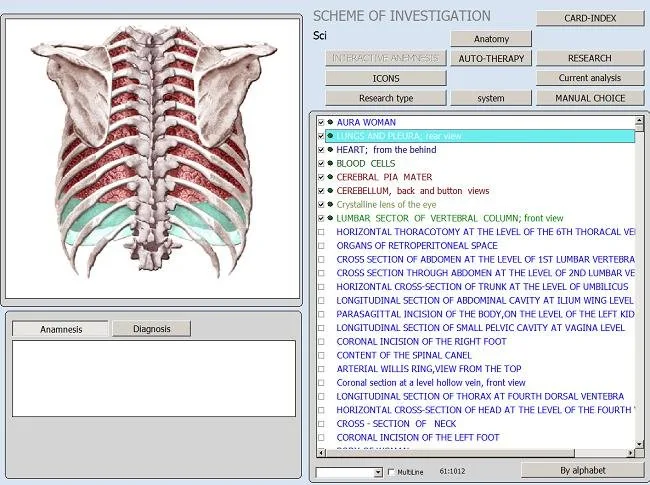
Analysis modules included and omitted — explicitly verify which etalon modules are active on the license: meridians, chakras, food, emotional analysis, pathogens, homeopathy, nutraceuticals, allergens, etc. Do not assume “all modules included.”
Report type — obtain sample reports to check level of detail, graphics and language. Some units produce “images with epicrisis” (visuals plus summary text); check whether the summary language uses medical diagnostic terms.
Database counts and etalon coverage — ask for the number of organs, pathomorphology records, microorganisms, homeopathy entries, allergens and nutraceuticals included in the shipped database.
As an example, a Metatron‑style Hunter package advertises: 886 organs; 688 pathomorphology records; 171 microorganisms/helminths; 1,498 homeopathy entries; 181 allergens; 1,159 nutraceuticals.
Accuracy metric claims — vendors sometimes publish an “accuracy” percentage; request an explanation of how that number is derived and a sample report showing raw readings and comparison logic.
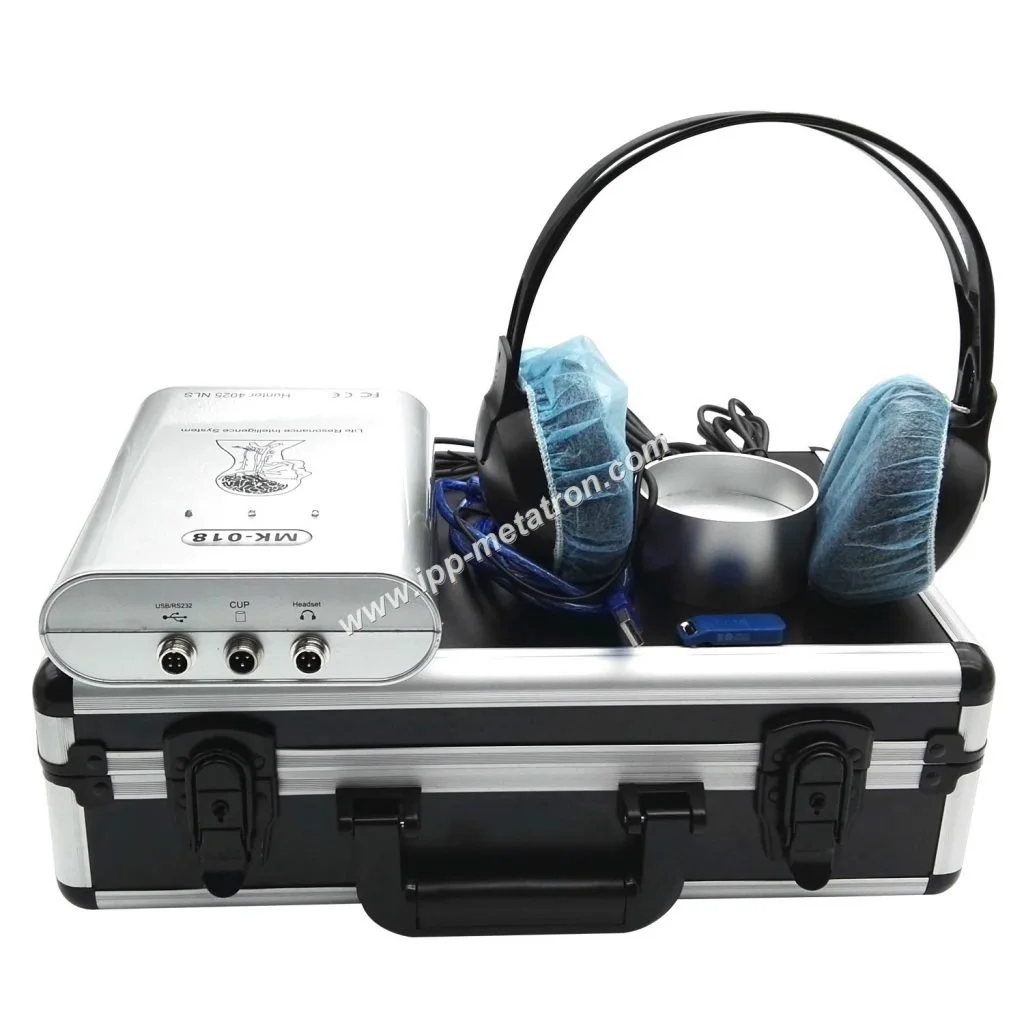
Power and physical portability — ask for device dimensions, weight, and whether the hardware includes a battery or requires a powered laptop with mains. For mobile work verify U.S. power plug compatibility, voltage, and whether a DC/battery pack is available.
Training and support — get the training hours, language of training, who provides ongoing technical support, and what is covered by warranty.
Reference technical snapshot to use when comparing devices
8D LRIS NLS Health Analyzer — Practical Answer for U.S. Mobile Wellness Providers · body
Use the table below as a practical reference when mapping vendor answers into your procurement decision. These example values are taken from Metatron-style records we maintain for comparison purposes; treat them as a checklist template, not universal specifications for every “8D LRIS” product.
Use this snapshot to make precise vendor queries: if a vendor claims “Auto 3‑D Spiral,” ask them to show a recorded scan file from the same software build you will receive.
What you should expect a client session to produce
If you run the 8D LRIS NLS in a mobile wellness context, typical session outputs are:
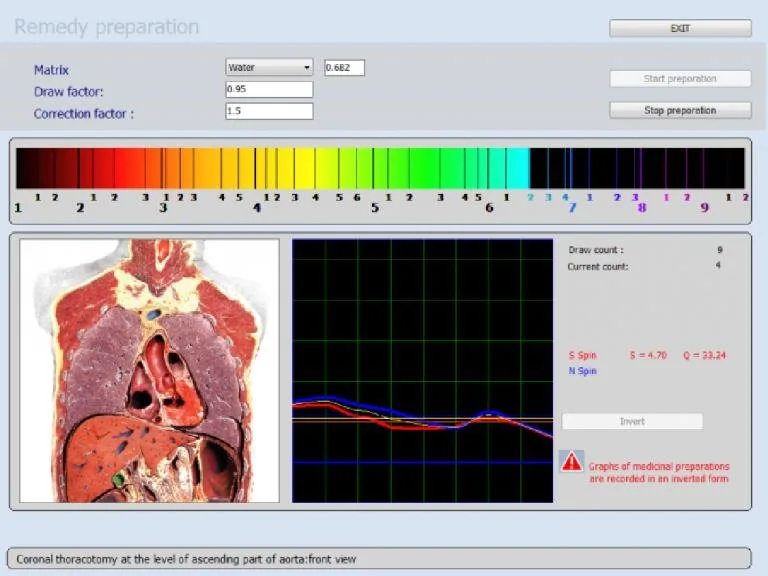
Visual organ/matrix images and comparative charts.
A short epicrisis — a summarized interpretive text that points to areas the software flags for attention (wording varies by vendor).
Module‑specific lists, for example: meridian imbalances, food sensitivities (if the food module is active), emotional matrix flags, suggested homeopathy or nutraceutical matches if included in the etalon library.
How to present results to clients: focus on “wellness markers” and trends rather than labeling findings as definitive medical diagnoses. Use plain language such as “the system highlighted areas for follow‑up” and recommend conventional medical testing for any suspected medical condition. Offer the printed or PDF report as an educational take‑away, and record the client’s acceptance of your scope and limitations in writing.
What the device does not provide: it is not a substitute for laboratory testing, medical imaging, or physician diagnosis. According to example product data, some packages do not include blood‑group, face, iris or zodiac analysis — confirm what the specific unit you purchase includes and do not overstate the device’s capability.
Practical integration checklist for mobile providers
Below is a compact checklist we recommend you complete before the first on‑road use. Items marked “confirm” require explicit vendor answers or test evidence.
Power and electrical compatibility — confirm U.S. mains plug and voltage; request options for a battery pack or an inverter if you plan to run off‑grid. Missing evidence note: we do not have current country electrical/installation specs for every unit — confirm with the vendor.
Portability — request device weight, case dimensions and an example mobile kit list (probe, dongles, laptop, carry case).
Supported OS and laptop minimum specs — verify which Windows builds are supported and whether the software is 32‑bit or 64‑bit compatible. Test the software on your target laptop before purchase.
Session length and client throughput — get a typical session workflow from the vendor (how long from connect to printed summary) and practical tips for speed‑ups.
Data export and backups — request the formats available (images, PDF, CSV) and a procedure for secure client data export and backups.
Client consent, disclaimers and documentation — prepare a consent form that explains the device is a wellness assessment tool, not a diagnostic test; keep signed copies on file.
Infection control and probe hygiene — request vendor guidance on probe cleaning and use single‑use covers if applicable.
Insurance and scope of practice — check whether your professional liability insurance covers use of biofeedback/NLS devices in your state and whether additional documentation is required.
Operational steps to run a mobile NLS session
The following workflow is a practical, non‑clinical template you can adapt. It emphasizes safety, documentation and client understanding rather than technical minutiae.
Pre‑visit checklist
Confirm appointment and explain the device purpose in lay terms; email an informed consent and pre‑visit checklist.
Verify your laptop has the same OS and software build you will run; test hardware, probe and cables before travel.
Packing: device, probe, charger, spare cables, printed consent forms, pen, hand sanitiser, an insulated/protected case.
Onsite setup
Find a quiet flat surface and set up the laptop and probe. Confirm stable mains or battery power and open the software to its home screen.
Have the client sign the consent form that clarifies the device is a wellness/educational tool and not a medical diagnostic.
Complete a short intake (symptoms, relevant history) and record it with the report ID.
Client workflow
Connect probe and run the vendor‑recommended scan sequence. Do not alter analysis thresholds unless trained to; keep an audit log of any changes.
Save a copy of raw scan output and the generated report for your records and the client’s copy.
Explain results verbally in non‑diagnostic language, focusing on suggestions for further testing or lifestyle adjustments rather than “treatments.”
Post‑session reporting and follow‑up
Provide the client with a PDF or printed report; include your written summary and recommended next steps (e.g., medical referral, nutritionist, or re‑scan timeline).
Store session data securely and retain the consent form in your files. If you plan follow‑up scans, keep the same software build to ensure comparability.
If you make any product customizations or software updates, log them and save test scans demonstrating consistent operation.
Important: If the vendor manual for the specific model you buy is not provided, request it before the first client scan. Absent a model manual, arrange training from a qualified instructor.
Regulatory and claims cautions for U.S. practice
We cannot provide legal advice, but we will point out common risk areas mobile providers must manage:
Avoid diagnostic claims. Do not advertise that the system “diagnoses” disease. If a device is marketed as diagnostic it may fall under FDA rules; ask the vendor about regulatory status and do not assume clearance.
Scope of practice. Describe the output as “wellness assessment” or “biofeedback reading” and align your client communications with your professional license and state law.
Recordkeeping. Keep client consent and report copies. If a client acts on information from a scan and pursues medical care, your documentation protects both parties.
Advertising. Be precise in marketing copy: avoid statements such as “cures,” “diagnoses cancer” or “replaces lab tests.” Use neutral phrases: “provides non‑invasive wellness assessments” or “high‑resolution biofeedback reports.”
If you have questions about FDA classification, or whether a particular claim crosses into medical device territory, consult an attorney experienced in medical device and health advertising law.
Supplier evaluation questions to ask comparable provider or any vendor
When you contact comparable provider (or another 8D LRIS vendor), use the following checklist of precise requests. Insist on written answers and sample artifacts wherever possible.
What is the exact software name and build number you will ship? Can we test that build on our laptop before payment?
Which Windows releases are supported, and do you provide drivers for 64‑bit and 32‑bit systems? (Request a compatibility list.)
Provide a sample, anonymized scan report produced by the software on a real client scan.
State how you calculate any “accuracy” percentage. Provide methodology or references if available.
List the active etalon modules included with purchase (organ count, pathomorphology, microorganisms, homeopathy, allergens, nutraceuticals) and the exact counts shipped.
Confirm scanning method (Auto 3‑D Spiral, biological resonance, etc.) and whether raw data files are exportable.
What report export formats are available (PDF, PNG, CSV)? Can reports be branded with our business name?
What training is included and in what language(s)? Is remote training available? Is there a detailed operator manual?
Warranty length and what it covers; availability of spare probes and replacement parts.
Lead time for standard and custom mobile kits; MOQ and shipping terms to the U.S.
Electrical and charging specs for mobile operation; is a U.S. plug and voltage adapter included?
Do you provide a sample declaration or recommended client consent wording for U.S. use?
Use supplier answers to this checklist to score vendors objectively. As an example benchmark, a Metatron‑style Hunter listing shows “Hunter” software, 95%–98% accuracy, Auto 3‑D Spiral scanning, meridian analysis YES and report “Images with Epicrisis.” Compare the vendor’s claimed values against these benchmarks if you use them as a reference.
What to include in a quote request for a mobile configuration
When you ask for a formal quote, include these items so vendors return comparable proposals:
Hardware: complete mobile kit (device, probe, laptop spec if offered, rugged transit case).
Software license: single machine vs. portable license; upgrade policy and update costs.
Training: number of hours, format (onsite/remote), language, and whether operator certification is provided.
Spare parts: probes, cables, and consumables with part numbers and prices.
Warranty, extended support options and response SLAs (if available).
Shipping terms to the U.S., customs documentation, and whether local power adapters are provided.
Sample report: request an anonymized example generated by the exact software version you will receive.
Payment terms, lead time, and MOQ.
Pricing is vendor‑specific and should be treated as “available on inquiry.” Do not accept verbal scope statements; require the quote to itemize software modules and deliverables.
Short comparison: typical Metatron‑style fact set vs. unknown vendor claims — how to map vendor answers to your practice needs
Mapping vendor claims to practice needs is a simple exercise:
If a vendor claims “Auto 3‑D Spiral” scanning, confirm that they can produce a sample file and that your laptop can run the viewer. If they cannot produce a sample, downgrade trust.
For accuracy percentages, ask for the methodology. A numeric claim (e.g., 95%–98%) is less useful without context — demand a demonstration and a comparison against the example reports you plan to use in client conversations.
For module lists, map each module to your service offering. If you intend to provide food sensitivity counseling, confirm the food module is included and review its evidence base before offering recommendations.
FAQ — concise answers to common mobile provider follow‑ups
Can this device replace lab tests?
No. Use the device for wellness screening and education only. Always recommend conventional testing and medical evaluation for clinical concerns.
Does the device require internet to run?
That depends on the software. Some packages run fully offline after installation; others may require online activation or cloud services for updates. Request this detail explicitly.
Will clients accept these reports?
Many clients find the visual reports engaging. Acceptance depends on how you frame results and your reputation. Keep language balanced and avoid medical claims.
Do we need special insurance?
Check with your professional liability insurer. Many carriers require disclosure of diagnostic devices or biofeedback tools in the policy; confirm coverage in writing.
One useful next step
Contact: Lucy@ihunter4025.com or WhatsApp +8613510907401 (https://wa.me/861351090701). You can also review an example Metatron listing on our site: Metatron Hunter 4025.
We are actively seeking U.S. distribution partners. If your operation does regular on‑site wellness visits and you want to add a certified mobile NLS solution to your portfolio, tell us about your service area and client base when you request the quote.
This article is for general information only and does not replace diagnosis or treatment by a physician, nor should it be used as medical advice.
This content is provided for learning, information sharing and professional communication only. It is not medical advice and is not a basis for treatment or diagnosis. Confirm suitability, operation and purchasing requirements against the product manual, local regulations and qualified professional guidance.
If you want a sample report, an exact software version and a U.S. mobile kit quote, contact us with the words “Mobile kit sample report” and include your target laptop OS and any shipping constraints. We will provide a configuration proposal and can discuss distributor opportunities in the U.S.