
Categories
- Knowledge and help (92)
- Blog (263)
- Oberon (12)
- bioplasm nls (14)
- Diacom nls (20)
- Metatron Hunter 4025 NLS review (41)
- Metatron Hunter Manual (7)
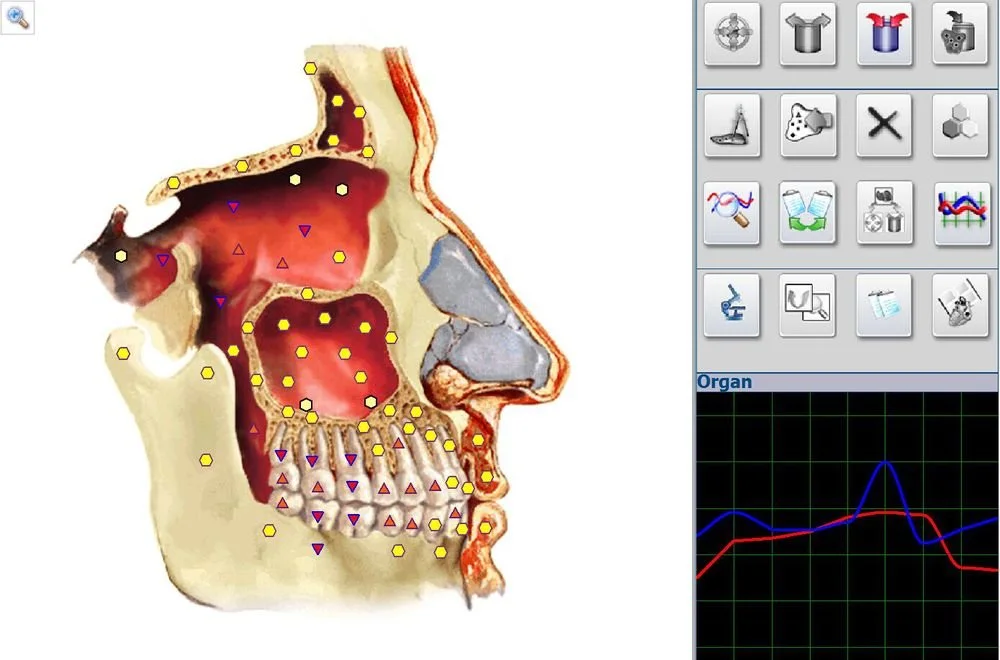
Yes — the Metatron Hunter 4025 (often referenced as Metatron Hunter 4025 NLS or MK‑018/MK‑030 in our product line) can be used by a U.S. wellness center as a non‑invasive assessment/analysis device for client intake, wellness profiling and tracking subjective trends over time. It is not a substitute for licensed medical diagnosis. Before purchase you should confirm software language/localization, Windows compatibility for your clinic computers, intended report formats, local import rules for devices used in health settings, and whether the device will fit your documented clinical workflow. For core device parameters we used MAIKONG’s product data in the technical snapshot below (see evidence section for exact source markers).
We describe the Hunter 4025 as a non‑invasive diagnostic/assessment instrument from our Metatron Hunter line that runs the Hunter software. In a typical wellness‑center intake it is used to perform a multi‑domain scan that maps resonance patterns to a large internal library (organs, pathomorphology, microorganisms, allergens, homeopathic and nutraceutical items). The output is image‑based reports (described as “Images with Epicrisis” in supplier materials) and on‑screen analyses that practitioners can use to guide a wellness conversation, prioritize lifestyle or supplement routes, or to document subjective changes across follow‑ups. The device’s workflow is an input scan, automated analysis and report export — not an FDA‑cleared diagnostic test.
Operationally, expect the tool to be positioned as an adjunct assessment instrument rather than a medical diagnostic device. It can help structure your intake interviews and produce consistent printable outputs for client files, but it must be paired with professional clinical judgment and clear client disclosures about scope and limitations.
Below are the company‑provided technical parameters that matter when you evaluate fit for your center. We display the original model identifiers and values exactly as supplied.
| Field | Hunter 4025 (company data) |
|---|---|
| Software | Hunter (software version 2026 noted in product record) |
| Scanning method | Auto 3‑D Spiral Scanning and Biological resonance scanning |
| Accuracy (company‑stated) | 95% ~ 98% |
| Scanning speed | Fast |
| Analyses included | Meridians: YES; Food: YES; Emotional: YES; Chakras: NO; Blood group/Face/Iris/Zodiac: NO |
| Database counts | Organs 886; Pathomorphology 688; Microorganisms & helminths 171; Homeopathy 1498; Allergens 181; Allopathy 967; Nutraceuticals/parapharmaceuticals 1159 |
| Report format | Images with Epicrisis |
We note two important traceability points: these values come from the supplier’s product record and are preserved verbatim in this article (see evidence section for data IDs). The documented accuracy and database sizes are company statements; they are useful for understanding scale but are not regulatory validation of clinical performance.
Practical scope (what it can be used for)
Clear limits (what it should not be used for)
Regulatory-minded note for U.S. clinics: devices that are used in healthcare settings must respect state scope‑of‑practice rules and federal regulations. We recommend confirming whether your intended use requires vendor declarations, labelling, or prior consultation with a compliance advisor; MAIKONG’s product record indicates CE and ISO 9001 among declared marks in the company profile, but that is a company declaration and is not equivalent to U.S. regulatory clearance.
Use this checklist to eliminate surprises at installation and during client use:
We suggest a pragmatic, staff‑oriented rollout to reduce friction and protect compliance.
Identify one staff member as the device operator (responsible for running scans, exporting reports and ensuring data is stored correctly). Identify a clinician or senior wellness practitioner to interpret the device outputs in the context of the client’s health plan. Draft a one‑page SOP describing who runs the scan, when an interpretation meeting occurs, and how reports are filed in the client record.
Create a short consent form that explains the device is an adjunct assessment tool, not a medical diagnostic test, and that the results will be used for wellness planning only. Keep the language clear and avoid medical promises.
Time per scan and review will vary; the supplier states “Fast” scanning speed but does not provide a numeric duration — ask for a live demo to estimate timing in your workflow.
Use the device outputs as a longitudinal visual record. Avoid treating small scan differences as definitive changes in health — instead, combine with clinical notes, symptom tracking and validated measures.
MAIKONG’s product record lists MOQ 1pc and a lead time of 2–5 days; pricing is available on inquiry.
When considering a vendor, we recommend these evaluation points to reduce operational risk:
| Buyer requirement | Hunter 4025 (company data) |
|---|---|
| Comprehensive internal library | Large: organs 886; pathomorphology 688; homeopathy 1498; nutraceuticals 1159 |
| Scanning method & speed | Auto 3‑D Spiral + biological resonance; scanning speed: Fast |
| Report output for client files | Images with Epicrisis (image‑based reports) |
| Clinical acceptance / regulatory status | Company declares ISO 9001 and CE in profile; this is a vendor declaration — U.S. regulatory clearance is not provided in the product record |
No FDA clearance information is included in the supplier’s product record. The company profile lists ISO 9001 and CE as declared certifications; those are vendor statements and do not equate to FDA marketing authorization in the United States. If you plan to use the device in a setting where FDA clearance is required, consult a regulatory specialist and request the vendor’s regulatory documentation.
The supplier reports an accuracy figure (95%–98%) in product data, but operator variability and clinic workflow will affect reproducibility. To reduce variability: standardize operator training, use the same hardware and OS environment, and document scan settings. We advise trial scans and inter‑operator checks before integrating the device into clinical decision processes.
The product record does not specify cloud storage or synchronization behavior. Confirm with the vendor whether data is stored locally, encrypted, or synchronized to vendor servers — this is critical for HIPAA compliance and for how you manage client records.
Request sample “Images with Epicrisis” reports from the vendor so you can verify layout, language, and whether they fit your charting standards. Ask for raw export files to test how they integrate with your electronic records or filing system.
We used MAIKONG’s product records for the technical parameters quoted above. Relevant source markers included in the supplier snapshot:
These identifiers are supplied by MAIKONG and are used here to preserve exact model names and numeric values.
We need to highlight missing or incomplete supplier data that affect procurement decisions:
Contact details for a U.S. buyer quote:
We welcome inquiries from potential U.S. distributors and local service partners. If you are exploring dealership or agency arrangements, prepare the following for our first discussion: company profile, service capacity (ability to provide warranty repairs and spare parts), prior experience with medical or wellness equipment, and a basic sales/after‑sales plan for your U.S. territory. We will discuss margin structures, training commitments and localization support during a follow‑up call.
Yes, as an exploratory assessment tool in non‑regulated research or internal pilot projects. Always pair any investigational use with a human‑subject review if you publish or present findings, and make clear limitations in participant consent documents.
The product record describes the output as “Images with Epicrisis.” Request sample PDFs or screen captures from the vendor so you can verify readability, language and fit with your client documentation workflow before purchase.
The supplier record lists a one‑year warranty and lead times of 2–5 days for stock availability. For U.S. service expectations, ask about extended warranties, advance replacement policies and whether local service partners exist or will be appointed.
Compliance note:
We provide this information based on MAIKONG’s product materials and our practical experience advising wellness providers. This article is not medical or legal advice.
This article is for general informational purposes only and does not substitute for medical diagnosis or treatment, nor should it be used as a medical diagnostic reference.
To request a demo, sample reports or a U.S. quote, please use the contact details provided earlier in this article and include the configuration items listed under “Next step: request a configuration or quote from MAIKONG.”
This content is provided for learning, information sharing and professional communication only. It is not medical advice and is not a basis for treatment or diagnosis. Confirm suitability, operation and purchasing requirements against the product manual, local regulations and qualified professional guidance.
If you request a quote, expect the price and lead time to vary with these configuration choices:
If you request a quote, attach the configuration details listed in the “Next step” section (intended use, number of units, language and training needs, shipping destination) to speed an accurate reply.
When you contact us, attach a sample intake form and describe your clinic’s current IT environment so we can confirm software compatibility before shipment.
