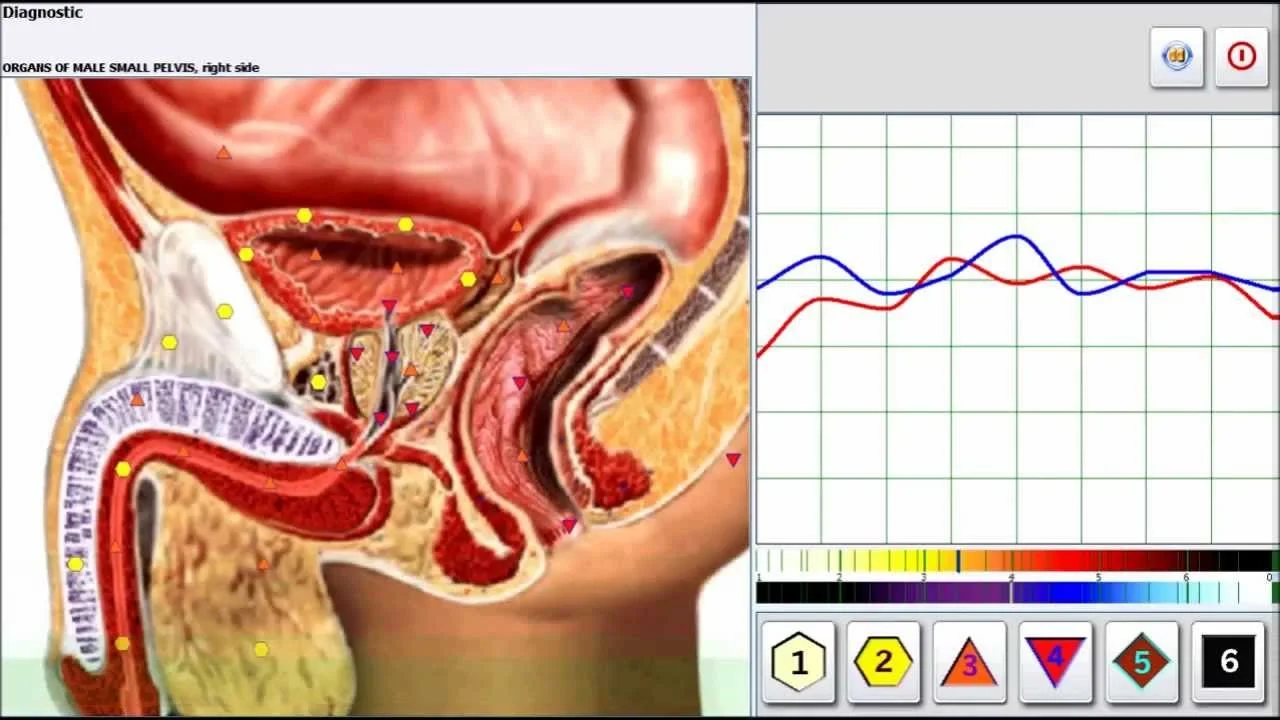
Yes—Metatron-style non-linear diagnostic (NLS) systems can be a practical, non-invasive tool for a U.S. integrative or wellness clinic when used as an adjunct for intake screening, client education and monitoring trends, provided you understand what they are and what they are not. The Metatron Hunter 4025 and Metatron 4021 are purpose-built NLS analyzers we supply; each has a specific software package and Windows compatibility, a one-year factory warranty and minimum-order quantities suitable for single-clinic purchases. These systems produce image-based reports and comparative indices that clinicians commonly use to prioritize follow-up testing, track perceived changes and engage clients in treatment planning—but they should not be represented as replacements for medical imaging or definitive diagnostic tests. For a quote or to discuss U.S. distribution, contact Lucy@ihunter4025.com or +8613510907401.
Contents
Direct answer: Can a Metatron diagnostic machine help my U.S. wellness or integrative clinic?
Short answer: Yes—as an adjunctive screening and client-engagement tool. When integrated carefully into clinical workflow, a Metatron-style NLS device can help your clinic by providing non-invasive scans that generate visual reports, highlighting areas for conventional follow-up and supporting wellness conversations. It can streamline routine functional screening, provide baseline and follow-up visuals, and act as an educational tool for clients who respond to visual feedback.
Important qualification: these devices are not substitutes for medical diagnostic procedures such as laboratory blood tests, CT/MRI, ultrasound, or histopathology. You must avoid medical-diagnostic marketing claims unless you have documented regulatory clearance or independent clinical validation for the specific indication you advertise. We discuss practical limits and compliance considerations below.
Evidence — what the supplied model facts say
We supply two Metatron-style models frequently asked about by practitioners: Metatron Hunter 4025 and Metatron 4021. Below we summarize company-supplied parameters for each model and explain what those parameters mean for clinic use.
What “Metatron” refers to and the common Metatron models practitioners ask about
The term “Metatron” in practice usually refers to devices sold in the non-linear diagnostics (NLS) category. These systems combine proprietary software, scanning protocols and a patient interface to capture biofeedback-style signals and generate images, indices and comparative reports. In our product lineup the two relevant models are the Metatron Hunter 4025 and the Metatron 4021. Each uses desktop software to run scans and to produce visual reports; the primary differences relate to software (“Hunter” vs. “4021 NLS”), supported Windows versions and some feature sets described by the vendor.
How Metatron-style NLS diagnostics are commonly used within clinic workflows
Clinics that find these devices useful tend to use them in three practical ways:
Screening and prioritization: use scans during the intake to map broad areas of client concern and decide which standard diagnostic tests or referrals to prioritize.
Monitoring trends: store successive reports to review change over time and to assess client-reported progress alongside objective measures you already use.
Education and engagement: visual reports and “epicrisis” summaries can help some clients understand and adhere to a wellness plan.
Operationally, most clinics treat an NLS scan as an adjunct appointment item that requires a trained operator, informed consent, and secure document storage so the report becomes part of the client file. We include integration steps and a configuration checklist later to help you estimate how to add a device to your clinic without disrupting core services.
Supported systems: Windows 11, Windows 10, Windows 8, Windows 7
Key vendor parameters and what they mean for your clinic
Accuracy: vendor lists 95%~98%. This is a vendor-provided figure; if you plan to claim diagnostic accuracy publicly, request the methodology and validation data from the supplier (see “How to evaluate vendor claims” below).
Scanning method: “Auto 3-D Spiral Scanning and Biological resonance scanning” — this describes the vendor’s internal scanning protocols, which are part of the Hunter software package.
Scope of content: vendor lists the number of database entries the software references: 886 organs, 688 pathomorphologies, 171 microorganisms/helminths, 1498 homeopathy entries, 181 allergens, 967 allopathy entries, and 1159 nutraceutical/parapharmaceutical items. These figures reflect database breadth, not clinical validation.
Report format: Images with Epicrisis — the output is image-based with a summary interpretation generated by the software; confirm the report language and file formats you will receive for clinic records.
Operational items: MOQ 1pcs; lead time 2–5 days; warranty 1 year.
How clinics typically use those vendor facts: the “database breadth” helps with breadth of screening categories; software versioning indicates upgrade paths; reported accuracy must be verified before any formal diagnostic claim.
Supported systems: Windows 11, Windows 10, Windows 8, Windows XP
Operational items: MOQ 1PCS; lead time 4–5 days; warranty 1 year.
Vendor-stated use scope: The vendor describes a broad intended user base, including family doctors, clinics and medical units, education facilities, sports centers, and cosmetic/spa salons. This is the vendor’s suggested application scope; clinics should review their own scope of practice and local regulations before adopting the device.
Practical note: the Metatron 4021’s compatibility list includes Windows XP, which may be useful for legacy systems, but we recommend using modern, supported operating systems and confirming the supplier’s minimum hardware specifications and security practices before integration.
Compact comparison
Model
Software
Supported Windows
MOQ
Lead time
Warranty
Metatron Hunter 4025 (MK-018)
Hunter (2026)
Windows 11, Windows 10, Windows 8, Windows 7
1pcs
2-5days
1 year
Metatron 4021 NLS (MK-017)
4021 NLS (2026)
Windows 11, Windows 10, Windows 8, Windows XP
1PCS
4-5days
1 year
What Metatron-style reports typically provide
Vendor-provided output for the 4025 is described as “Images with Epicrisis” (data-fact-id=”122″). In practice, that means the software produces visual scans paired with a software-generated summary interpretation (epicrisis) and likely indexed lists of organs, pathomorphologies or items flagged by the database comparison. For 4021, the vendor description emphasizes broad application scope rather than a specific report template (data-fact-id=”119″).
Before you buy, request sample, anonymized reports from the supplier so you can confirm: the language and clarity of the epicrisis, file format (PDF, image files), whether the reports integrate with your electronic health record (EHR) or practice management software, and whether the software allows export of raw data for audit or secondary review.
What Metatron devices can reasonably assist with in an intake or follow-up
Realistic clinical tasks where these devices add value:
Broad functional screening to highlight areas for more specific conventional testing.
Baseline documentation and visual tracking of client self-reported outcomes over time.
Supplement and nutraceutical selection workflow support—the software database often includes nutraceutical entries to facilitate discussion (vendor lists available items for 4025).
Client education and engagement—visual outputs can help motivate adherence to lifestyle or supplement plans.
These are practical, non-diagnostic uses that respect the device’s intended adjunctive role.
What Metatron devices cannot reliably do
Do not expect an NLS device to replace conventional diagnostic procedures. Specifically:
They are not a substitute for laboratory testing, diagnostic imaging (X‑ray, CT, MRI, ultrasound) or histopathology.
Vendor-reported metrics such as “accuracy” should be treated as vendor claims until you have independent validation; the 4025 lists “Accuracy 95%~98%” in vendor material (data-fact-id=”122″)—ask the supplier for raw validation data and study design if you plan to use that figure operationally.
These devices do not provide regulated medical diagnoses by themselves. Representing them otherwise risks regulatory and professional liability exposure in the U.S.
U.S. practice considerations: scope of use, marketing claims to avoid, and regulatory caution for clinic owners
Operational and compliance points we advise clinic owners to follow:
Scope of practice: Ensure the device is used within the scope of the licensed practitioners on staff. Use the NLS output to inform clinical reasoning, not as the sole basis for medical decisions.
Marketing and claims: Avoid statements such as “diagnoses cancer,” “replaces MRI,” or “FDA-cleared to diagnose” unless you have verifiable documentation supporting those claims. If you reference supplier-declared metrics (for example, 4025’s 95%~98% accuracy), present them as vendor claims and disclose that independent clinical validation or regulatory clearance is not presented in the vendor data.
Regulatory caution: The U.S. Food and Drug Administration (FDA) regulates medical devices and their marketing. We do not represent that the models here have FDA clearance. If you intend to market the device for diagnosing or screening a disease, consult legal counsel and regulatory experts to confirm compliance with federal and state rules.
Informed consent and recordkeeping: Adopt an informed-consent statement that explains the device’s adjunctive nature and documents client acceptance. Archive reports securely in the client record.
Integration steps: how to add a Metatron to your clinic workflow
Practical steps we recommend when integrating an NLS device into a small clinic:
Decide clinical role and protocols. Choose whether scans will be routine at intake, used selectively, or reserved for specific programs (e.g., weight-management baseline).
Assign operators. Identify staff who will run scans and train them on software operation, data privacy and how to present results to clients without overstating medical conclusions.
Obtain supplier documentation. Before installation request the software user manual, sample reports, software licensing terms, upgrade policy and training plan.
Set up documentation practices. Define how reports are imported into client records and how follow-up actions are recorded (referrals, conventional testing orders, etc.).
Client communications. Prepare client-facing language that explains the test purpose, limits, and how results will be used in care planning.
Quality checks. Periodically verify that software updates are applied as instructed by the vendor and that reports remain legible and auditable.
We deliberately avoid prescribing session timing. Plan appointment slots based on your clinic’s scheduling patterns and after you review sample workflows from the supplier or peers.
Configuration checklist for a clinic quote
Exact model and software package (e.g., Metatron Hunter 4025 with Hunter software version 2026; Metatron 4021 with 4021 NLS 2026). Include the data-fact-id for traceability when comparing vendor answers.
Supported operating systems and the supplier’s minimum PC hardware recommendations and security guidance. The models list supported Windows versions: 4025 supports Windows 7–11; 4021 supports Windows XP–11 (data-fact-ids: 122 and 119). Confirm whether 64‑bit Windows is required.
Licensing model and update policy: single-seat vs. network license, whether updates are included and the cost of major upgrades.
Included accessories and consumables: specify what is included (probe, cables, software media, user manual) and what’s extra.
Sample, anonymized report in English and a copy of the user manual to review report language and clinical phrasing.
Training: detail hours and delivery method for operator training, whether online or on-site training is provided and any associated fees.
Warranty and service: confirm duration (both models list 1 year), what warranty covers, and the supplier’s routine service or remote-support options.
MOQs and lead time: both models list MOQ = 1; 4025 lead time 2–5 days, 4021 lead time 4–5 days (data-fact-ids: 122 and 119). Ask whether lead times include shipping to the U.S. and if import assistance is available.
Compliance documents: request copies of CE and ISO documentation the supplier claims, and ask whether they can supply any additional regulatory paperwork relevant to U.S. importation. Do not assume CE equals FDA clearance.
How to evaluate vendor claims and verify specs
Questions to ask and documents to request from suppliers so you can make an informed procurement decision:
Sample report and user manual in English to evaluate clinical language and documentation quality.
Software demo or temporary license to test operation and integration with your clinic PC and workflow.
Full specifications sheet listing softwareVersion and supported OS (we recommend quoting the softwareVersion field—e.g., Hunter 2026 or 4021 NLS 2026—from the vendor material).
Validation data supporting any accuracy claims (for example, the 95%–98% figure listed for 4025 should be accompanied by study methodology, sample size and independent review if you will use it operationally).
Warranty and service-level terms (response time, spare parts, remote troubleshooting) and any optional maintenance agreement costs.
Training plan and whether training materials are provided in English and other languages your staff requires.
Compatibility declaration for your clinic IT environment and a signed statement about data privacy handling (how client scans are stored and whether the software transmits data offsite).
We recommend comparing at least two written proposals that include the items above before you finalize a purchase.
Practical selection trade-offs
Choosing between models often comes down to three clinic priorities:
Software features and database breadth: if your workflow benefits from the specific Hunter database entries (organs, pathomorphologies, nutraceuticals) listed by the vendor for 4025, that may weigh in its favor (data-fact-id=”122″).
Operating-system compatibility: if you must support legacy hardware you may consider 4021’s stated compatibility with Windows XP, but modern security and maintainability advise using up-to-date Windows releases and secure hardware.
Serviceability and training: lead time, warranty and the vendor’s ability to provide operator training in English and local support are often deciding factors for U.S. clinics.
Weigh these operational trade-offs against your clinic’s priorities rather than solely on vendor marketing language.
How clinics document and present results ethically
Best practices we recommend for documentation and client-facing communication:
File the raw report and a short clinician note that describes how the scan informed clinical decisions or referral recommendations.
Use neutral language in reports and client handouts: for example, “scan indicates areas flagged for further conventional assessment” rather than “scan confirms diagnosis.”
Ensure informed consent includes a statement that the device is an adjunctive tool and does not replace standard diagnostic tests.
FAQ — quick answers to common follow-ups
Will the Metatron replace my need for lab tests or imaging?
No. Use the device to prioritize and contextualize conventional testing, not replace it.
Does the vendor provide training in English?
Are prices published?
Pricing is available on inquiry. Ask the supplier for a full quote that includes shipping to your U.S. clinic, customs and any training or software-license fees.
Risks and limitations
Key limitations to keep in mind:
Vendor-provided accuracy figures and database breadth are not the same as independent clinical validation. If your clinic will make clinical claims using those figures, request independent data and consult your legal/regulatory advisers.
Regulatory status in the U.S. is not provided in the supplier facts. Do not claim FDA clearance or equivalence unless documented.
Software and database updates, language support and cybersecurity practices vary between suppliers. Confirm these before purchasing to avoid operational gaps.
One practical next step for U.S. clinics
If you want a tailored configuration or to discuss U.S. distribution, request a written quote that includes:
Model and software version (specify Metatron Hunter 4025 — Hunter 2026 — or Metatron 4021 — 4021 NLS 2026).
Sample report in English and a copy of the user manual.
Training scope and language, warranty and after-sales support details.
Detailed lead time including shipping and any import assistance.
Compliance and final notes
We provide product specifications and operational advice based on our supplier materials. Use the vendor-supplied model facts (data-fact-id=”122″ for Metatron Hunter 4025 and data-fact-id=”119″ for Metatron 4021) when requesting formal documentation. If you need independent clinical validation or U.S. regulatory clearance guidance, consult qualified clinical researchers or regulatory counsel before making claims about diagnostic accuracy or clinical effectiveness.
Contact / Request a quote or discuss U.S. distribution
To request a tailored clinic configuration, sample reports, or to discuss becoming a U.S. distributor, email Lucy@ihunter4025.com or call/WhatsApp +8613510907401. Please include your clinic type, preferred model (4025 or 4021), and what you want included in the quote (training, shipping, local support).
We welcome partnership discussions with U.S. clinics and qualified distributors interested in carrying Metatron Hunter devices.
This content is provided for learning, information sharing and professional communication only. It is not medical advice and is not a basis for treatment or diagnosis. Confirm suitability, operation and purchasing requirements against the product manual, local regulations and qualified professional guidance.
When you request a quote, ask suppliers to provide the following items and confirmations so your clinic can compare proposals on an apples-to-apples basis:
Training availability and language support should be confirmed with the supplier when you request a quote. Ask the supplier to specify training language and format in writing.
Contact us to submit that request: Lucy@ihunter4025.com or +8613510907401. We can provide official quotations and discuss distribution partnerships for the U.S. market.