Does NLS Analyzer Training Come Included? A Practical Install‑to‑Acceptance Guide for Biofeedback/Bioresonance Practitioners (US) · body
Quick answer
Short answer: Training is not explicitly guaranteed with every Metatron/Metatron‑series NLS sale in our product records. MAIKONG ships Metatron Hunter 4025 (MK‑018) and Metatron 4021 (MK‑017) with a one‑year warranty and supported software versions, but whether operator training is bundled depends on the specific purchase configuration and must be confirmed in your RFQ or purchase order. Below we summarize what we do supply (model, software compatibility, lead time, warranty) and give a clinic‑ready checklist so you can verify on delivery whether training was included and that the operator is competent for first use.
Contents
Evidence summary from MAIKONG product facts
What our product facts show about the two NLS models most relevant to US practitioners:
Model
Software (declared)
Supported Windows
Lead time
Warranty
Selected model details we keep in our product record (used below where relevant):
These product facts confirm software compatibility ranges, lead times and a one‑year warranty. They do not state whether classroom or on‑site operator training is included by default. For that reason you must confirm training inclusion when you request a quote or place an order.
Related reading from our site: see “oberon nls analyzer training” and our practical install guide (links below) for additional context on training scope and client acceptance tests.
Installation prerequisites you must confirm before delivery
Before the unit ships or before an installer arrives, confirm the following items with your supplier and clinic operations team. These are the prerequisites that determine whether an in‑clinic handover and training session can occur on the first visit.
Physical space and environment
Designate a quiet, temperature‑stable room with minimal electromagnetic interference (no heavy radio transmitters, strong fluorescent ballast noise or nearby large medical imaging equipment).
Allow for a dedicated desk or workstation surface large enough for the PC/notebook, controller module and patient‑seat area. The scanner footprint and cable runs should be planned so the patient sits comfortably and the practitioner can operate the console without obstructions.
Verify lighting: moderate, non‑glare light so iris/face photography (if used) and screen viewing are consistent.
Power and grounding
MAIKONG product records do not include detailed country‑specific electrical installation data. You must confirm the device’s local power plug, voltage and any grounding requirements with the seller before delivery. For US installations ask the seller for the unit’s nominal voltage, input plug type and recommended surge suppression/UPS specifications—do not assume dual‑voltage compatibility or make electrical modifications without written confirmation.
Workstation and peripheral readiness
Provide a Windows workstation that matches the software compatibility listed for your model. MK‑018 (Hunter) lists Windows 11, 10, 8, 7; MK‑017 lists Windows 11, 10, 8 and XP. Confirm the exact OS bitness and edition required by your purchased software build.
Ensure available USB ports (often used for the hardware module or USB dongle), a free Ethernet or Wi‑Fi connection if network activation is required, and sufficient disk space for report images (the MK‑018 uses “Images with Epicrisis”).
Confirm whether a dedicated printer will be required for clinic reports and whether the supplied software includes drivers for your printer model.
Personnel and scheduling
Reserve time for the delivery, functional installation, software activation and at least one operator training session. If training is not bundled, plan on remote or third‑party instruction; confirm that ahead of delivery so your acceptance testing is valid.
IT and software prerequisites (what to check before software installation)
Software compatibility and activation steps are frequent causes of delayed handovers. Use this checklist with your IT staff:
Confirm the exact software title and version that will ship with the model you ordered: MK‑018 uses “Hunter” (softwareVersion 2026) and MK‑017 uses “4021 NLS” (softwareVersion 2026). Ask the seller to include the license key method and activation instructions in writing.
Ensure the workstation Windows version is one of the supported systems listed on the product page for your model. If your site uses Windows Server, macOS or Linux workstations, plan for a dedicated Windows client or VM and confirm whether the vendor supports running in a virtual environment.
Antivirus, firewall and Windows User Account Control (UAC) settings can block device drivers or activation. We recommend coordinating with your IT team to allow installer processes and to temporarily relax restrictive policies during installation; confirm this in advance with the vendor.
Internet access is commonly required for license activation and updates. Confirm whether the supplied license is online‑activated or pre‑activated; if pre‑activated, request written confirmation and activation steps for later reinstallation.
Back up system imaging and a restore point prior to installing vendor software so you can recover the workstation if installation conflicts occur.
If the vendor supplies a USB hardware key or dongle, verify it arrives with the unit and test it immediately during acceptance.
What a realistic operator training covers
Does NLS Analyzer Training Come Included? A Practical Install‑to‑Acceptance Guide for Biofeedback/Bioresonance Practitioners (US) · body
Many buyers expect training to include clinical interpretation or therapy protocols. Our product records do not promise clinical protocols; training content varies by supplier arrangement. If training is included it typically covers the following practical modules—use these as minimum expectations to confirm with your supplier.
Suggested training modules (confirm exact scope in your RFQ)
System introduction and safety: unboxing, physical connections, power, and familiarisation with hardware components.
Software walkthrough: logging in, license activation, basic settings, and how to keep the software updated (document the installed softwareVersion: 2026)
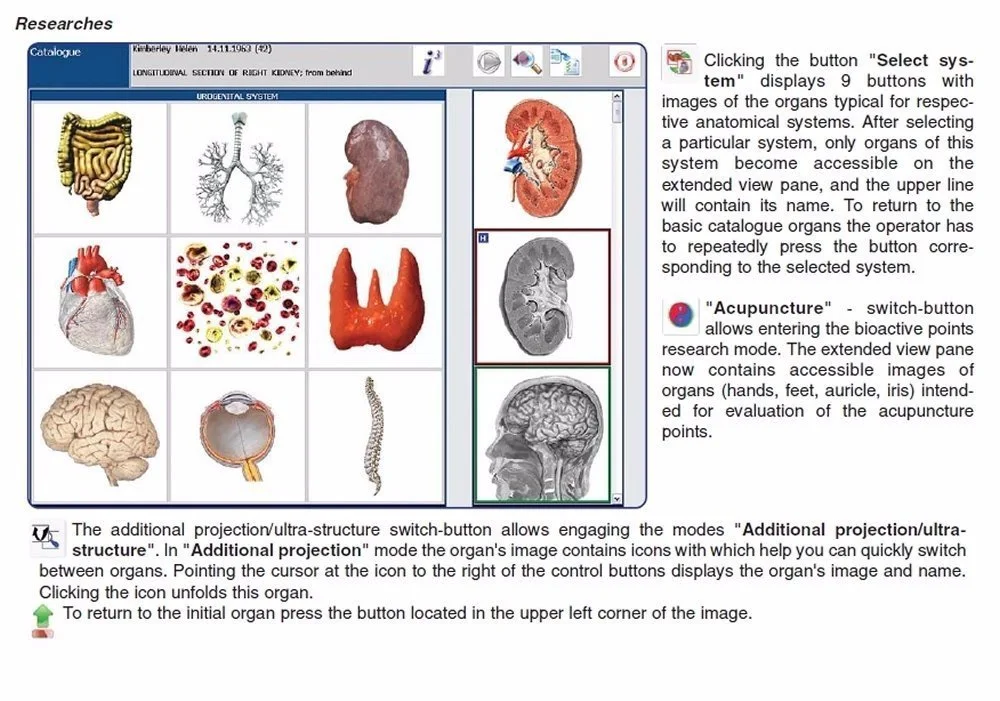
Patient setup and scanning workflow: patient record creation, probe/lead placement (if used), run modes (e.g., Auto 3‑D Spiral on MK‑018), and capturing a reproducible scan.
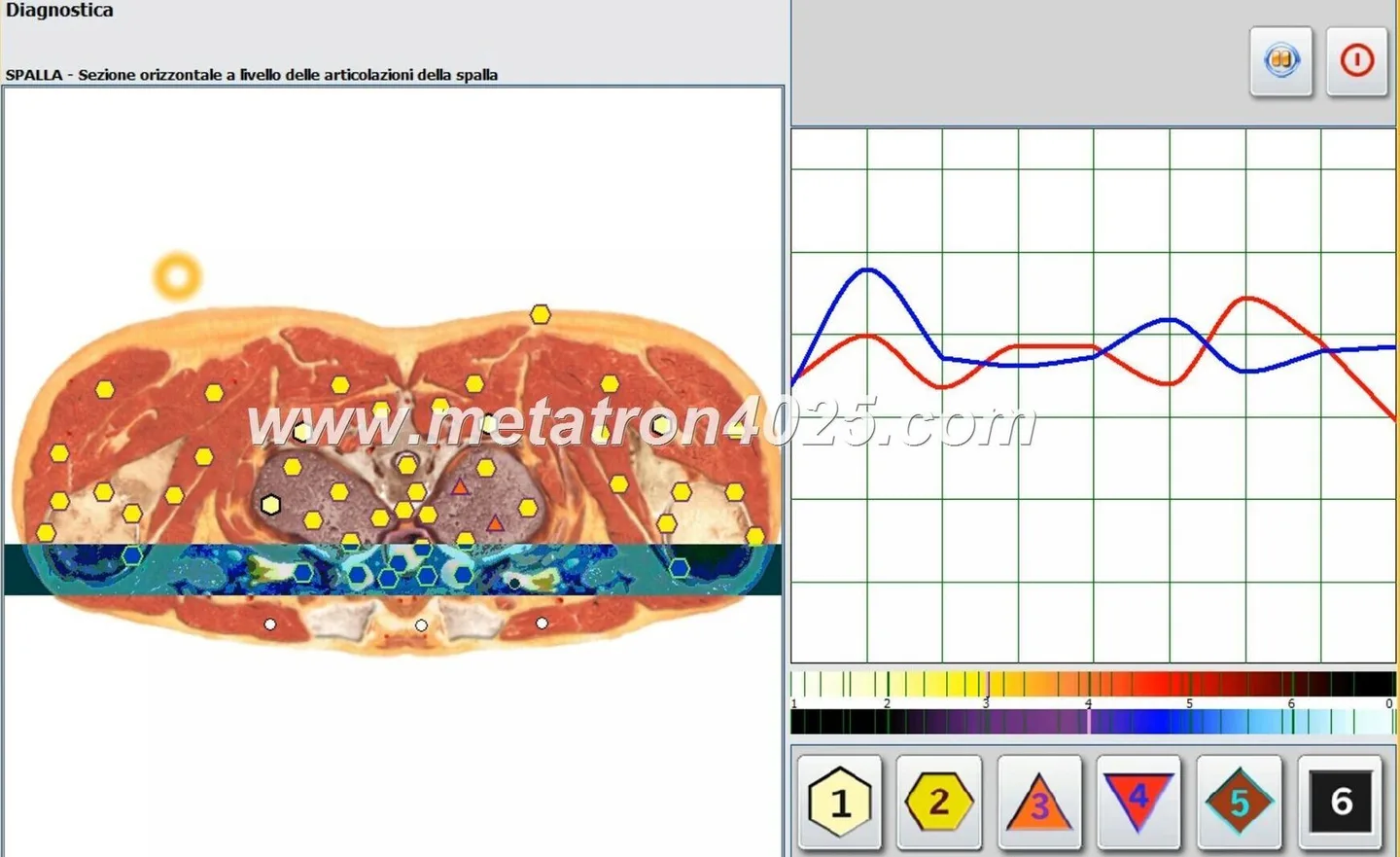
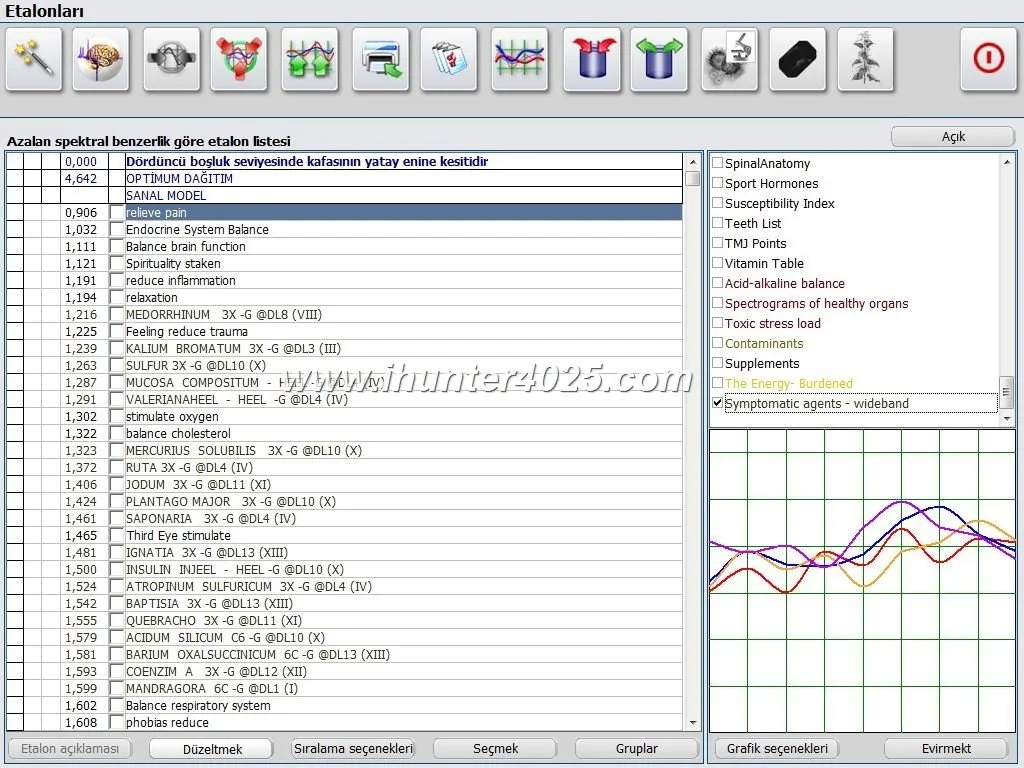
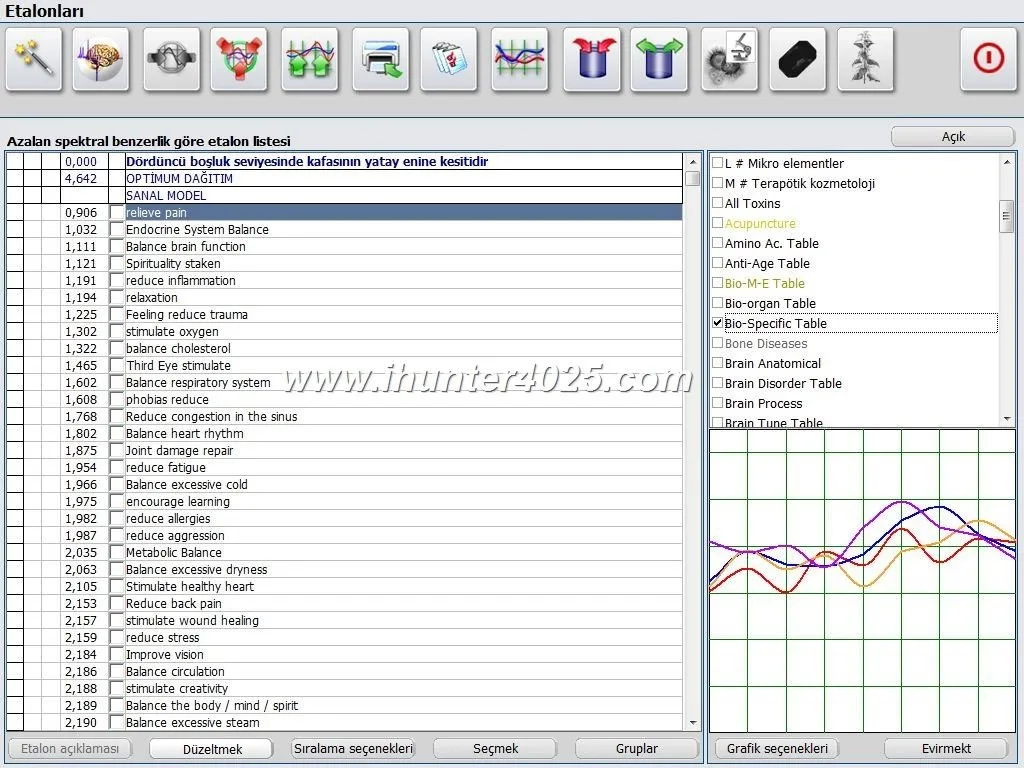
Interpreting standard outputs: reading the core result formats (e.g., organ lists, pathomorphology, microorganism lists and the “Images with Epicrisis” report on MK‑018) and exporting reports into clinic records.
Reporting and export: saving scans, printing or exporting images and epicrisis files, attaching to an EHR or patient folder.
Basic troubleshooting and maintenance: driver reinstallation, reconnecting the hardware, USB dongle recovery and what logs to collect before contacting support.
Handover and acceptance test: guided first patient scan under trainer supervision, comparing results to a functional test image and signing a handover checklist.
Ask your vendor whether training includes written materials or recorded videos and whether the trainer will provide a signed competency checklist at handover.
Hands‑on competencies the operator must demonstrate after training
Does NLS Analyzer Training Come Included? A Practical Install‑to‑Acceptance Guide for Biofeedback/Bioresonance Practitioners (US) · body
For a clinic acceptance you should expect (and verify) the operator can perform the tasks below without vendor assistance. These form your acceptance criteria.
Execute a complete patient scan start‑to‑finish: create the patient record, run the selected scan mode, save and label the scan.
Identify and export the principal outputs used in your practice: organ list, pathomorphology, microorganisms/allergens, and the “Images with Epicrisis” report format (MK‑018 uses this format).
Generate a clinic report and print or export it in the agreed file format; attach the report to a sample EHR or PDF folder to prove compatibility.
Perform basic troubleshooting steps: verify driver connectivity, confirm the USB dongle or license key presence, and restart the software without losing license activation.
Document and interpret the meaning of standard flags and color‑coding in the software outputs as delivered; understand where to look in the report for the numbers of organs, pathomorphologies and registered databases.
If the vendor states clinical interpretation or therapeutic protocol training is included, require written limits: which medical claims the trainer will cover and explicit exclusions (for liability and compliance clarity).
Delivery and acceptance checklist for the clinic
Does NLS Analyzer Training Come Included? A Practical Install‑to‑Acceptance Guide for Biofeedback/Bioresonance Practitioners (US) · body
Use this acceptance checklist during delivery. If training was promised, perform the following steps during the trainer’s visit. If training was not promised, use the checklist as your baseline acceptance test and require proof of any training add‑on.
Inspect packaging and hardware: photograph serial numbers and the external condition of the main module and any accessories. Record serial numbers on the acceptance form.
Confirm model and software: verify the unit model (MK‑018 or MK‑017) and installed softwareVersion (should match documentation, e.g., 2026).
Physical installation and power check: connect the device, power it up and verify there are no error LEDs or audible faults.
Software installation and license activation: install the supplied software on the clinic workstation, activate the license (online or dongle) and record activation evidence (screenshots or license file).
First test scan: perform a full, supervised test scan on a consenting staff volunteer. Save the scan, export the “Images with Epicrisis” (if MK‑018) and print or export the report.
Operator competency demonstration: the assigned clinic operator should reproduce the same workflow unaided and export the same set of reports.
Document defects and open items: list any damaged parts, missing accessories, unresolved software errors or features that were not demonstrated during training.
Acceptance evidence — what to record and sign at handover
Does NLS Analyzer Training Come Included? A Practical Install‑to‑Acceptance Guide for Biofeedback/Bioresonance Practitioners (US) · body
Your handover package should include the following files and records before you sign final acceptance:
Photographs of serial numbers for all hardware components and the accessory list.
Screenshot or PDF of software license activation (date, license key identifier and the licensed machine name).
Saved test scan files plus the exported clinic report(s) — for MK‑018 include the “Images with Epicrisis” output as that is the declared report format.
A signed competency checklist confirming the operator demonstrated the stated competencies (scan, export, report, basic troubleshooting).
Delivery note with the supplier’s packing list, stated lead time confirmation and a note of any agreed‑upon training or support deliverables not completed at the visit.
Keep all of the above attached to your purchasing record. If training was sold as part of the order, acceptance of the training modules should be a separate line item in the delivery note and your invoice.
Warranty, software updates and after‑sales boundary
What MAIKONG product facts declare and what you must clarify:
Declared warranty: both MK‑018 and MK‑017 product records list a one‑year warranty. This is the supplier’s declared warranty period (data‑fact‑id=”122″ and data‑fact‑id=”119″).
Software updates: product records list softwareVersion 2026 but do not state whether periodic updates or major upgrades are included in the warranty. You must confirm whether software patches, virus‑definition updates (if applicable) or new major versions are included or charged separately.
Support channels: confirm whether after‑sales support is provided by MAIKONG directly, by an authorized reseller, or via remote access. Ask for the support contact, supported hours and SLA for critical issues in writing.
Do not assume remote configuration, on‑site visits or clinical protocol advice are included in the standard warranty. Treat those as separately quotable services and require explicit written agreement if you want them included.
Service tasks likely outside standard after‑sales and questions to clarify
Common items that vendors do not include by default—confirm each one if it matters to your clinic:
Clinical SOPs or patient protocols: suppliers typically provide device operation training but not clinical diagnosis or treatment protocols. If your clinic requires protocol development, contract that separately with a qualified clinician.
Regulatory certification assistance: devices may carry declared certifications on the product page, but assistance with local registration, state‑level licensure or FDA submissions is not commonly included. Ask for explicit help options if you need them.
On‑site preventive maintenance beyond the warranty period and consumable replacement schedules.
Data migration and EHR integration work—these are IT projects and usually billable separately.
Questions to ask your supplier before purchase:
Is operator training included in the quoted price? If yes, list the modules and provide an agenda.
Is the training remote, on‑site at the clinic, or at the vendor’s facility? What travel costs, if any, apply?
What is covered by the one‑year warranty? Does warranty include software issues and remote troubleshooting?
Are software updates included for 12 months? What are the costs after that period?
Can you provide written installation and electrical specifications for US installation prior to shipment?
What to include in your RFQ / configuration request to confirm training inclusion
To avoid ambiguity, include the following minimum information in your RFQ or purchase order. We advise listing training as an explicit line item with deliverables and acceptance criteria.
RFQ template items
Application and intended clinical use (brief): e.g., “integrative clinic for non‑invasive biofeedback screening.”
Model and configuration: specify exact model identifier—Metatron Hunter 4025 NLS (MK‑018) or Metatron 4021 NLS (MK‑017) and any optional accessories.
Software expectations and OS: confirm desired Windows version to be used in clinic.
Quantity and destination: number of units and delivery address (US clinic address).
Training request: state whether training must be included; if yes, indicate on‑site or remote, number of operator seats to be trained, and acceptance criteria (the competency list above can be pasted into the RFQ).
Support and update terms: request written warranty scope, software update policy and post‑warranty support rates.
Acceptance test: attach the acceptance checklist and require signed proof of operator competency and successful test scan before final payment.
Include any special requirements such as local power adapter, documentation language (English), and shipping/incoterms preferences. Pricing and commercial terms must be requested—MAIKONG product pages do not carry public pricing; price is available on inquiry.
Comparison note: how training inclusion typically differs between MK‑018 (Metatron Hunter 4025) and MK‑017 (Metatron 4021)
Our product facts do not list a universal training policy by model. Practically speaking, differences you should expect and confirm:
MK‑018 (Hunter) is positioned with a broader feature set in our record (e.g., listed scanning methods, larger internal reference lists and the “Images with Epicrisis” report format). Because MK‑018 is marketed as a more feature‑rich offer, some suppliers price bundled training with MK‑018 as standard or offer more in‑depth onboarding packages. Confirm the specific training scope in writing rather than assuming.
MK‑017 (4021 NLS) shows broader legacy OS support (Windows XP listed). If you intend to use older hardware or legacy clinical systems, verify that the training includes compatibility guidance for older environments and that the vendor will supply appropriate drivers or installation support.
Lead time differences (MK‑018 2–5 days vs MK‑017 4–5 days) may influence whether the supplier can schedule on‑site training quickly. Shorter lead time does not guarantee included training; confirm scheduling availability for an on‑site trainer if required.
Bottom line: model differences influence the complexity of the software and therefore the realistic scope of operator training. Do not assume parity of training content between models—state your expectations explicitly in the RFQ.
Hardware: model and serial numbers photographed and recorded.
Software: installed version and license activation screenshot saved.
Test scan: completed and exported (include “Images with Epicrisis” for MK‑018).
Operator demo: operator runs full workflow unaided and exports report.
Signed delivery note and competency checklist attached to purchase file.
FAQ (useful follow‑ups)
Q — If training isn’t included, what options exist?
A — Ask the supplier for clearly priced training add‑ons: remote instruction, on‑site training, recorded modules, or additional supervised scan sessions. Require that any paid training includes the same acceptance checklist and a signed competency form.
Q — Are clinical protocols provided with the device?
A — Our product facts do not supply clinical protocols. Clinical protocol work is typically outside standard after‑sales; if you need protocol templates or evidence‑based workflows, request them as a separate deliverable and confirm liability boundaries in writing.
One practical next step — RFQ checklist and contact
To request a configuration, quote or to discuss training options with us, contact:
If you are interested in representing MAIKONG as a local distributor or reseller in the United States, indicate that in your RFQ. Provide your business profile, intended initial order quantity and target markets; we will provide distributor terms for consideration.
Limitations and final cautions
We supply the factual details above from our current product records: model identifiers (MK‑018 and MK‑017), software names and versions, supported Windows systems, lead times and the declared one‑year warranty. Notable gaps you should confirm in writing: detailed US electrical specifications for installation, whether training (remote or on‑site) is bundled in the quoted price, and the supplier’s explicit software update policy beyond the stated softwareVersion 2026.
Do not treat device reports as clinical diagnoses without appropriate clinical governance and qualified clinicians on site. If you need help drafting an RFQ or a clinic acceptance form that ties training deliverables to payment milestones, we can provide a template as part of a commercial discussion.
This article is for general information only. It does not replace a physician’s diagnosis or treatment and should not be used as medical diagnostic evidence.
This content is provided for learning, information sharing and professional communication only. It is not medical advice and is not a basis for treatment or diagnosis. Confirm suitability, operation and purchasing requirements against the product manual, local regulations and qualified professional guidance.
If you are ready to request a quote or confirm training inclusion, send an RFQ that includes: application, chosen model (Metatron Hunter 4025 MK‑018 or Metatron 4021 MK‑017), software/configuration, quantity and delivery destination. Request explicit confirmation that training is included (or ask for a priced training option with an agenda and acceptance criteria).
We understand clinic teams need a concrete, verifiable handover: hardware serials, activated software, a supervised first scan and a signed operator competency checklist. Because our product records do not declare training inclusion as standard, the only reliable way to guarantee training is to include it explicitly in your RFQ or order. Contact us at Lucy@ihunter4025.com or +8613510907401 to request a quote that specifies whether training is included and to arrange a delivery plus acceptance test.